
Step 1: Policy Details
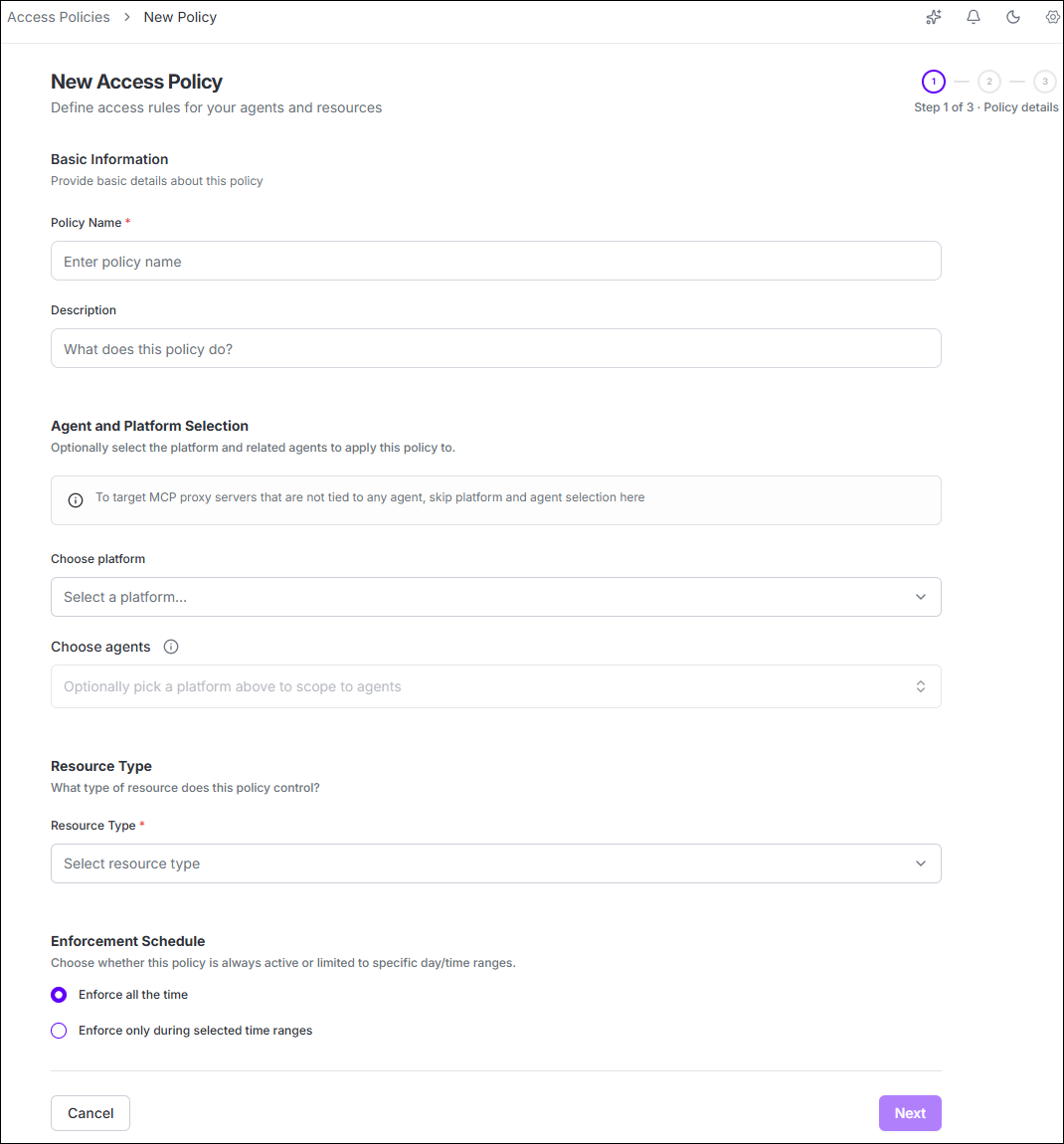
| Field | How to use it |
|---|---|
| *Policy Name | Enter a descriptive name that reflects the purpose of the policy. |
| Description | Optionally describe the security intent of the policy. |
| Platform | Optionally select the platform to which the policy should apply. |
| Agents | Select specific agents, all agents on the selected platform, or leave
unselected for global scope. Tip: Leave both
Platform and Agents unselected to
create a global policy that applies to all platforms and agents. |
| *Resource Type | Select MCP, File, Package, Web, Terminal, Version Control System, or AI Usage when available. |
| Enforcement Schedule | Choose Enforce all the time or Enforce only during selected time ranges, where applicable. |
| *: Mandatory fields | |
Note: With the policy name, scope, resource type, and enforcement
schedule defined, proceed to Configure
resource access to set the allow, deny, and approval rules for the selected
resource type.
