
Workflow Settings
Workflow Settings provides configuration options for how workflows operate in Agent Identity Security.
These settings define defaults that workflows can use, while allowing individual workflows or workflow steps to use their own configuration when required.
Currently, Workflow Settings includes default configuration for Slack and Jira connections used by workflows.
How Workflow Defaults Are Applied
Workflows use the most specific configuration available:
Step configuration → Workflow configuration → Default configuration
A configuration defined at the workflow or step level takes precedence over the default configuration.
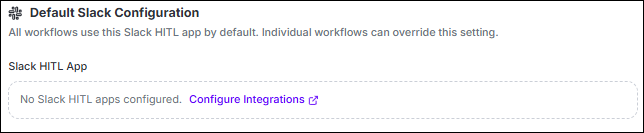
Default Slack Configuration
Use Slack HITL App to select the default Slack connection for workflows.
| Setting | Description |
|---|---|
| Slack HITL App | Selects the Slack app used by workflows that do not have their own Slack configuration. |
| None (use env fallback) | Leaves the default Slack connection empty. Workflows without their own Slack configuration use the Slack credentials configured for the deployment. |
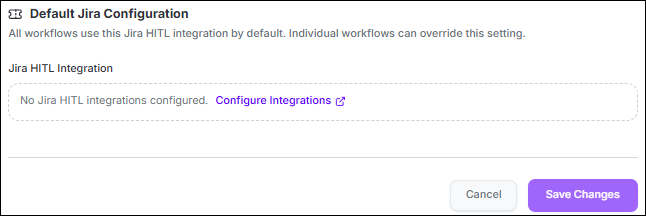
Default Jira Configuration
Use Jira HITL Integration to select the default Jira connection for workflows.
| Setting | Description |
|---|---|
| Jira HITL Integration | Selects the Jira connection used by workflows that do not have their own Jira configuration. |
| None (use step default) | Leaves the default Jira connection empty. Jira ticket steps use the connection configured directly on the step. |
Configure Slack and Jira Connections
The Slack and Jira connections available in Workflow Settings are configured through Integrations.
Configure the required integration first, then select it as the default in Workflow Settings.
Save Workflow Settings
Select Save Changes to save the configuration.
The selected Slack and Jira connections are used as defaults for workflows that do not have a more specific workflow-level or step-level configuration.
