
Roles
Roles control what users can view and manage within Agent Identity Security. Agent Identity
Security includes four built-in roles designed for common administrative, security, and
governance responsibilities. 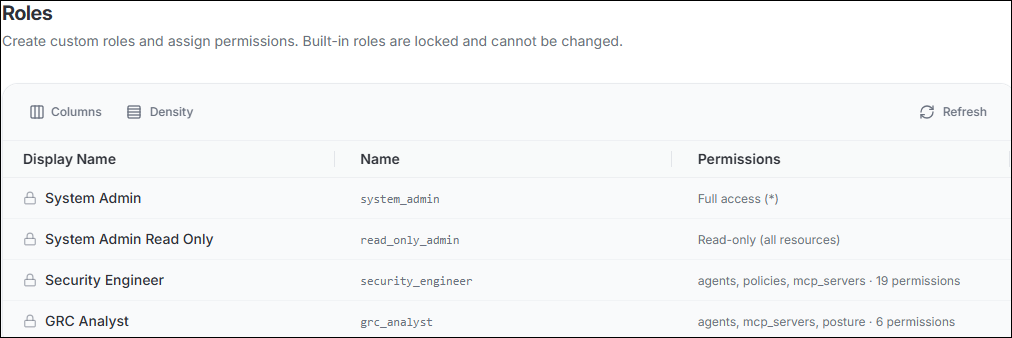
Roles and Functions
Agent Identity Security includes four built-in roles. Built-in roles cannot be edited or deleted. A System Admin can create additional roles and assign the permissions required for specific responsibilities.
All signed-in users can access Home, Dashboards, My Account, Appearance, and Guardian when Guardian is enabled for the organization.
| Role | Function |
|---|---|
| System Admin | Full administrative access to Agent Identity Security, including agent inventory, governance, security policies, MCP Gateway, integrations, users, roles, API keys, SSO, and system configuration. |
| System Admin Read Only | Read-only access across Agent Identity Security for users who need broad visibility without the ability to make configuration or operational changes. |
| Security Engineer | Operational access for managing agent security, including agent lifecycle actions, MCP server and model governance, security policies, posture, and event investigation. |
| GRC Analyst | Governance and compliance access for reviewing the agent environment, posture, and compliance status, including managing supported compliance frameworks. |
Capability Matrix
View provides access to lists and details. Manage provides the supported management actions for that area. - indicates no access.
| Area | System Admin | System Admin Read Only | Security Engineer | GRC Analyst |
|---|---|---|---|---|
| Registry | ||||
| Managed Agents | Manage — activate/deactivate | View | Manage — activate/deactivate | View |
| Unmanaged Agents | Manage | View | Manage | View |
| MCP Servers | Manage — sanction/unsanction | View | Manage — sanction/unsanction | View |
| Models | Manage — sanction/unsanction | View | Manage — sanction/unsanction | — |
| Skills | Manage — sanction/unsanction | View | View | — |
| Discovered Users | View | View | View | — |
| Credentials | View | View | View | — |
| Govern | ||||
| Event Logs | View / Export | View / Export | View / Export | — |
| Agent Posture | View | View | View + push findings via API | View |
| Compliance | View + enable/disable frameworks | View | View | View + enable/disable frameworks |
| Workflows | Manage | View | — | — |
| Secure | ||||
| Policies | Manage | View | Manage | — |
| MCP Gateway | Manage | View | — | — |
| Platform | ||||
| Integrations | Manage | View | — | — |
| Jobs | Manage | View | — | — |
Capability Matrix - Settings
View provides access to lists and details. Manage provides the supported management actions for that area. — indicates no access.
| Area | System Admin | System Admin Read Only | Security Engineer | GRC Analyst |
|---|---|---|---|---|
| Settings | ||||
| Users | Manage | View | — | — |
| Roles | Manage | View | — | — |
| API Keys & Bootstrap Tokens | Manage | View | — | — |
| Sessions | Manage | View | — | — |
| Notifications | Manage | View | — | — |
| SSO & Identity | Manage | View | — | — |
| Risk Configuration | Manage | View | — | — |
| Agent Posture Thresholds | Manage | View | — | — |
| Workflow Settings | Manage | View | — | — |
| AI Assistant / Guardian Configuration | Manage | View | — | — |
| Appearance | Access | Access | Access | Access |
