Pinning Device heatmap Widget
To pin the Device heatmap widget to your page:
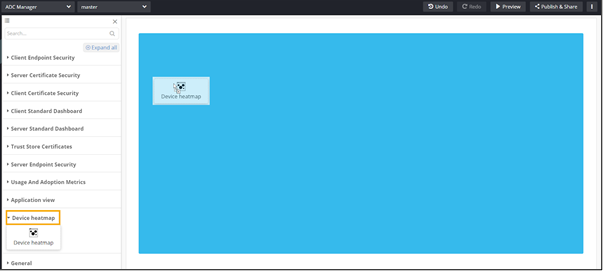
- From the component panel on the left, click Reports.
-
Under Device heatmap, drag and drop the widget that you want to pin to
the page.
-
To modify the widget, hover your mouse over the top right corner of the widget
and click
 (Edit) icon.
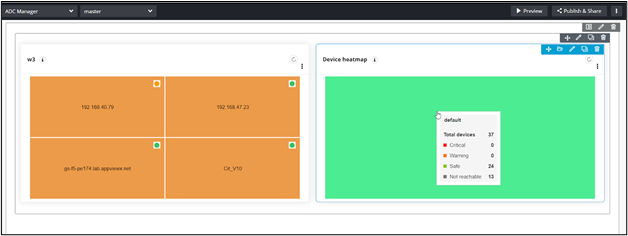 Note: For more information on configuring the Report widget, click here.
 -
To modify the widget settings, from the top right corner of the widget, click
 .
.
-
From the options, select Settings.
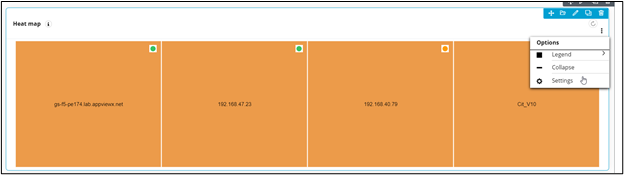 Note: You can configure devices and groups and other settings here.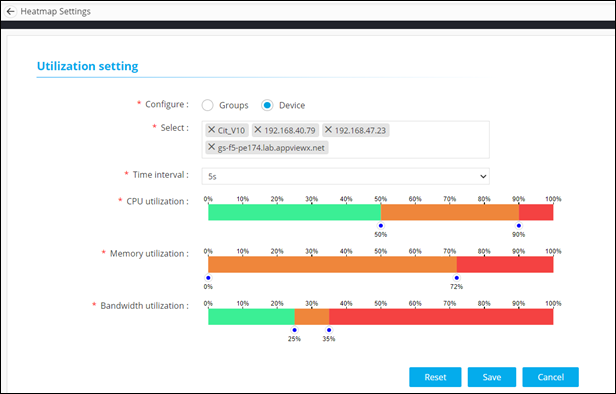
-
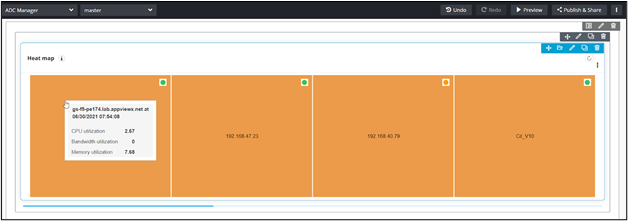
For details about a particular device on the heat map, hover your mouse over
the device.