
Configuring Reports - Properties
-
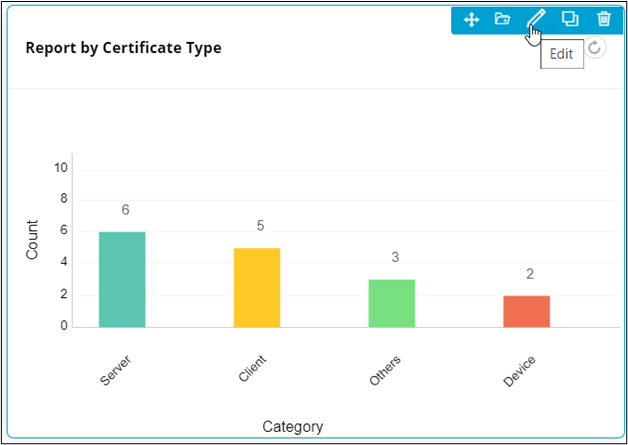
To configure/edit the Reports component, hover your mouse over
the widget and click
 (Edit) icon.
 The Report widget window opens with the Properties tab open by default.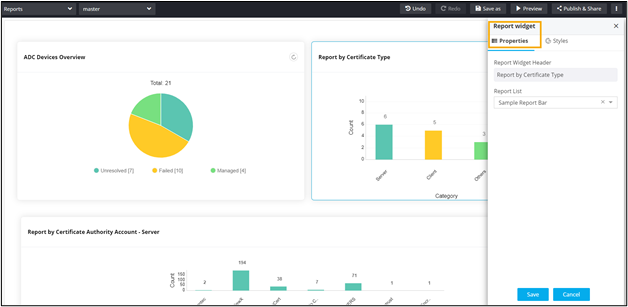
-
In the Report widget window, under Properties, enter or select
the required field information.
Table 1. Field descriptions for Properties Field Description Report Widget Header Allows you to provide a name for the Report Widget. Report List Allows you to select reports from the options available in the dropdown. Note: Selecting a report from this dropdown will replace the existing report on the page.Select icon Allows you to select an icon to be displayed next to the widget name. Chart Settings Allows you to choose a template, fit, and alignment for the widget as follows: - Template
- Classic
- Standard
- Minimal
- Fit
- Auto
- Relaxed
- Alignment -
- Left
- Center
- Template
- Click Save.
