Dynamic API Generation 
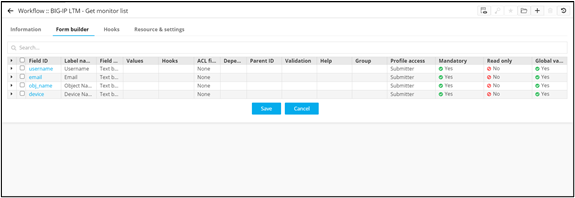
- Design a new workflow.
- From the User Interface section, drag and drop a Form task.
-
Define the requiredform fields.
- From the General section, drag and drop a Script task.
- From the User Interface section, drag and drop an Email task.
-
To generate an API for this workflow, click
 icon above the Start task.
The URL, HTTP method, Query params, Payload, and the Header for the API are displayed.Note: The API can also be generated as cURL or Python.
icon above the Start task.
The URL, HTTP method, Query params, Payload, and the Header for the API are displayed.Note: The API can also be generated as cURL or Python.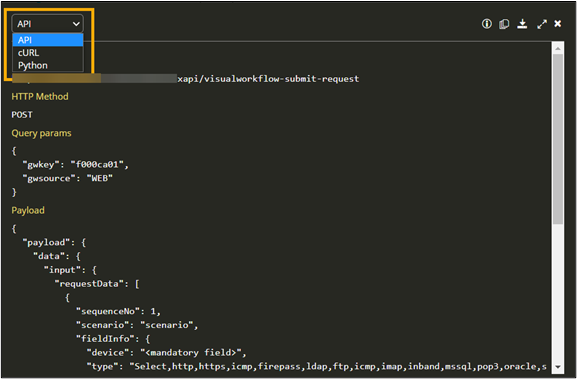
-
To download this API, form the top right corner of the API window, click
 (Download) icon.
- Connect and enable the workflow.
- To trigger the workflow from Postman, copy the URL and payload from the Workflow Studio.
- On the Postman Utility tool, under Body, paste the URL and Payload details.
- Under Headers, update the username and password details.
-
To trigger the workflow from Postman, click Send.
Response with a Request ID is generated.
-
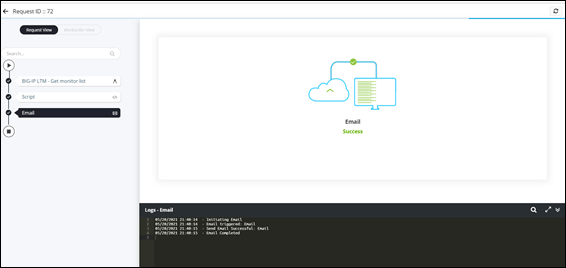
Navigate to the Request :: All page and click on the Request ID
generated in Postman.
Workflow is executed successfully.