Defining a Review Task using Variables 
- Design a workflow.
- In the design space, from the General section, drag and drop a Script task.
-
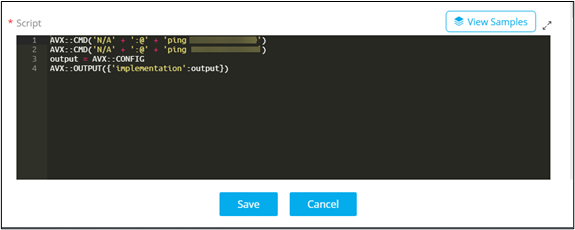
In the Script task window, under Properties, in the
General section, configure the script to generate commands to ping
servers and store the configuration in a variable (AVX::CONFIG).
- From the User Interface section, drag and drop the Review task.
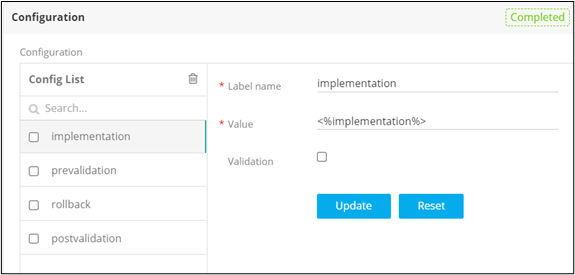
- In the Review task window, under Properties, in the Configuration section, define the configuration blocks - Prevalidation, Implementation, Rollback, Postvalidation.
-
Refer the variables from the Script task into the appropriate configuration
blocks.
- From the General section, drag and drop the Implementation task.
-
In the Review task window, under Resource, define
the permissions in the chart as follows:
- V (View) - Users can only view the interface. There is no Submit or Cancel buttons provided.
- R (Review) - Users can only view/read, Submit and Cancel without editing the task.
- RW (Read Write) - Users can read/write, Edit, Submit, and Cancel the task.
- Connect and enable the workflow.
-
Trigger the workflow from the Request ::
View/Run page.
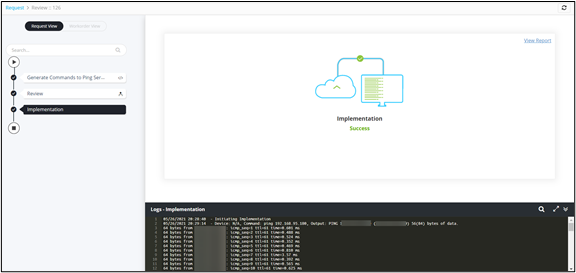
Workflow is executed successfully with the Review task.