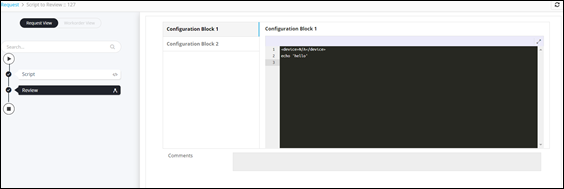
Customizing Configuration Blocks in Review Task 
- Design a workflow.
- From the General section, drag and drop a Script task.
-
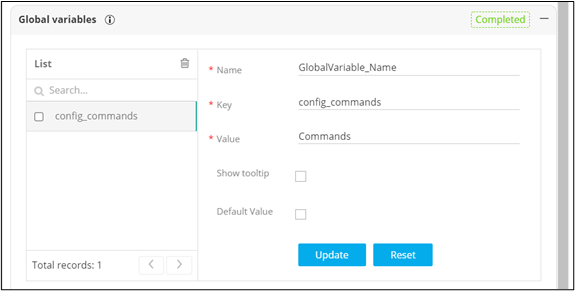
In the Script task window, under Global variables, declare the
data to be passed as a global variable to be referenced in the Review task.
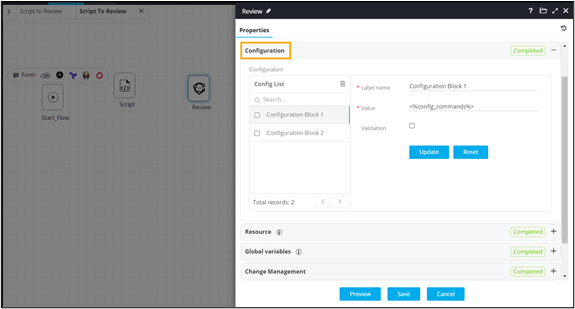
- From the User Interface section, drag and drop the Review task.
- In the Review task window, under Configuration , define custom configuration blocks.
-
Pass variable(s) from the previous task in the Value field against the
appropriate configuration block.
- Connect and enable the workflow.
-
Trigger the workflow.
Workflow is executed successfully with the customized configuration blocks.