Creating a Freestyle Job
To create a freestyle job in Jenkins:
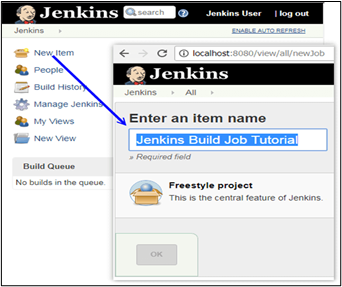
- Click New Item in the upper left corner of the admin console.
- Enter the name of the project.
-
Select Freestyle Project.
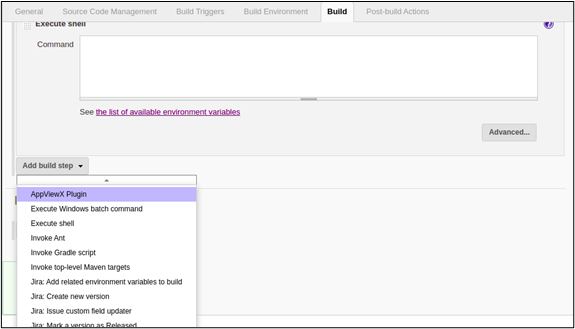
- Create a build step using the AppViewX plugin in order to execute the automation workflow. The AppViewX plugin that has been installed will be available in the build step in the job configuration page.
-
Under Add build step, select AppViewX
Plugin from the dropdown list.
-
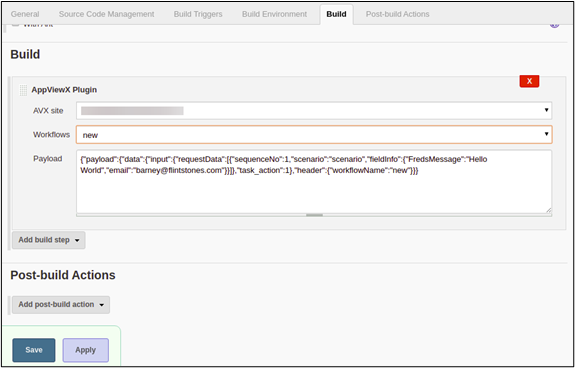
Select the AppViewX site and the required workflow from the list.
On saving the configuration, the payload will be auto-populated in the payload text area.