
Accessing CERT Automation Work flow Tasks
To view these tasks:
- In the Automation module, navigate to the Workflow page and click Create New.
- Enter a Name for the workflow and click Save.
-
To access the OOB workflow tasks, from the left menu, expand
Certificates.
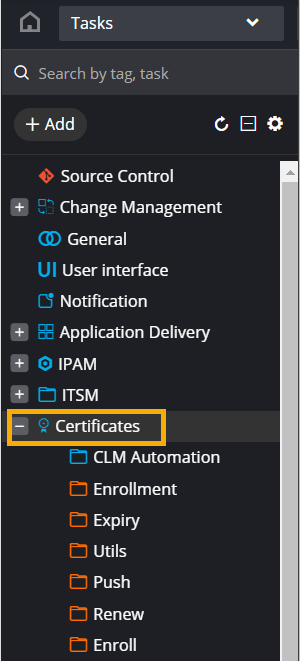 The following categories of tasks are available in this folder:
- Enrollment - Lists all the OOB tasks for enrolling certificates from configured CAs.
- Expiry - Lists the Get Expiry Certificates task.
- Renew - Lists the Renew and Regenerate tasks.
- Push - Lists all the OOB tasks for pushing certificates to devices and servers.
Note: For more information on how to design a custom workflow using these OOB tasks, click here.
