Compare Configuration
Important: Admin conf is required for
running this utility.
Note: Ensure that the
appviewx_kubernetes_addons_2026.1.0.0.tar.gz file is present in the
appviewx_kubernetes directory.
Steps to perform a compare configuration:
-
To start the installation process, run the command:
./install.shThe following welcome screen is displayed.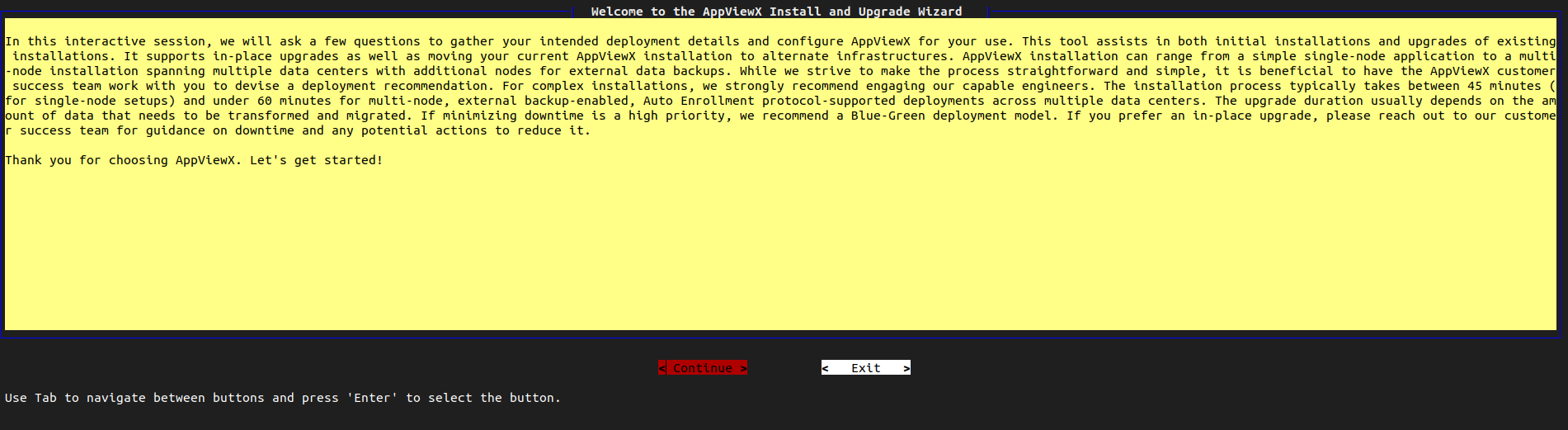
-
Select Continue.
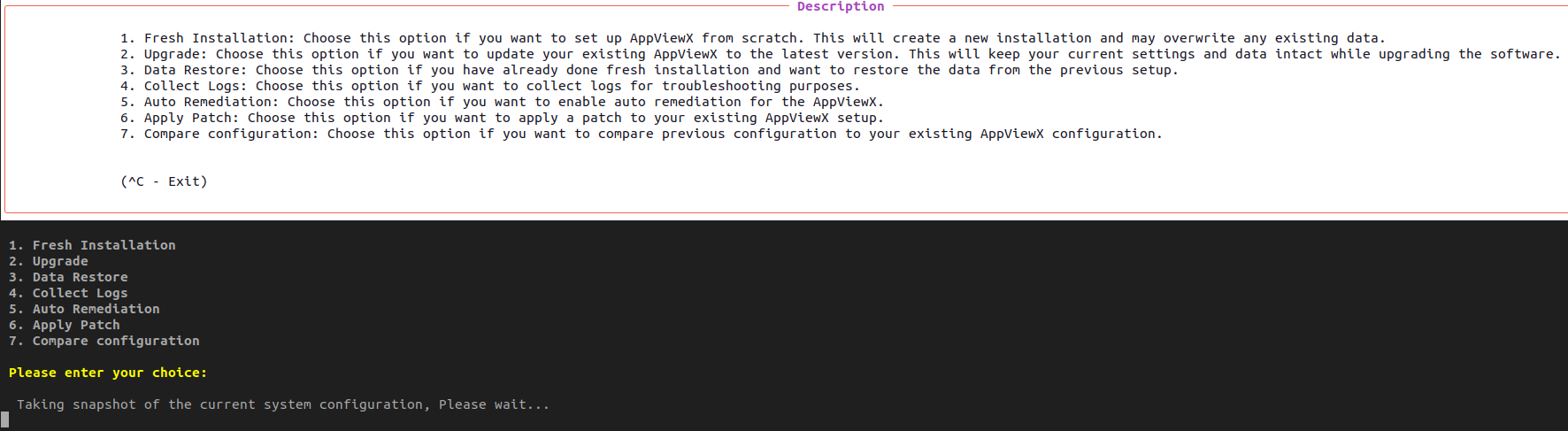
The screen shows the following options:
- 1. Fresh Installation
- 2. Upgrade
- 3. Data Restore
- 4. Collect Logs
- 5. Auto Remediation
- 6. Apply Patch
- 7. Compare Configuration
-
Choose option 7, Compare Configuration.
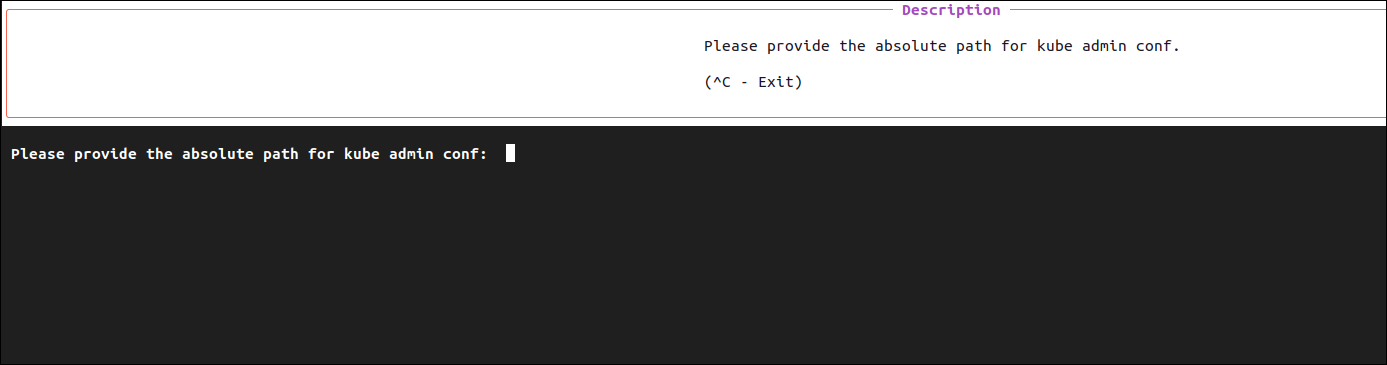
By default, the cluster has read-only access. To perform administrative tasks, admin access must be enabled. A configuration file located at <Home Directory>/.kube/backup/config provides the required admin privileges. When prompted, ensure you specify the correct path to this file.Note: If the file has been moved or backed up to a secure location, provide the updated file path accordingly.
-
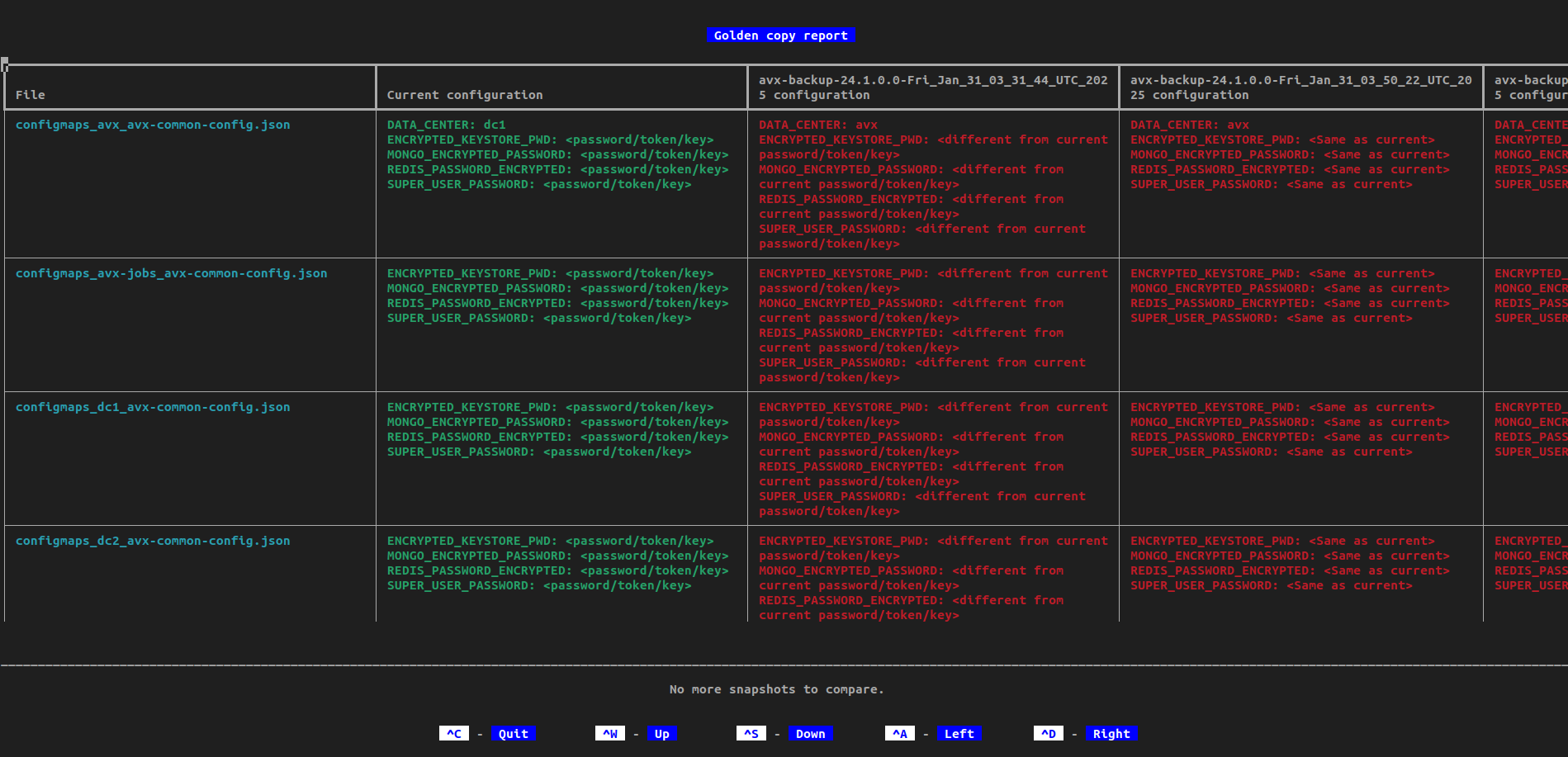
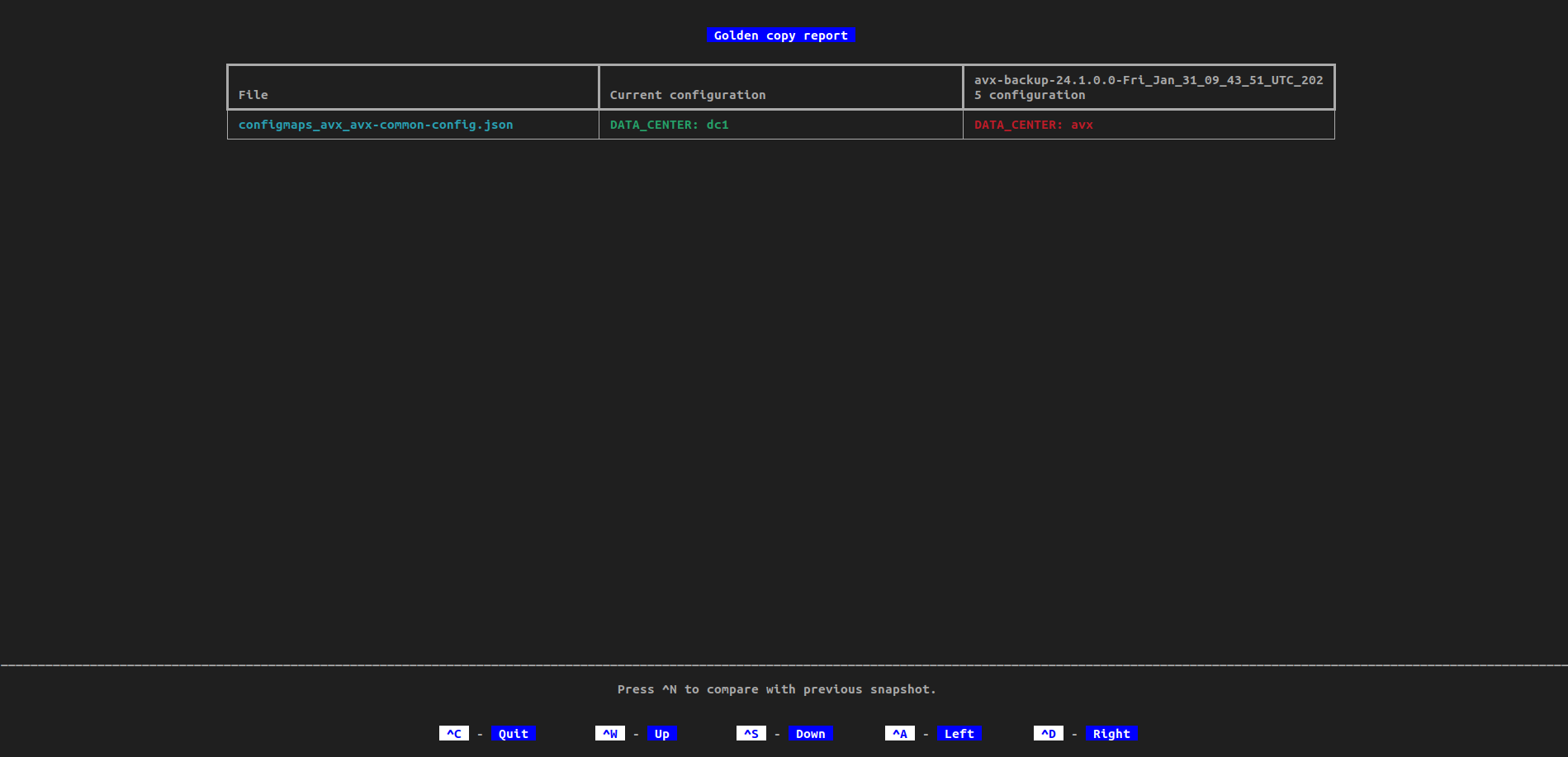
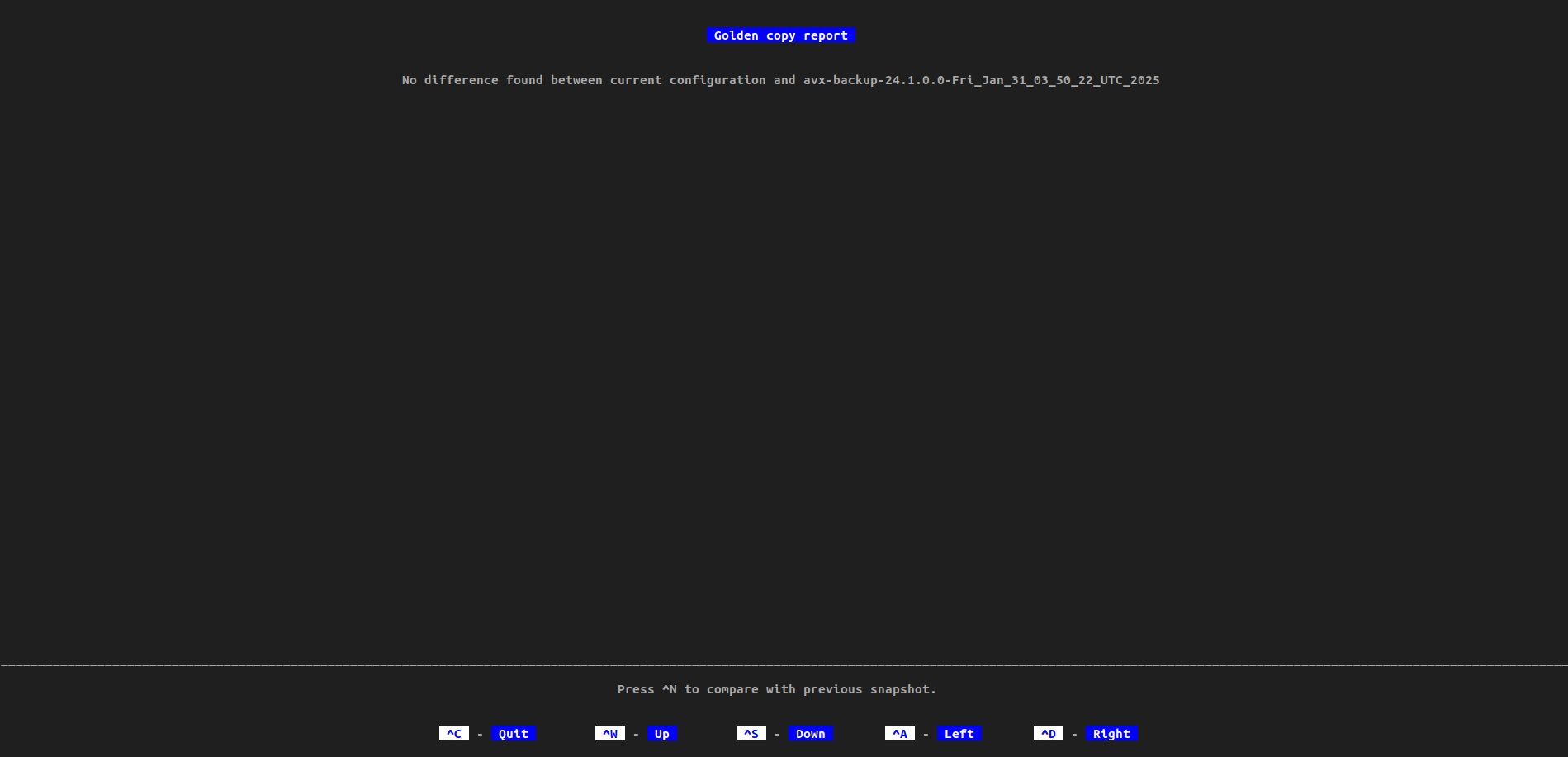
The utility captures a snapshot of the current configuration and compares it
with the previous one. The resulting snapshots highlight areas where changes
have occurred and where no modifications have been made.
-
To compare with the next snapshot, press Ctrl+N. This will compare it
with the subsequent snapshot.
If the report is too large, use the following short cut keys:
- To scroll up, Ctrl+W
- To scroll down, Ctrl+S
- To scroll left, Ctrl+A
- To scroll right, Ctrl+D
The resulting snapshots highlight areas when there are no more snapshots to compare and when the report is too large.