
Apply Patch
This option should be selected when the customer is ready to apply the latest plugins
and addons patch, incorporating the newest bug fixes and application enhancements.
Choose option 6 for applying the patch. 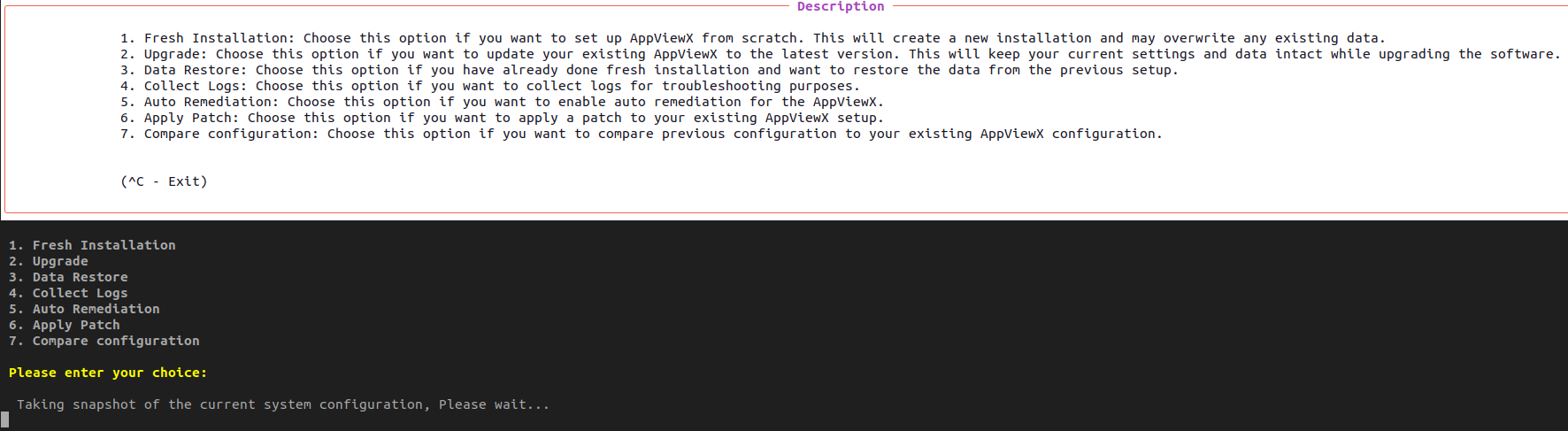
Note: Ensure that the
appviewx_kubernetes_addons_2026.1.0.0.tar.gz file is present in the
appviewx_kubernetes directory.
Skipping Backup During apply patch:
Attention: Ensure
that node snapshots are taken, as the rollback option in the Terminal UI will
not restore data if the backup is skipped.
To skip the mongoDB
backup:- Run `./install.sh`.
- Select option 6.
- Enter the password and respond to the prompts.
-
When the table screen appears, create a duplicate session and follow these
steps:
- Navigate to the directory <appviewx_installer_directory>/appviewx_kubernetes/scripts/
- Open the application_upgrade.json file.
-
To disable backups, find the take_backup parameter and set
its value from
truetofalse. - Save the file.
