
Enabling/Disabling individual OOB Workflows
To disable an OOB workflow:
- Go to the Store.
-
On the Workflow > Store page, hover your mouse
over a workflow name, and then click
 (Dots) icon.
-
From the available options, click Disable.
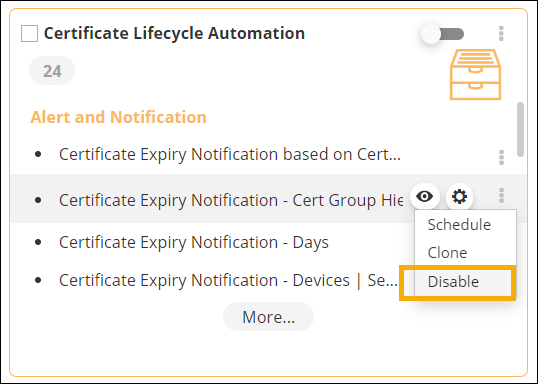 The workflow is disabled.
 -
To enable a workflow, on the Workflow > Store page,
hover your mouse over the workflow to be enabled, and then click
(Dots) icon.
-
From the options available, click Enable.
The workflow is enabled.
