
Accessing the Workflow Page
| New Menu | Old Menu |
|---|---|
The Workflow page is displayed. |
From the main navigation menu, select Studio >
Workflow. The Workflow page is displayed. |
|
Note: For more information on how to switch
between menus, click here.
|
|
The Workflow page gives a consolidated view of the important aspects of the Visual Workflow platform, and inventory of all the custom-built workflows, and the actions that can be performed from the Workflow studio console.
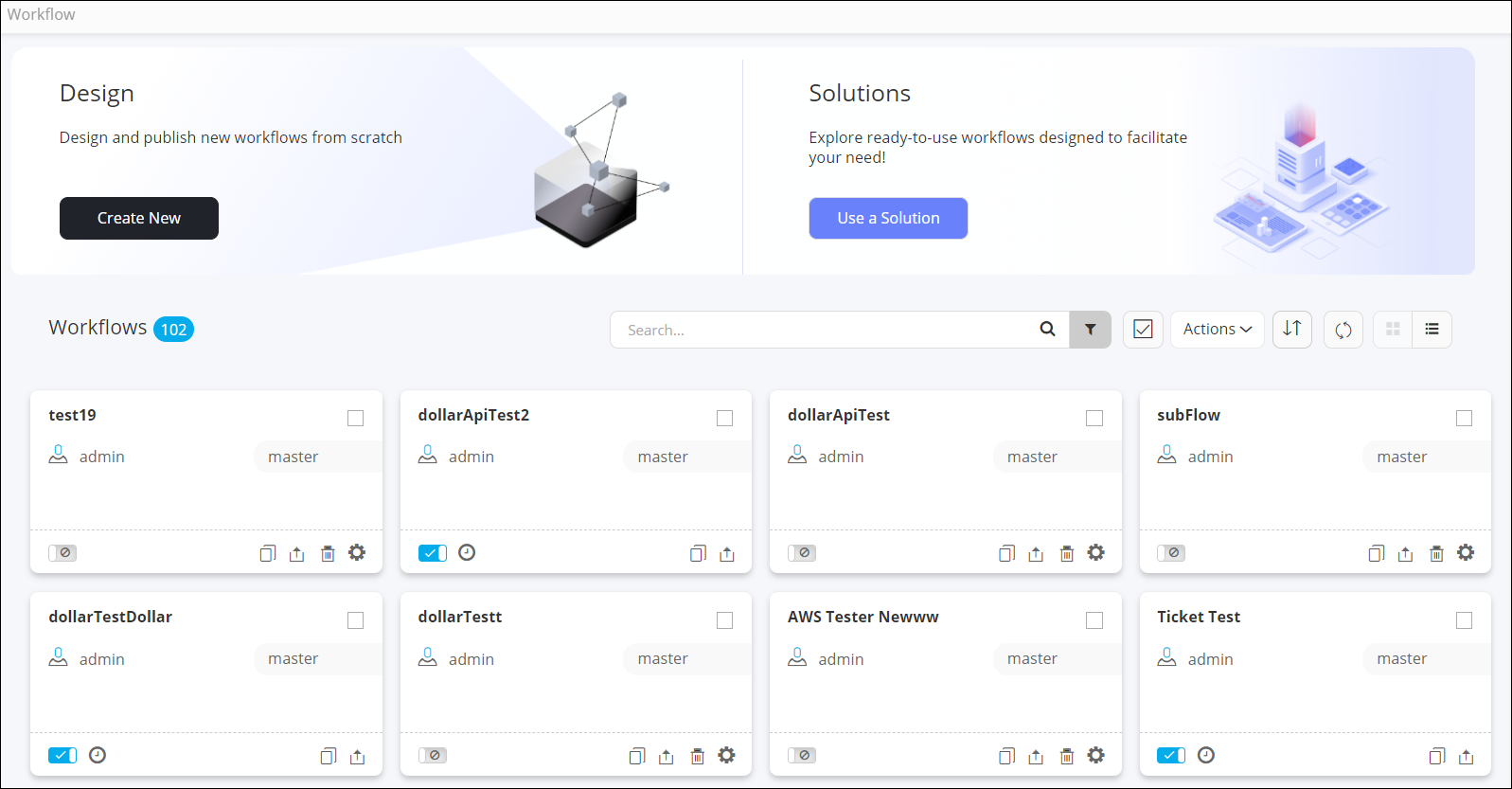
| Option | Description |
|---|---|
| Design | Allows you to create a new workflow from scratch. Note: For more information, click here. |
| Solutions | Allows you to access the ready-to-use OOB Solutions and FAQs. |
| Search bar | Allows you to search for a particular workflow by typing in the keyword. |
 |
Allows you to filter workflows based on the category selected in the dropdown. |
 |
Allows you to select all workflows displayed on the page with a single click. |
| Actions | Allows you to perform the following actions on workflows:
Note: For more information, click
here. |
 |
Allows you to rearrange the workflows as:
|
 |
Refreshes the page. |
 |
Displays the workflows in a card view. |
 |
Displays the workflows in a list view. |
Note: The Workflow inventory page is displayed in
Card view by default. You can switch to the List view by
clicking
(List View) icon.
(List View) icon.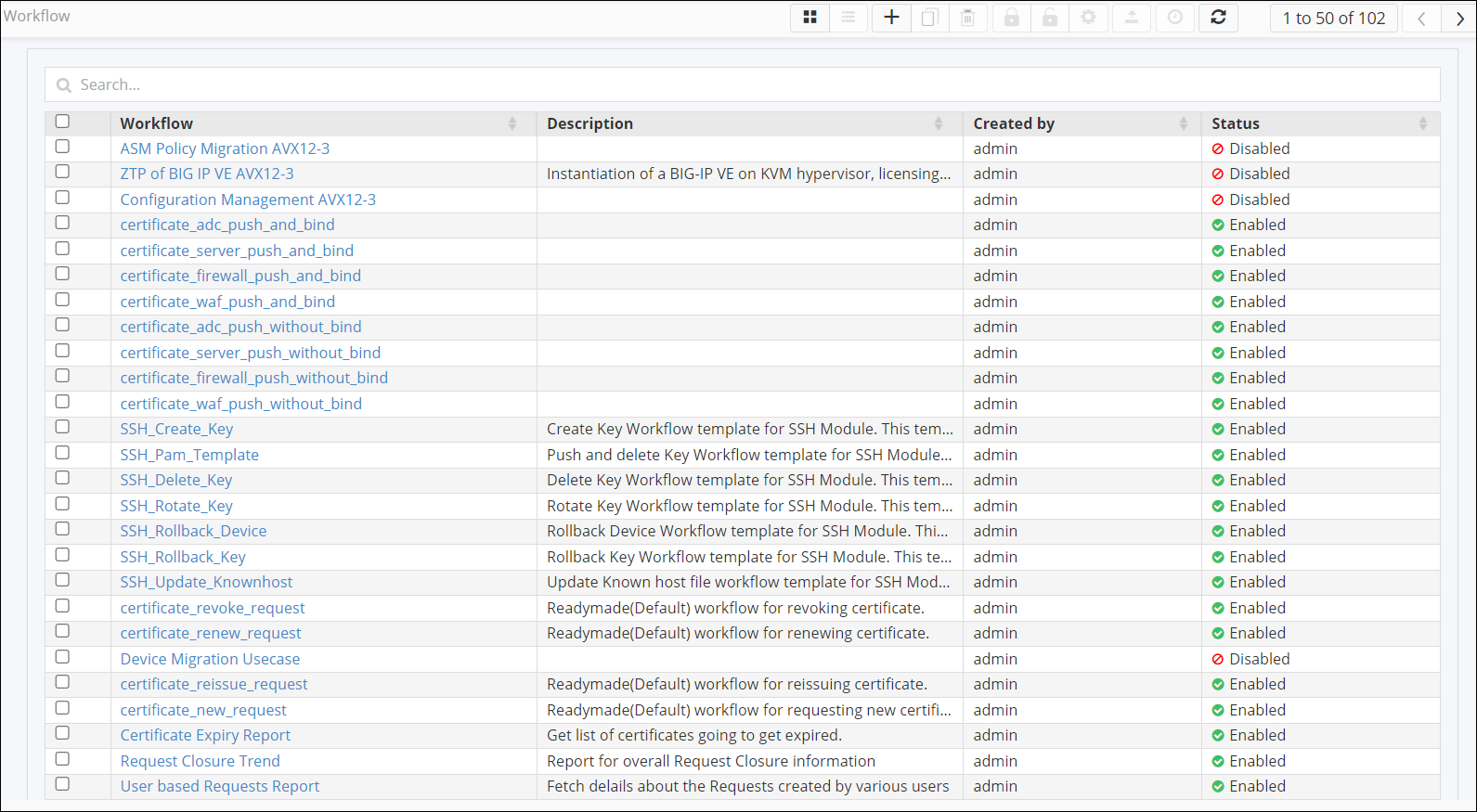
| Option | Description |
|---|---|
| Search bar | Allows you to search for a particular workflow by typing in the keyword. |
|
Displays the workflows in a card view. |
|
Displays the workflows in a list view. |
 |
Allows you create a new workflow from scratch. Note: For more information, click here. |
 |
Allows you to clone a workflow. Note: For more information, click here. |
 |
Allows you to delete selected workflow(s). Note: For more information, click here. |
 |
Allows you to enable selected workflow(s). Note: For more information, click here. |
 |
Allows you to disable selected workflow(s). Note: For more information, click here. |
 |
Allows you to define RBAC and other settings for a particular
workflow. Note: For more information,
click here. |
 |
Allows you to export selected workflow(s). Note: For more information, click here. |
 |
Allows you to schedule the selected workflow. Note: Only enabled workflows can be
scheduled. For more information, click here. |
 |
Refreshes the page. |
