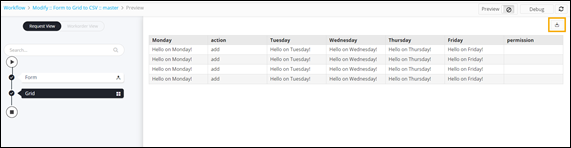
Downloading the Grid 
- Design a new workflow.
- From the General section, drag and drop the Form task.
-
Add the required form fields as shown here.
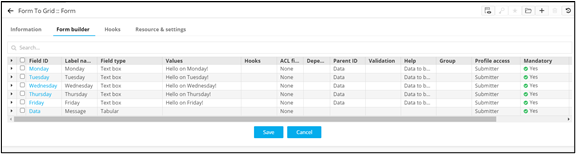 Note: For more information on adding form fields, click here.
 - From the User Interface section, drag and drop the Grid task.
-
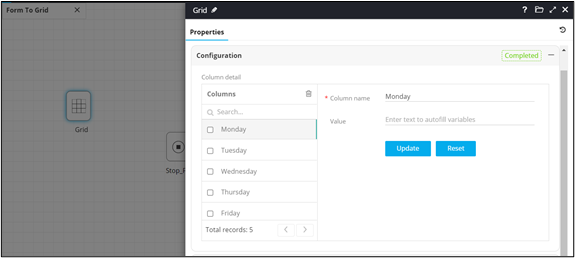
In the Grid task window, under Properties, in the
Configuration section, configure the Columns for the grid.
-
In the Grid task window, under
Resource, define the permissions in the chart as
follows:
- V (View) - Users can only view the interface. There is no Submit or Cancel buttons provided.
- R (Review) - Users can only view/read, Submit and Cancel without editing the task.
- RW (Read Write) - Users can read/write, Edit, Submit, and Cancel the task.
- Connect the workflow tasks and from the menu on the top, click Preview.
-
To download the Grid, click
 (Download) icon in the right upper corner of the screen.