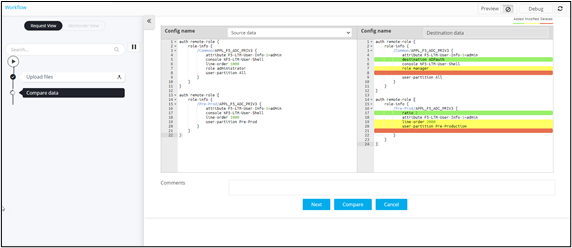
Configuring a Basic Diff Checker 
- Design a workflow.
- In the design workspace, from the User Interface section, drag and drop the Diff Checker task.
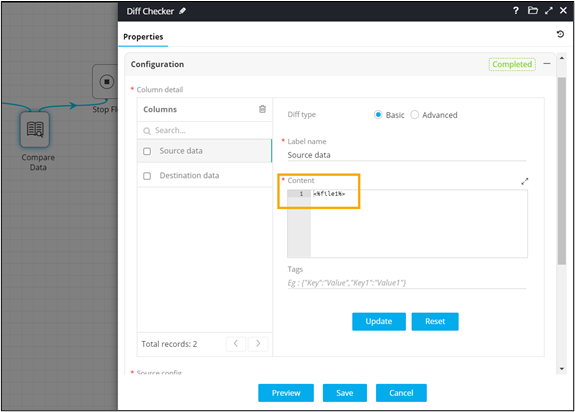
- In the Diff Checker task window, under Properties, in the Configurationsection, select Diff type as Basic.
-
Enter the Content to be compared or reference content
from any previous workflow task as a variable.
-
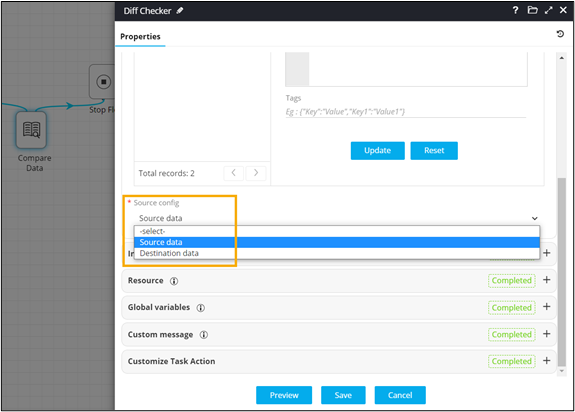
Under Source config, select the source column against
which the diff checker comparison must be made.
-
In the Diff Checker task window, under
Resource, define the permissions in the chart as
follows:
- V (View) - Users can only view the interface. There is no Submit or Cancel buttons provided.
- R (Review) - Users can only view/read, Submit and Cancel without editing the task.
- RW (Read Write) - Users can read/write, Edit, Submit, and Cancel the task.
- Connect the workflow tasks.
- From the command bar on the top, click Preview.
-
Upload the source files.
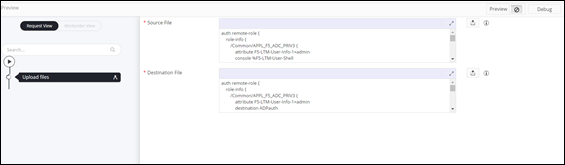 Basic Diff Checker allows you to compare the data.