
Bulk Revoking Client Certificates
Note: For the DevOps users, the issuing CA may disable the revoke
action. In this case, a pop-up message, informing the user of this, is displayed.
For enterprise users, the revoke action is enabled.
To bulk revoke a client certificate:
-
Go to
 (Menu) > CERT+ > CERTIFICATE
INVENTORY > Client.
The Client Certificate page is displayed.
(Menu) > CERT+ > CERTIFICATE
INVENTORY > Client.
The Client Certificate page is displayed. -
Click the List toggle button on the right top corner of the server
certificate page.
- Select the required certificate check box.
-
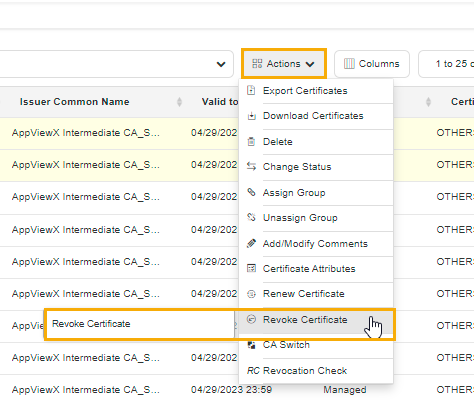
Click Actions, and then select Revoke Certificate from the
list.
The certificate revoke dialog box is displayed.
The following table describes the options available on the revoke certificate page:Table 1. Field description for certificate revoke Field Description *Reason The required option from the dropdown list. The possible options are:- Key Compromise
- Affiliation Changed
- Superseded
- Cessation of Operation.
Comments Enter additional details, if required. *: Mandatory fields - Click Yes.
