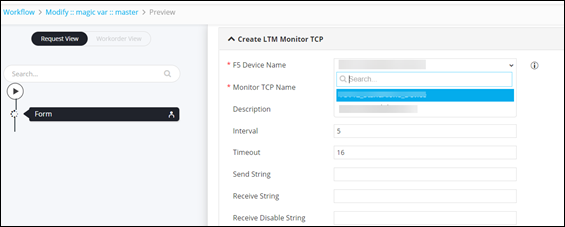
Using a Magic Variable within a Workflow 
- Design a workflow.
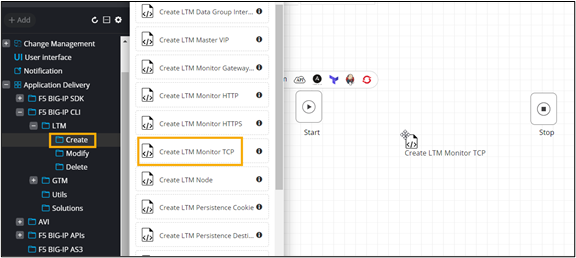
- In the design workspace, from the menu on the left, navigate to Application Delivery > F5 BIG-IP CLI > LTM > Create.
-
From the Create folder, drag and drop the Create LTM
Monitor TCP task.
-
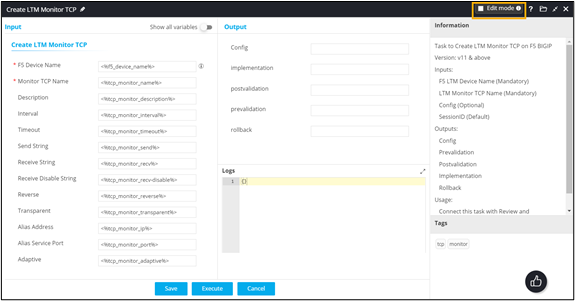
In the Create LTM Monitor TCP task window, select the Edit mode
checkbox to see information on the variables used in this task.
-
To see the magic variable used in this task, in the Create LTM Monitor
TCP task window, click Variables.
The magic variable
(~get_managed_f5_ltm_devices~)retrieves the list of all managed F5 LTM devices.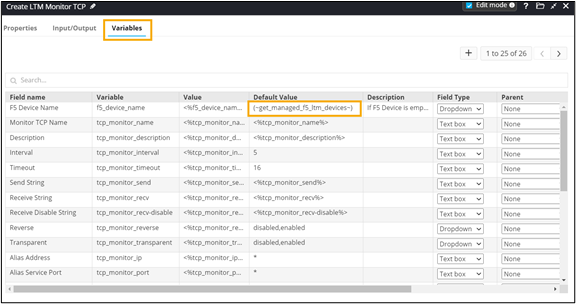
- Auto-generate a self-service form for this workflow.
-
Connect the workflow tasks
and click Preview.
The magic variable auto-populates the F5 Device Name form field.