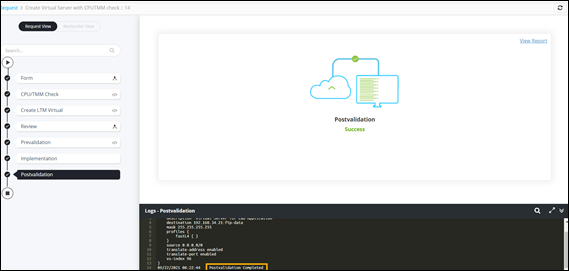
Performing a CPU/TMM Check 
- Design a workflow to create a LTM virtual server on F5 BIG-IP.
-
In the design workspace, from the Utils folder, under F5 BIG-IP
CLI, drag and drop the CPU/TMM Check task. This task performs a
CPU/TMM check on F5 BIG-IP.
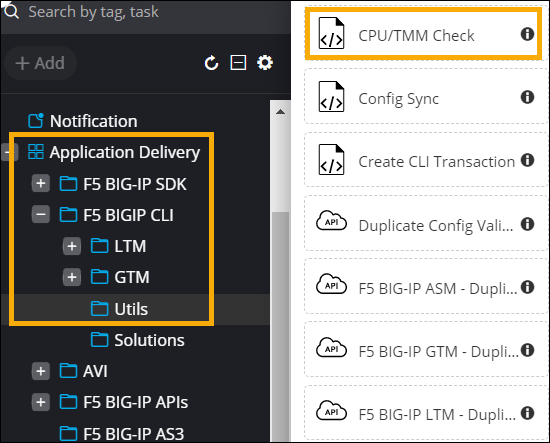 The CPU TMM Check task opens in the Edit mode.
 - Click Save.
-
Auto-generate a self-service form
for this workflow.
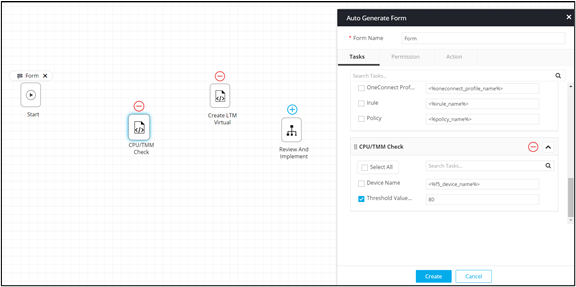
- Connect the workflow tasks and enable the workflow.
-
Trigger the workflow.
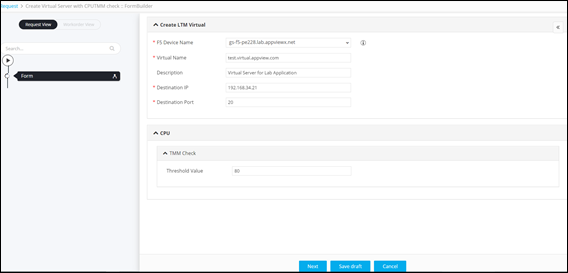
The workflow execution page is displayed with the workflow inputs requested at the first stage.
-
Enter the details in the input form.
-
Click Next.
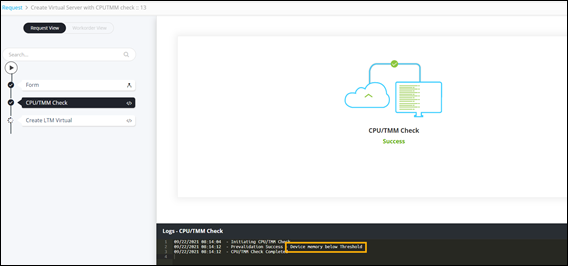
- CPU/TMM Check is successful - Device memory is below threshold.
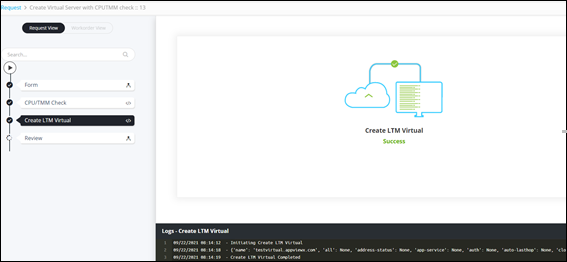
- Create LTM Virtual task is successfully completed.
- CPU/TMM Check is successful - Device memory is below threshold.
-
At the Review stage, click Submit.
The workflow is executed successfully.