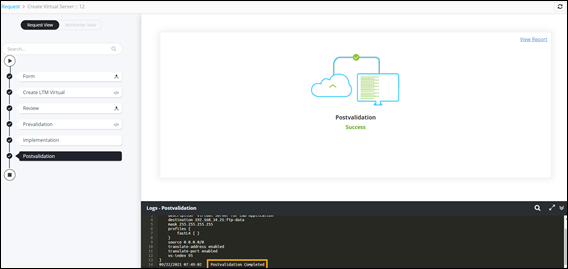
Creating a LTM Virtual Server on F5 BIG-IP 
- Design a new workflow.
-
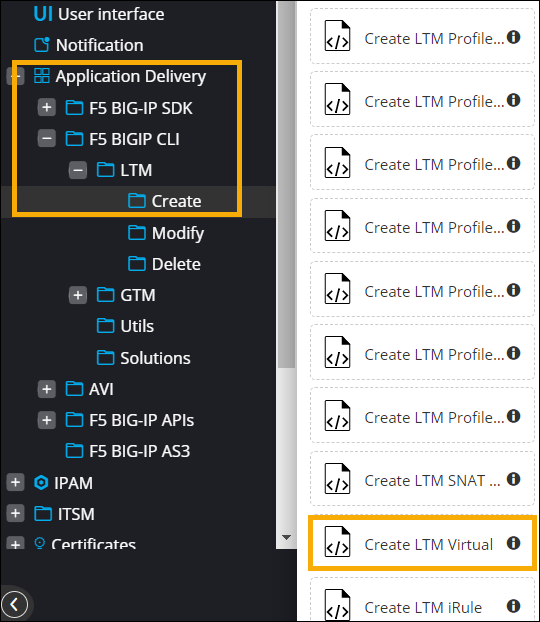
In the design workspace, from the Application Delivery >
F5 BIG-IP CLI > LTM > Create folder, drag and
drop the Create LTM Virtual task.
 The Create LTM Virtual task window shows the defined Input and Output variables. The Information section shows what the task is for and also informs the user to connect this task with Review and Implementation tasks for BIG-IP provisioning.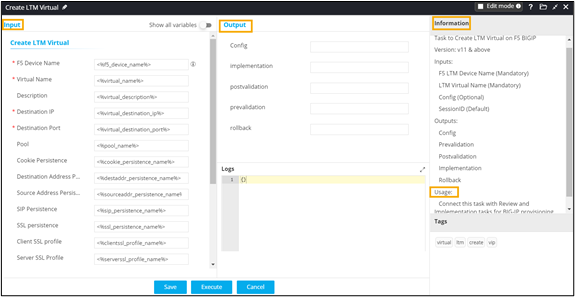
- Click Save.
- From the F5 BIG-IP CLI > Utils folder, drag and drop the Review and Implement workflow.
- Auto generate a self-service form for this workflow.
- Connect the workflow tasks and enable the workflow.
-
Trigger the workflow.
The workflow execution page is displayed with the workflow inputs requested at the first stage.
-
Enter the details in the input form.
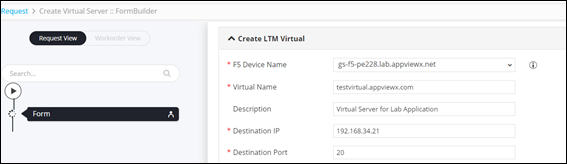 Note: Ensure that the device is available in the Device Inventory.
 - Click Next.
-
In the Confirmation pop-up window, click Ok.
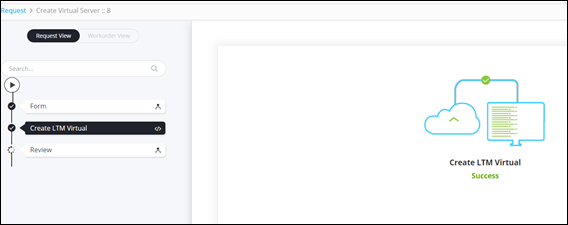
The Create LTM Virtual task is successfully completed.
-
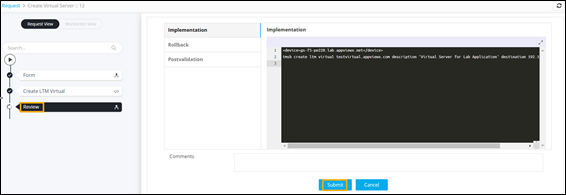
At the Review stage, click Submit.
-
In the Confirmation pop-up window, click Ok.
Workflow is successfully executed.