Committing Workflows from the Workflow Page
- Go to the Workflow page.
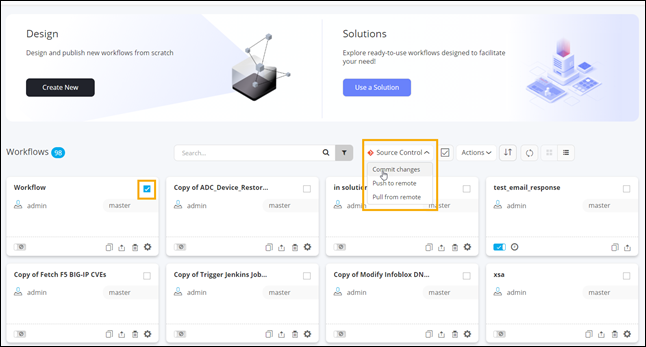
- On the Workflow page, select the workflows to be committed.
-
From the Source Control dropdown menu, select
Commit changes.
-
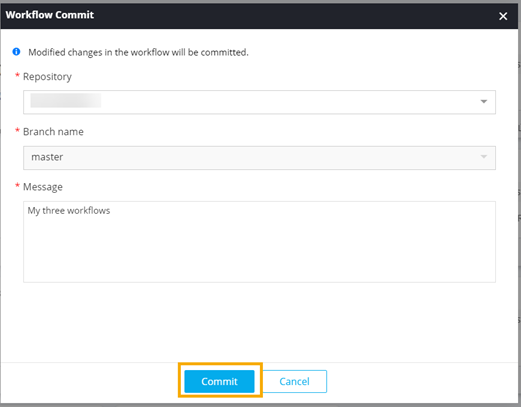
In the Workflow Commit window, enter a commit
Message and click Commit.