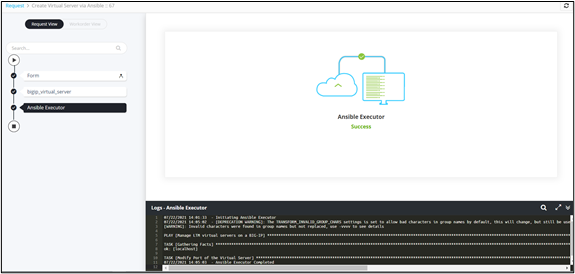
Ansible Executor 
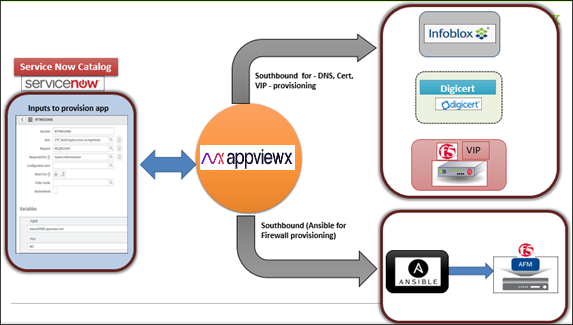
To connect to an Ansible instance, discover and reuse a BIG-IP playbook and integrate with Infoblox IPAM via Visual Workflow:
- Configure an Ansible instance.
- Go to the Workflow page.
- Design a new workflow.
- In the design workspace, from the DevOps folder in the left menu, select Ansible > Network Modules > F5.
- From the F5 folder in the left menu, drag and drop the BigIP_Virtual_Server task into the workspace.
-
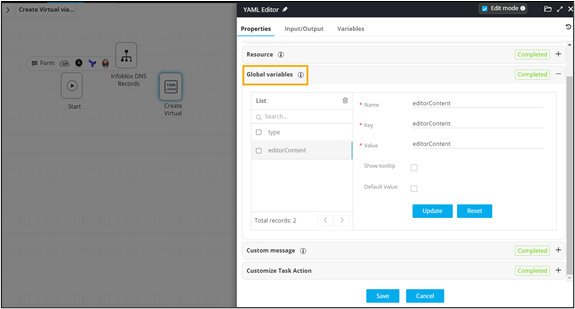
In the YAML Editor task window, under
Properties, in the Global
variables section, declare the global variable in this task to
pass data from the YAML task to the Ansible Executor on the southbound.
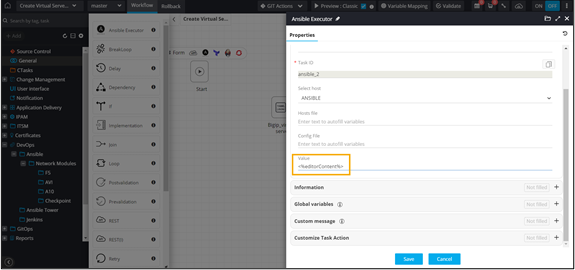
- From the General section, drag and drop the Ansible Executor task.
- In the Ansible Executor task window, under Properties, select the Ansible host on which implementation is to be done.
-
Map the global variable from the YAML task.
- Auto-generate a self-service form.
- Connect the workflow tasks and enable the workflow.
-
Trigger the workflow.
The workflow execution page is displayed with the workflow inputs requested at the first stage.
-
Enter the input details in the Form.
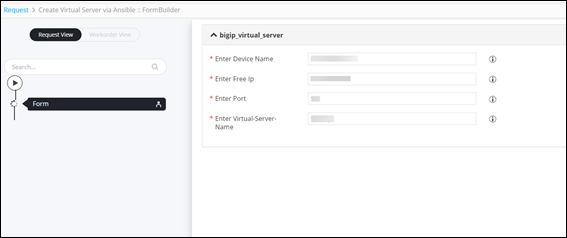
- Click Next.
-
Submit the YAML task.
Ansible Executor task completed.