
Viewing the Workflow Version List
- Go to the Workflow page.
- Open the workflow for which you want to check versions.
-
From the master dropdown menu, select Version List.
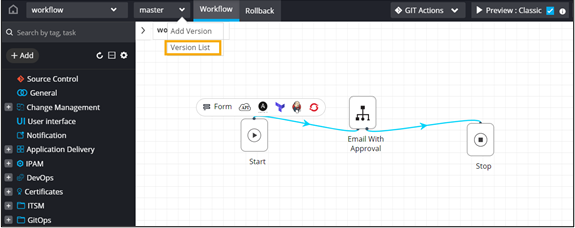 The Version List window displays the list of all versions existing for the workflow.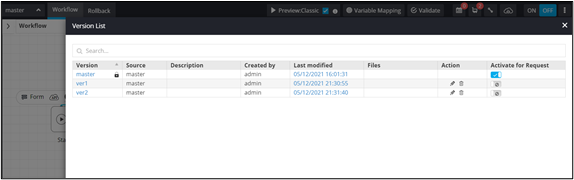
-
To enable a particular workflow version, turn on the toggle.
Note: Only one version can be enabled at a time.The enabled version is added to the Workflow page.
