
Utility Tools and Functions
Updating Ingress Host in the Config Map
Customers can now update their own ingress host directly in the config map using
the updateIngressHosts utility below. If they are using an
external load balancer and wish to modify the ingress, it can be done using the
following
command: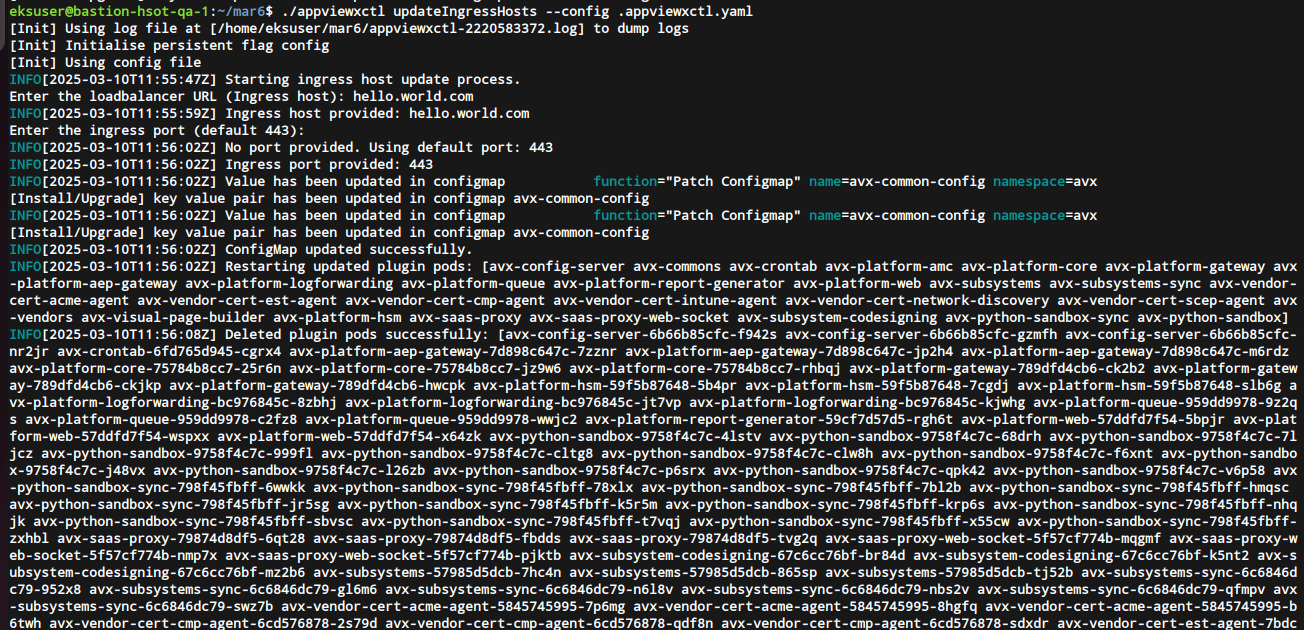
./appviewxctl updateIngressHosts --config .appviewxctl.yaml- Enter the loadbalancer URL (Ingress Host):
- Enter the ingress port (default 443): - If you're using the default port 443, simply press Enter. Otherwise, enter the desired port number and then press Enter.
Note: After config
map is updated, all the plug-in pods will get restarted
automatically.
Updating Istio Certificates in the tls-credential secret
Customers can now upload/update their own istio certificates using the
updateIngressCerts utility provided
below: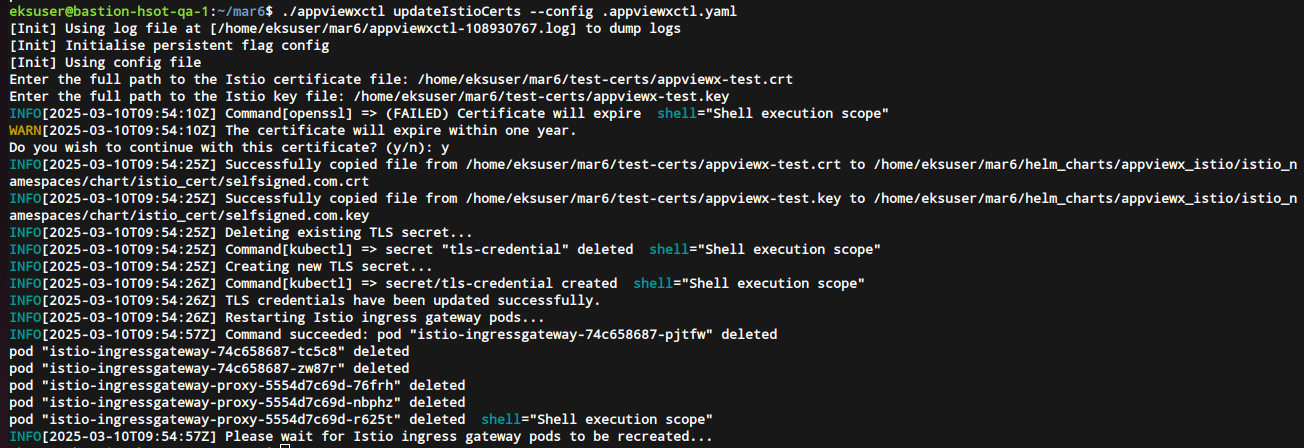 The entered certificate file and key are
placed in the istio_certs folder. The existing tls-credential secret is
deleted and a new one is created using the entered certificate and key. The
exiting istio ingress gateway and the istio ingress gateway pods are deleted.
The istio ingress gateway pods are then recreated and once they are up and
running the utility program ends.
The entered certificate file and key are
placed in the istio_certs folder. The existing tls-credential secret is
deleted and a new one is created using the entered certificate and key. The
exiting istio ingress gateway and the istio ingress gateway pods are deleted.
The istio ingress gateway pods are then recreated and once they are up and
running the utility program ends.
./appviewxctl updateIngressCerts --config .appviewxctl.yaml- Enter the full path to the Istio certificate file: - Enter the directory path including the certificate file.
- Enter the full path to the Istio key file: - Enter the directory path including the certificate key.
-
If the entered certificate is due to expire within one year then you will prompted with Do you wish to continue with this certificate? (y/n):
The entered certificate file and key are
placed in the istio_certs folder. The existing tls-credential secret is
deleted and a new one is created using the entered certificate and key. The
exiting istio ingress gateway and the istio ingress gateway pods are deleted.
The istio ingress gateway pods are then recreated and once they are up and
running the utility program ends.The certificates can be verified on the browser as shown below.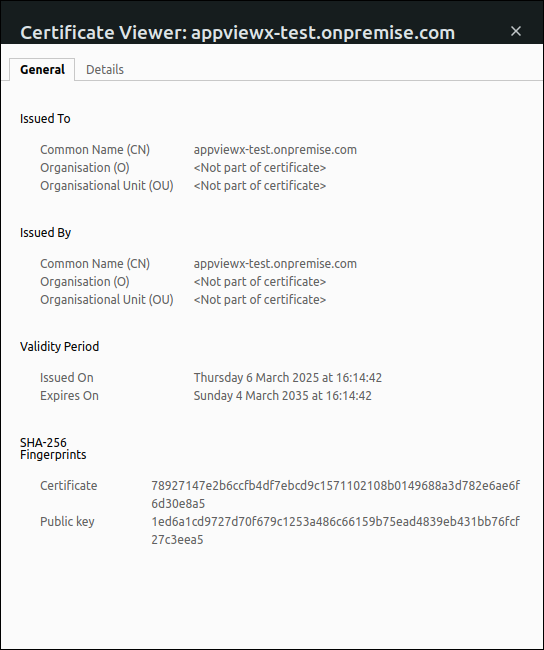
Kafka Cert Utility
Note: To make the alerts section visible on the gateway, first
enable the following checkbox: Identity → Role → Select appropriate role →
Authorized Functions → Platform → Observe and Explore - Alerts
(Checkbox).
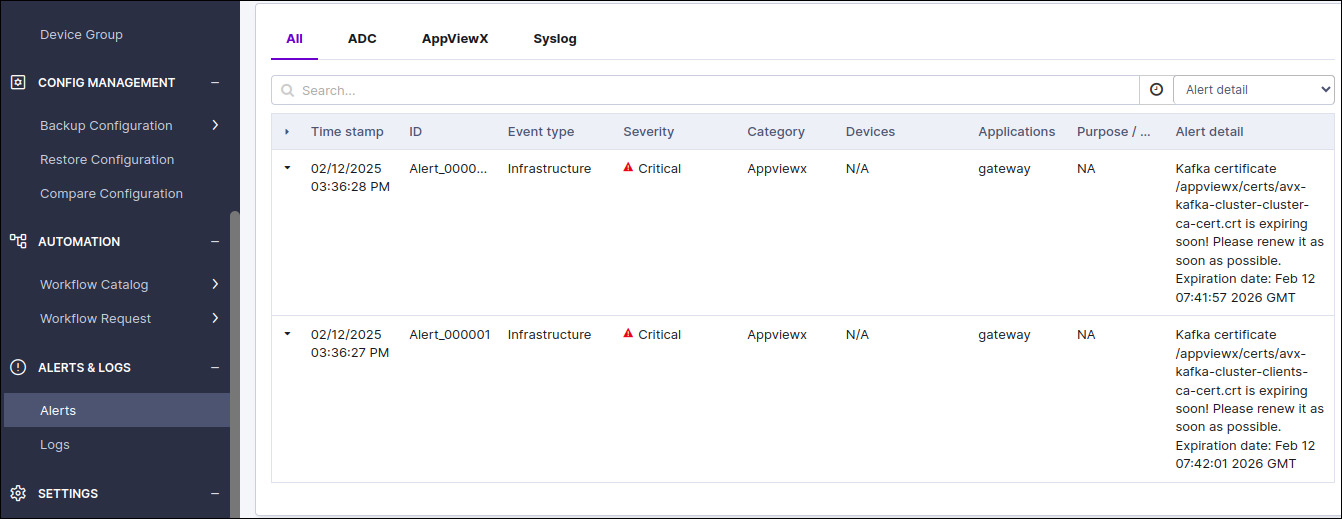
Utility function to renew kafka certs: Users will be able to
renew kafka certs with a new utility, by executing the single command below.
./appviewxctl renewKafkaCerts --config .appviewxctl.yaml