
Uninstall and Cleanup
The process of uninstalling requires one to navigate to the installer directory and
execute the following
command
./appviewxctl uninstall --config .appviewxctl.yamlThe following messages are displayed after the uninstall command is executed
successfully.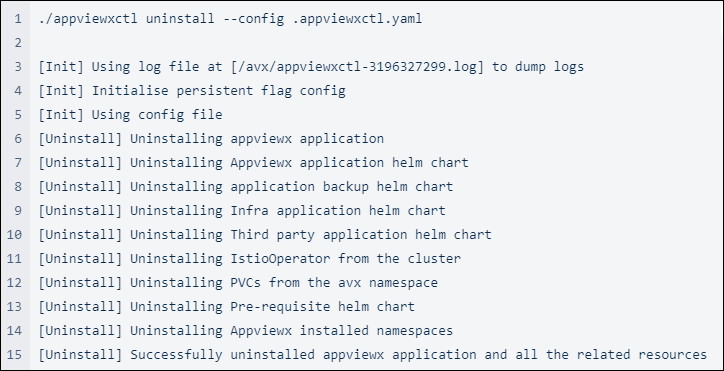
Note: In the Managed K8s environments removal of PVCs do not occur at
times as it may require patching PVCs first before deletion. This may cause certain
error messages to display, indicating that PVC has changed. In case of such an error
occurs re-run the above command to solve the issue and uninstall the application.
Sometimes the namespaces take a longer time to be removed. Hence, post installation,
check if namespaces are in the terminating state (use the command: kubectl get
namespace). If any namespace is in the terminating state, manually remove the
namespaces by executing the commands
below:
kubectl get namespace "istio-operator" -o json | tr -d "\n" | sed "s/\"finalizers\": \[[^]]\+\]/\"finalizers\": []/" | kubectl replace --raw /api/v1/namespaces/istio-operator/finalize -f - 2>/dev/nullkubectl get namespace "istio-system" -o json | tr -d "\n" | sed "s/\"finalizers\": \[[^]]\+\]/\"finalizers\": []/" | kubectl replace --raw /api/v1/namespaces/istio-system/finalize -f - 2>/dev/nullkubectl get namespace "avx" -o json | tr -d "\n" | sed "s/\"finalizers\": \[[^]]\+\]/\"finalizers\": []/" | kubectl replace --raw /api/v1/namespaces/avx/finalize -f - 2>/dev/nullkubectl get namespace "avx-kafka" -o json | tr -d "\n" | sed "s/\"finalizers\": \[[^]]\+\]/\"finalizers\": []/" | kubectl replace --raw /api/v1/namespaces/avx-kafka/finalize -f - 2>/dev/nullkubectl delete ns istio-operator --force 2>/dev/nullkubectl delete ns istio-system --force 2>/dev/nullkubectl delete ns avx --force 2>/dev/nullkubectl delete ns avx-kafka --force 2>/dev/null