
How to Add/Import a Nested Workflow? 
- Design a new workflow.
-
To add or import a nested workflow, click
 (Cart) icon.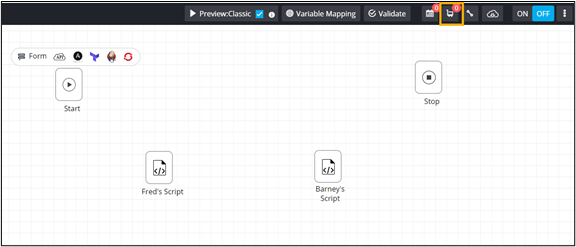
- To define a new subflow, from the options displayed in the dropdown, click Add or to reuse an existing workflow, click Import.
-
In the Import flows window, select the workflow to be reused or nested.
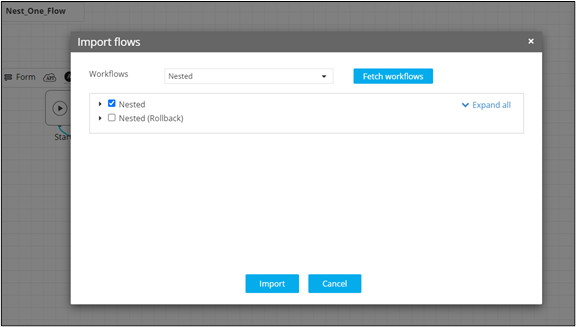
- Drag and drop the workflow to be nested into the workspace.
-
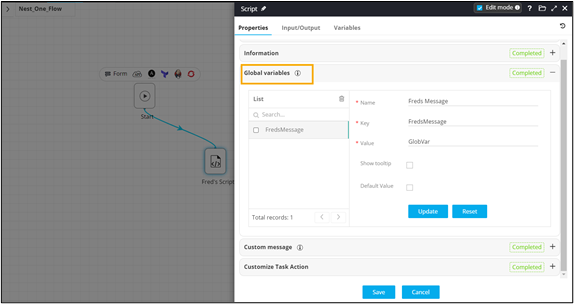
In the Script task window, under Properties, in the Global
variables section, define the global variables in order to pass the
values between task(s) in the existing flow and the nested flow.
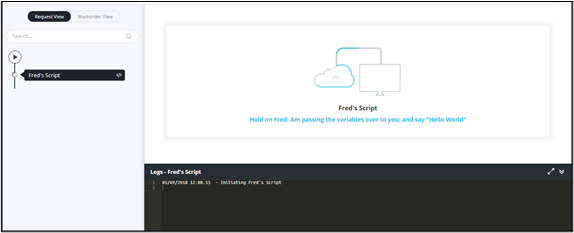
For example, The value ‘Fred says: Hello world’ from the script is declared as a global variable and used as an input into the form task of the nested flow.
-
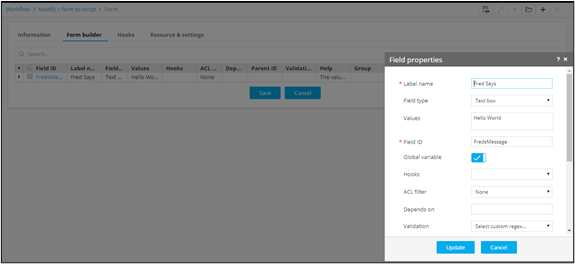
Refer the Global Variable key into one or more task(s) of the nested flow.
- Connect the workflow tasks and enable the workflow.
-
Trigger the workflow.
- Variable values being passed from one task to another task within a
nested flow.
- The value being passed into the destination task where it is referred.
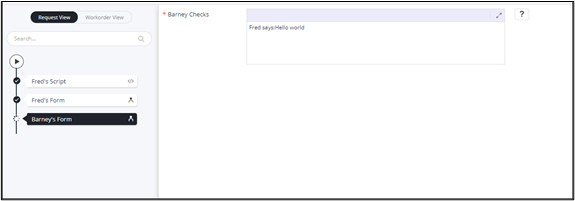
- Variable values being passed from one task to another task within a
nested flow.
