
Editing Subcategories and Workflows within a Catalog
-
On the Request :: Overview
page, from the menu on the left, click View/Run.
Note: Only enabled workflows are displayed on the Request :: View/Run page.
-
On the Request :: View/Run page, from the top right corner of
the screen, click
 .
.
-
From the options displayed, select Edit.
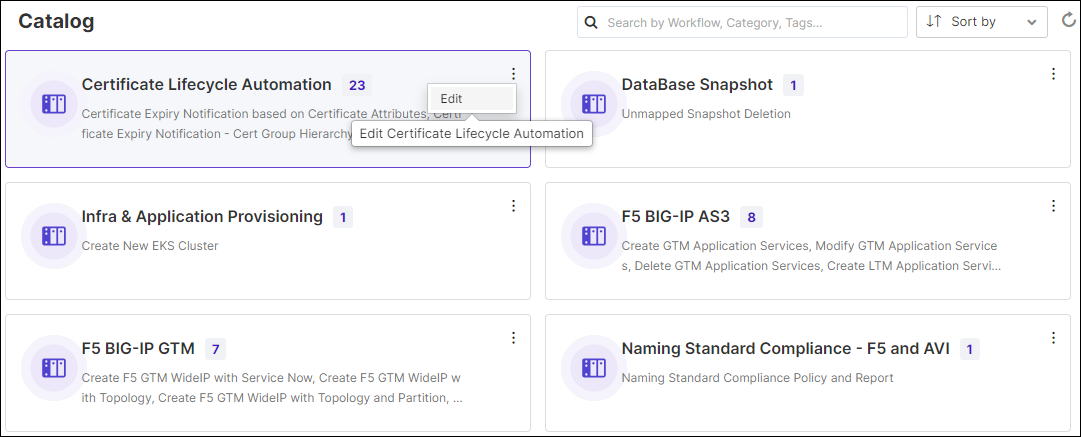
-
In the Manage Catalog window that is displayed, under
SubCategory Name, hold and drag folders to modify the order in which
they are displayed on the workflow card.
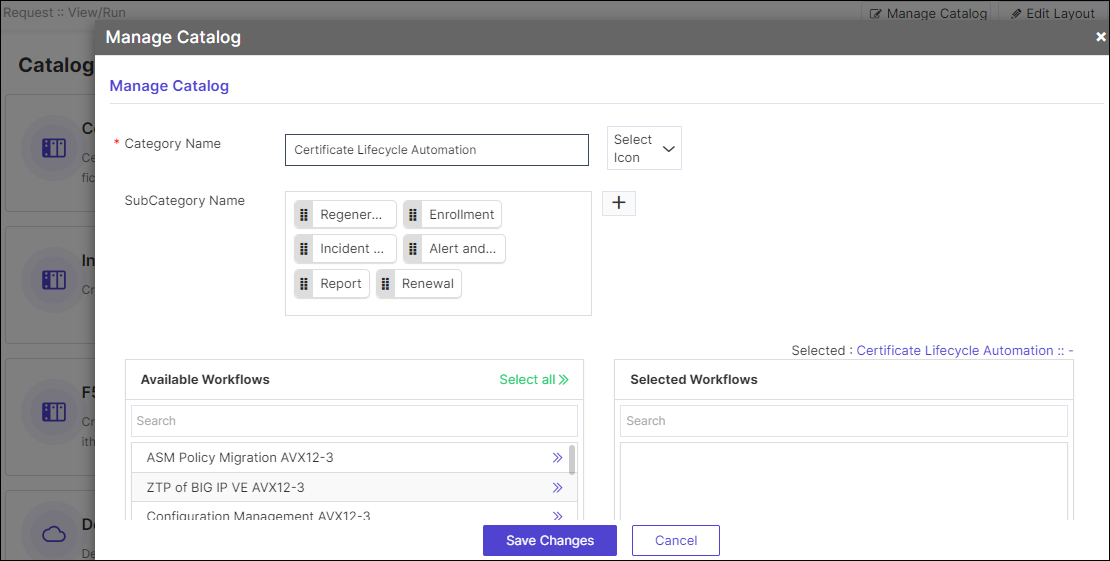
-
To add more workflows under a subcategory, select the subcategory and
click
 next to the workflow name under
Available Workflows.
next to the workflow name under
Available Workflows.
-
To move a workflow out of the selected workflows, click
 next to the workflow under Selected
Workflows.
next to the workflow under Selected
Workflows.
- Click Save Changes.
