
Configuring RBAC for Archive and Restore Requests
- Go to the Role page in the Platform module.
- Select the role for which you want to enable access. For example, admin.
-
Under Authorized functions, expand Automation > Service
Requests > User Preference.
Note: If you are using the old menu, under the Authorized Functions tab, expand Request > Workflow.
-
Under User Preference, select from the following checkboxes for the
option to be displayed in the Service Requests console.
- Show Archival requests
- Show Restore requests.
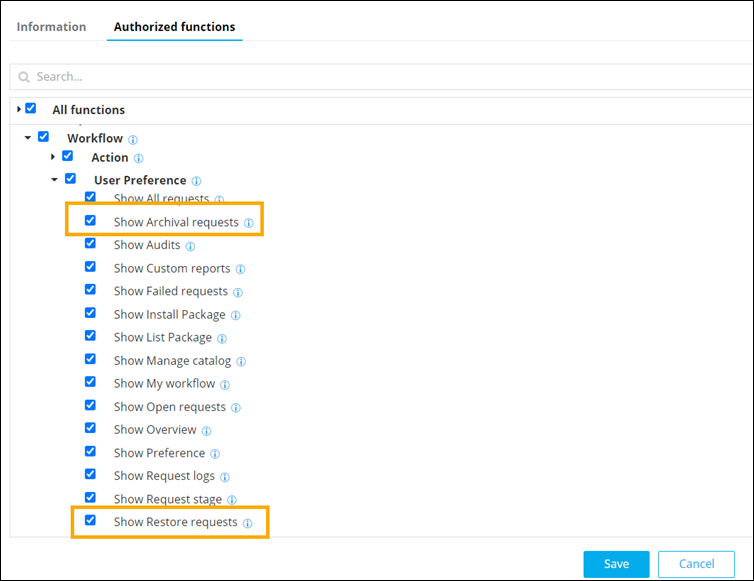 Note: Only the option that is selected under User Preference will be displayed under Service Requests.
