Configuring YUM
This section guides users to configure AppViewX nodes to the YUM repository hosted by AppViewX. Yum will sync only AppViewX repositories to get the OS package updates. This task is required to update the OS security patching on AppViewX supplied OVAs.
Note: For information regarding the best practices on rebooting
the operating system after security patching, refer to the Graceful Reboot Procedure.
Warning: This will remove all the other repositories
configured in the system.
Before you configure yum, ensure that:
-
AppViewX nodes have access to the following URL https://repos.appviewx.com
-
The user has root/sudo access to configure yum.
To configure YUM:
- Download the appviewx.repo file from the release portal.
- Login as a root user.
-
To take a backup of existing yum repositories, execute the following
command:
mv /etc/yum.repos.d /etc/yum.repos.d_backupThis is to ensure that we have a backup of the existing yum repository configurations. -
To create a yum repository, execute the following command:
mkdir -p /etc/yum.repos.d -
To copy the appviewx.repo to yum.repos.d, execute the following command:
cp appviewx.repo /etc/yum.repos.d/ -
To clean the yum repository, execute the following command:
yum clean all -
To get the latest updates from repos.appviewx.com, execute the following
command:
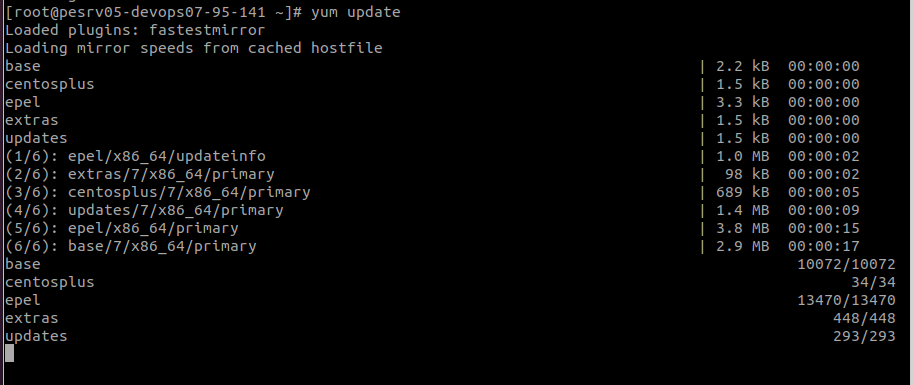
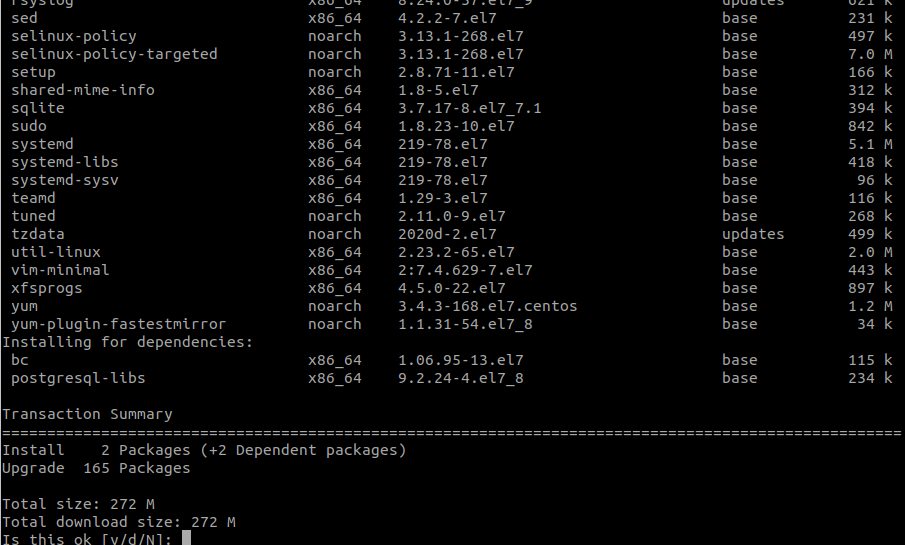
yum updateThe command will connect to the AppViewX repository and update the packages. Reference images are given below: