
Trusted Domains (2 way Trust)
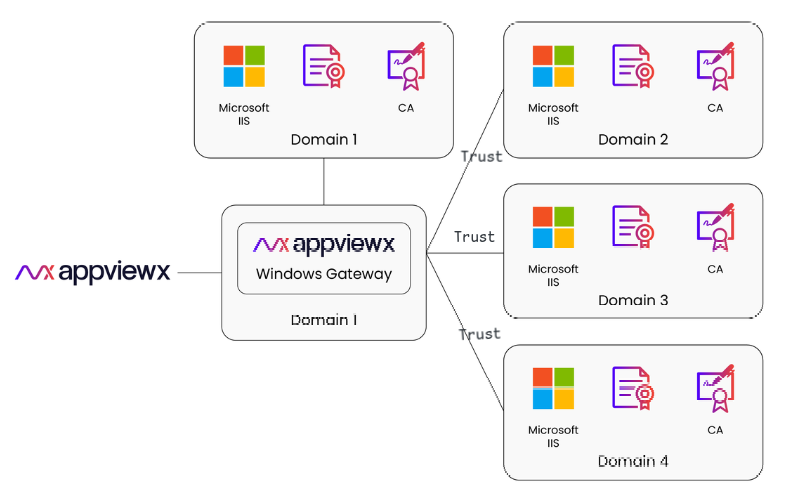
- A single AWG installation manages infrastructure across all trusted domains.
- AWG securely communicates across domains, eliminating the need for separate installations.
- Centralizes control and simplifies configuration and management for all domains within the network.
- The steps to enable the two way trust between the domains are Windows Agent FAQ and Troubleshooting Guide (point 7)
Enabling Two-way trust between Two Different Domains
Note:
- Ensure that DNS settings on both servers are correctly configured and there is no firewall or network issue preventing communication between the two servers.
- You may need administrative privileges on both domain servers to complete the trust configuration.
-
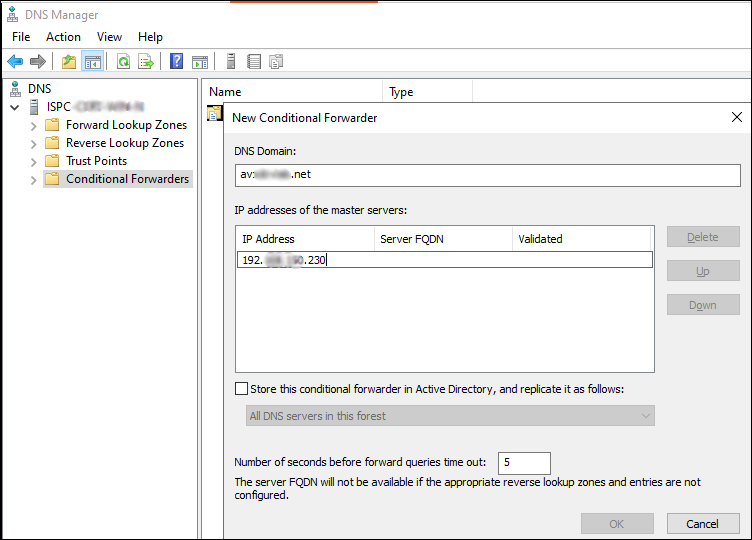
Create a conditional forwarder on Domain Server 1
- Open the DNS Manager on the PDC of Domain Server 1
- Right-click on Conditional Forwarders and select New Conditional Forwarder.
- In the window that appears, enter the domain name of the other domain 2 and the IP address of the corresponding domain server.
- To save changes, click OK.
-
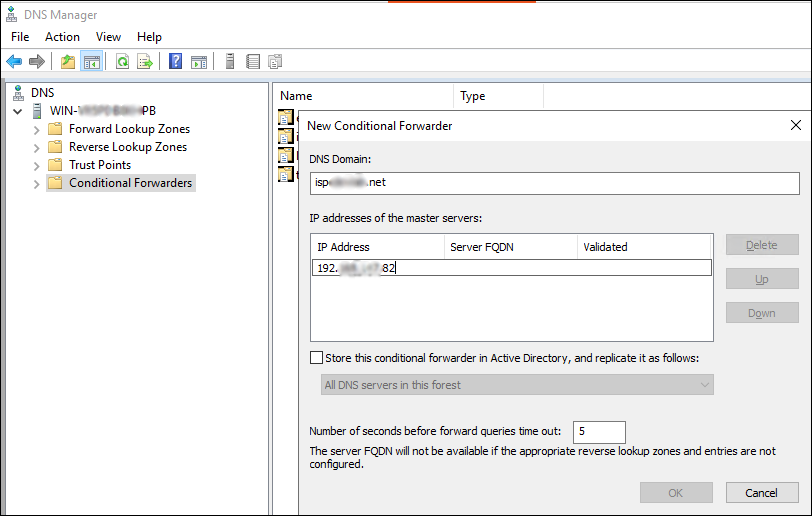
Create a conditional forwarder on Domain Server 2
- Open the DNS Manager on the PDC of Domain Server 2
- Right-click on Conditional Forwarders and select New Conditional Forwarder
- In the window that appears, enter the domain name of the other domain and the IP address of the corresponding domain server
- To save changes, click OK.
-
Create a trust relationship between the two domain servers
- Open Active Directory Domains and Trusts on Domain Controller of Domain-1.
- Right-click the domain name and select
Properties.
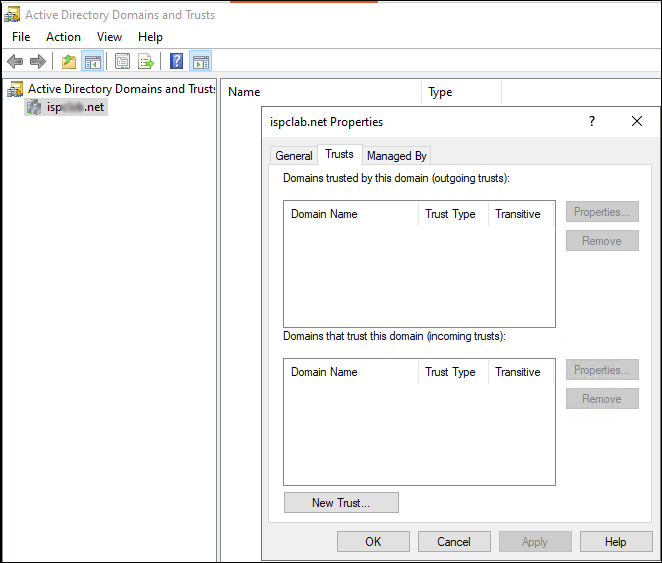
- Go to the Trusts tab and click New Trust.
- In the New Trust Wizard, do the following:
- Enter the Domain Name of Domain Server 2 and click Next.
- Choose the Forest trust option and click Next.
- Choose the Two-way trust option and click Next.
- Select Both this domain and the specified domain and click Next.
- Provide the necessary credentials for the service account of Domain 2 and click Next.
- Choose the Forest-wide authentication option and click Next.
- To complete the trust relationship setup, click Finish.
-
Verify the Trust Relationship.
After setting up the trust, test the two-way communication between both domain servers to ensure proper name resolution and authentication are working correctly.
