
Elastic Restore
The script elastic_restore.py is used for restore. To manually perform the elastic restore,
- Navigate to the scripts directory.
-
Run the elastic_restore.py script to restore the backup.
/home/appviewx/appviewx/appviewx_dependency/appviewx_addons/Python_Linux/bin/python elastic_restore.py elasticsearch_insight -
Script will ask for the backup tar which was created manually. Provide the
absolute path of the backup tar.
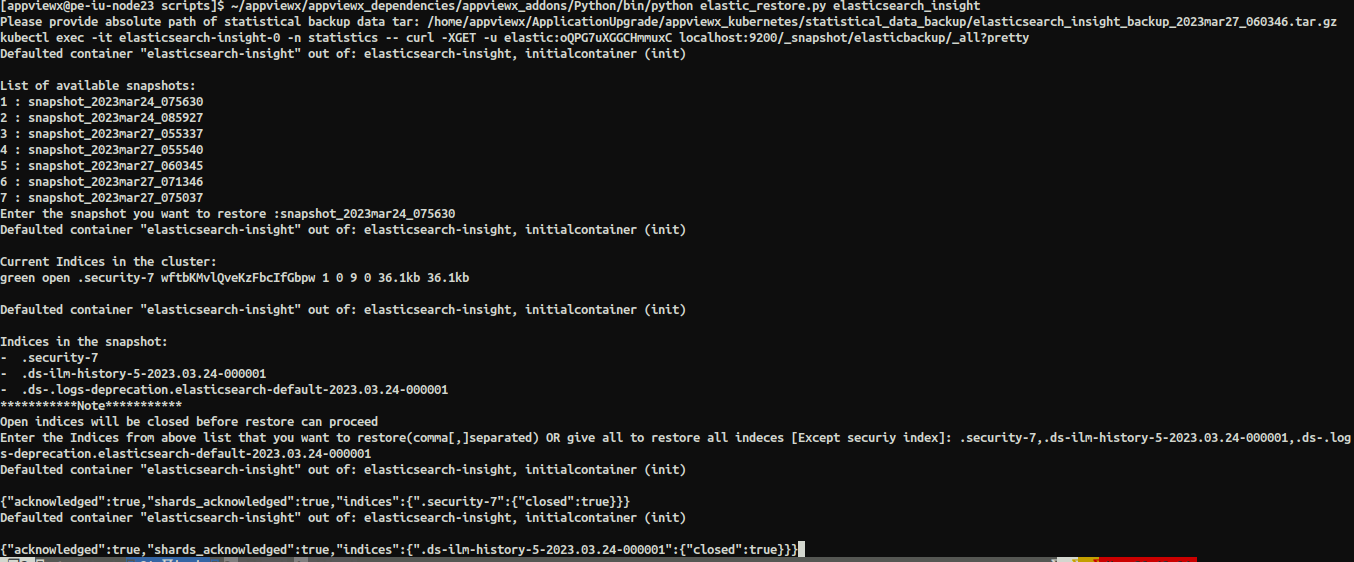
- Script will list all the available snapshots that has date and time in the naming. Select the backup which you want to restore.
- Provide the details of the indices you want to restore (follow the screenshot above).
