
AppViewX 2020.3.0 FP10 (CentOS) to v2024.3.0.0 (Ubuntu/RHEL)
- Take the mongodb and vault backup from the old CentOS environment.
- Install AppViewX v2024.3.0.0 in the new environment with Ubuntu/RHEL.
- Restore mongodb in the new environment.
- Restore the vault in the new environment.
- Trigger the plugins install.
-
In the CentOS environment, take mongodb and vault backup as follows
-
Initiate a backup of the AppViewX Database using the following
command
./mongo_backup.shAfter the backup is taken successfully, the database's backup file and its location are displayed on the screen. Copy this backup file to a safe location for future reference.
-
Initiate a backup of the Secrets Vault using the command
./vault_backup.shAfter the backup is taken successfully, the vault's backup file and its location are displayed on the screen. Copy this backup file to a safe location for future reference.
-
Initiate a backup of the AppViewX Database using the following
command
-
If you have completed the backup process, proceed to install the new server
with the chosen version on the supported operating system.
-
To restore mongodb in the new environment,
-
Wait for the successful completion message.

-
Wait for the successful completion message.
-
Restore the Secrets Vault by triggering the vault restoration script by using
the following command:
./vault_restore.sh -p <location of vault backup file> --removedekExample:
./vault_restore.sh -p /home/appviewx/vault_backup/vault_backup_Wed_Jul_28_05_50_40_UTC_2021 –removedek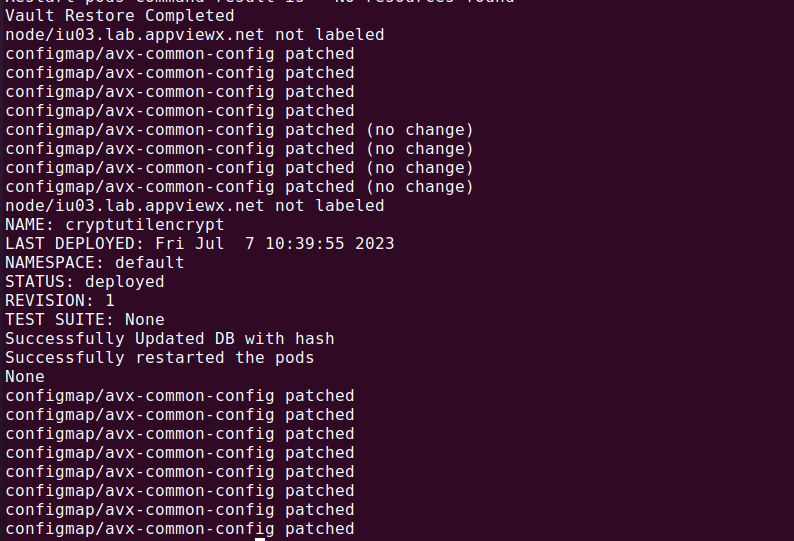
-
To install plugins,
