
Configuring F5 iHealth Report Settings
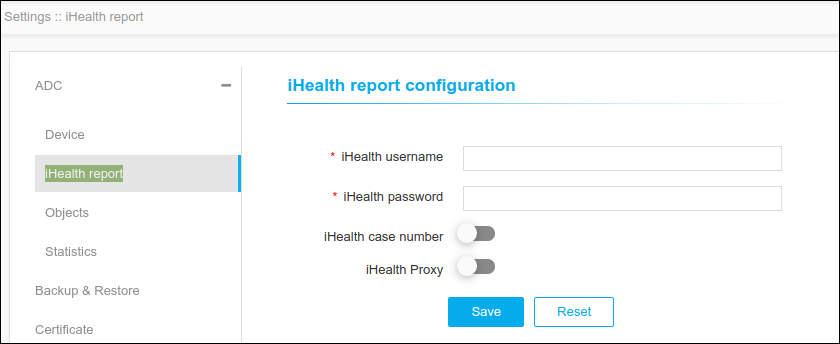
Users can configure the F5 iHealth related setting on this page. iHealth is the feature in F5 used to diagnose health of the F5 device. In AppViewX, we collect the qkview file from the F5 device, push to the iHealth site and generate an iHealth report and that will be shown in the device inventory page under the iHealth report column. On this page, users can configure the username and password to be used for logging into iHealth site. In addition to that, users can also enable/disable whether proxy is to be used for iHealth login and whether a case number is mandatory for iHealth report
To configure the iHealth report,
-
Click Menu > ADC+ > SETTINGS >
Module Settings > ADC > iHealth Report.
 Note: The iHealth settings configuration for the username and password must be submitted or passed along with the ClientID and ClientSecret according to the new iHealth2 login APIs.
 - On the iHealth Report Configuration page, enter the iHealth username and password.
- Enable the iHealth case number and iHealth Proxy toggle buttons to upload the generated qkview file against the mentioned case number for future reference.
-
Click Save.
Note: To discard the changes, click Reset.
