
All Keywords
These keywords are generic to all ADC vendors and help searching objects irrespective of vendors.
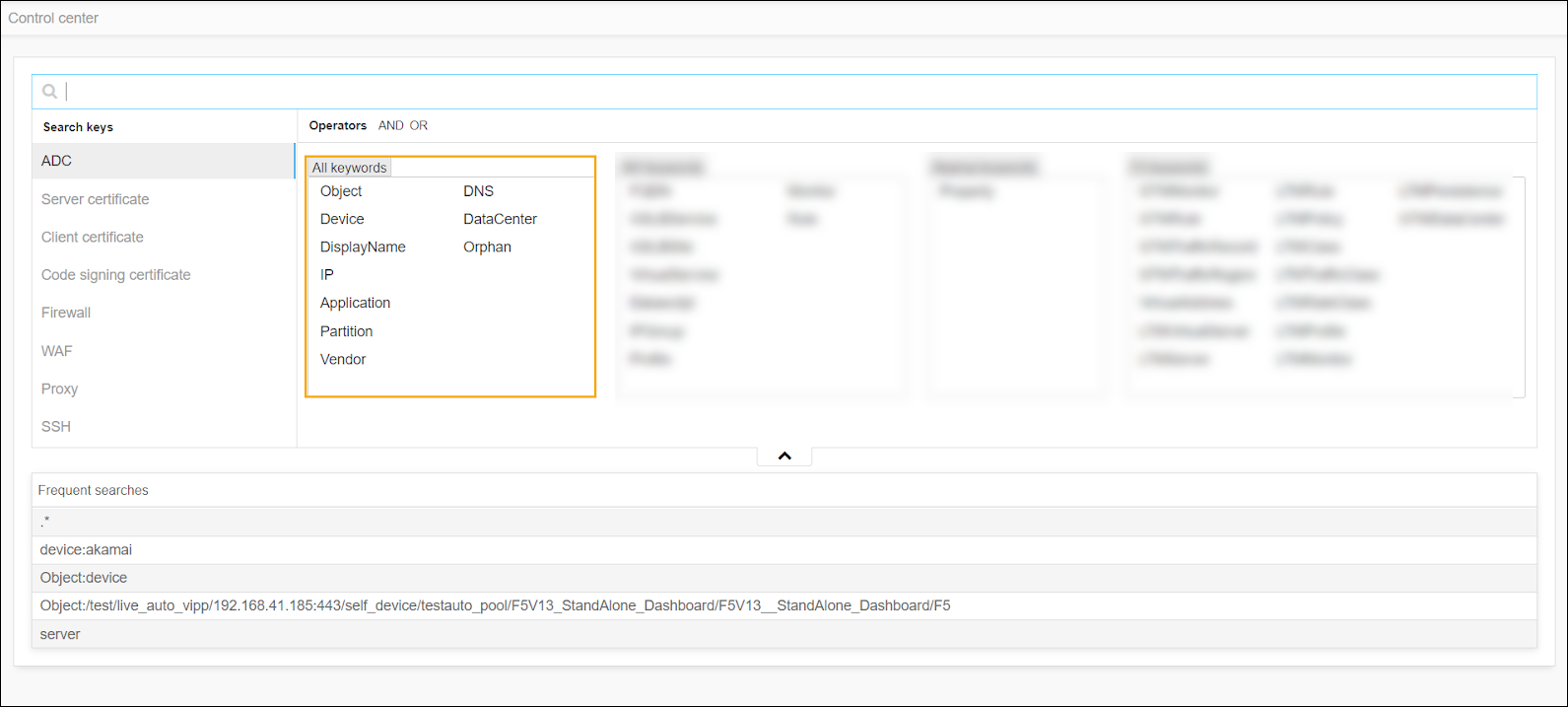
Sample Search Keywords
| Common Keywords | Description |
|---|---|
| Object: | Search for objects using the name. |
| Device: | Search for objects from a particular device managed in the ADC inventory. |
| Displayname: |
Search for objects using the Displayname. Displayname represents the naming format of your objects that needs to be followed throughout the application. Refer <displayname section> |
| IP: |
Search for objects using the IP address. Eg: Objects like Virtual Servers, Pool members that belong to a particular IP can be searched. |
| Application: |
Search for objects associated with an Application name. AppViewX tags all the hierarchical objects of an Application using the WideIP name as a tag during every config fetch. |
| Partition: | Search for objects from a device partition or tenant or context. |
| Vendor: | Search for objects from a particular vendor (F5, AVI, etc.,) |
| DNS: |
Search for objects using their DNS name. AppViewX performs a scheduled (twice a day) reverse lookup for the objects that contain an IP address in it and persists the DNS name of the objects. |
| Datacenter: | Search for objects from a particular Datacenter. Datacenter name information should have been provided at the time of device addition. |
| Orphan: | Search for objects that do not have Parent association. Objects like GTM/LTM pools that are not associated with WideIP/Virtual Server will be considered as Orphans. |
