
Load Balancer IP Inventory
The load balancer IP inventory presents a comprehensive view of all IP addresses
associated with enterprise load balancers network infrastructure. It includes detailed
information on configurations, attributes, and relevant load balancing details such as
object types and associated objects such VIP to pool member association, IPAM status,
and so on.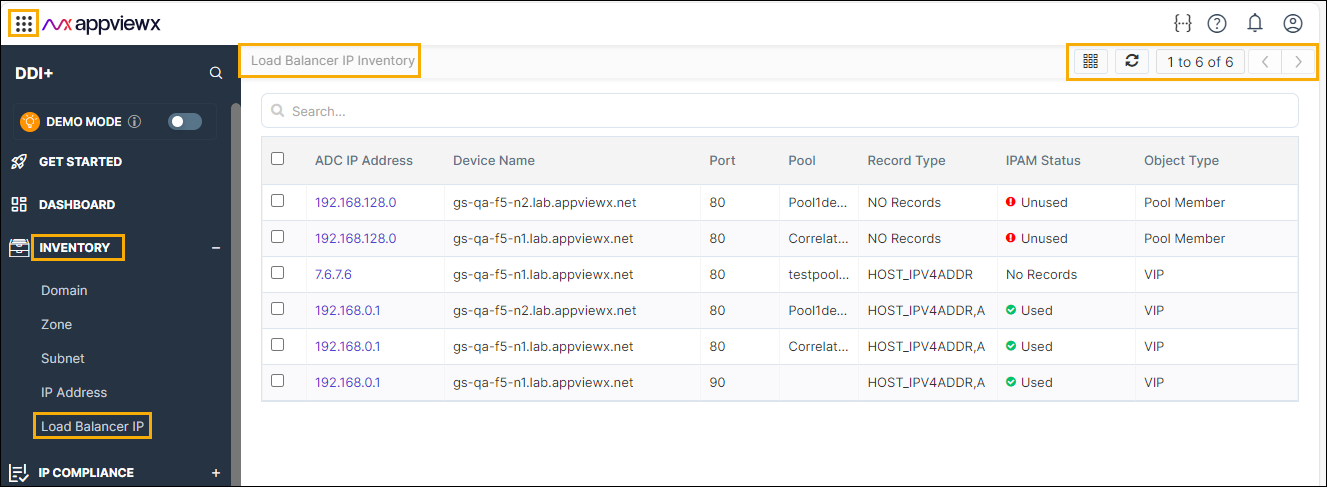
- Go to DDI+ > Inventory, and then
click Load Balancer IP.
The Load Balancer IP page appears.
- Click the
 (Columns) icon to display to required
columns on the subnet dashboard.The columns inventory page appears.
(Columns) icon to display to required
columns on the subnet dashboard.The columns inventory page appears.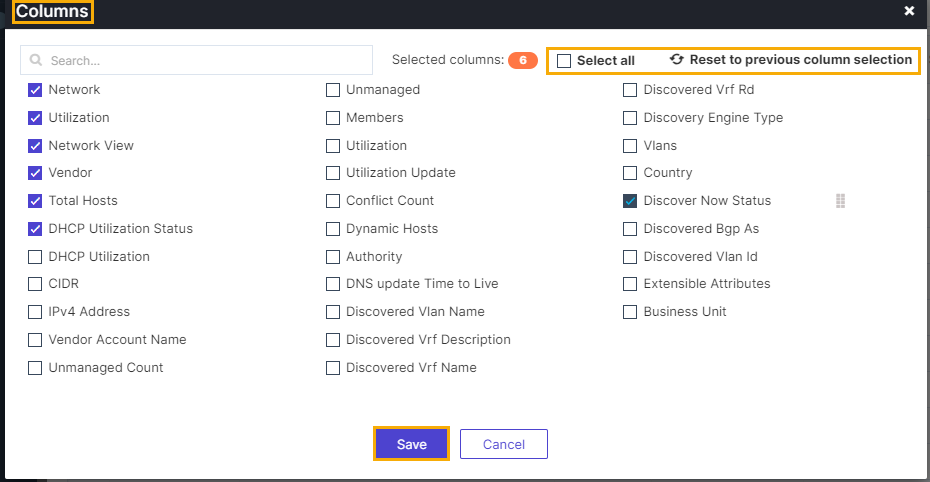 Note: You can use the search bar, and filter the search results by selecting the options from the dropdown.
- Click the checkbox that to be displayed on the subnet inventory page.
- Click Save.
