
Domains Inventory
In the Domain Inventory section, users can access comprehensive details about all domains managed within the DDI platform. This includes vital information like domain names, configurations, and associated attributes, providing a detailed and organized overview of the entire domain portfolio. Additionally, this section offers the provision to view associated DNS Zones and records, even if managed by third-party DNS providers, offering a centralized view of domain ecosystem.
-
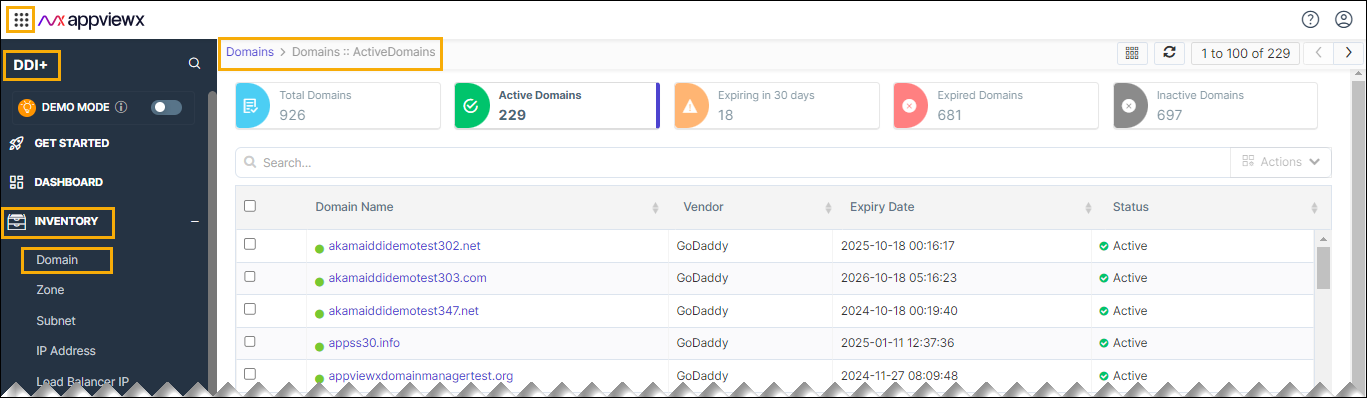
Go to DDI+ > Visibility, and then
click Domain.
An inventory of all the domains is displayed with information about the vendor, status, expiry date, and so on.
-
Click on the domain name in the inventory to view the associated zone.

-
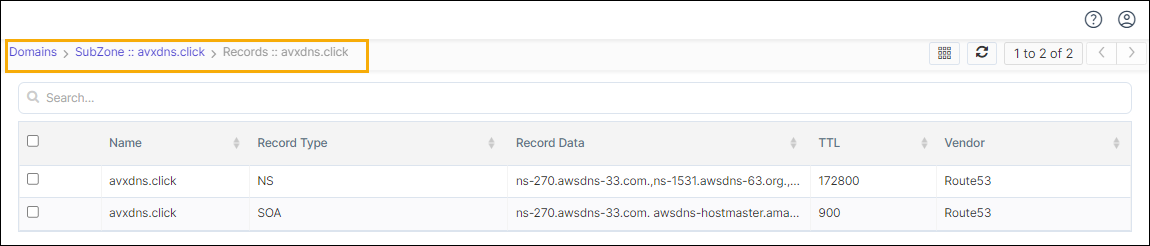
Click the Zone names to view the corresponding DNS records.
Updating the Extensible Attributes for Domains
Extensible attributes are additional attributes that organizations may need to record as part of their domains. In the domain inventory, users can select a domain and update these extensible attributes.
- Select the domain name from the list.
- Click the actions table.
-
Choose Update Attributes from the options.
A pop-up will appear with the attribute name and a field to enter the value. Click to here to configure the extensible attribute fields.
-
Enter the desired value, and then click Save.
The attribute will be appended to the domain information in AppViewX.
