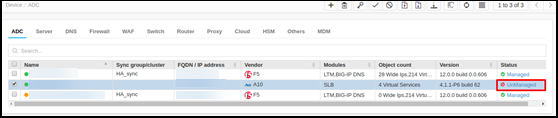
Unmanage Device
- Log in to AppViewX application with valid credentials.
- Click the Menu > Inventory > Device.
By default, the ADC tab opens.
-
Note: If you try to manage a device that is already in managed state or unmanaged a device that is already in an unmanaged state, an error message appears at the top of the screen.If the device you want to unmanage is not listed on the screen, run a search to locate it.
- Click the checkbox beside the device name.
-
To start managing the device, click the
 Unmanage button in the Command bar at the top of the
screen.
Unmanage button in the Command bar at the top of the
screen.
Validating the Unmanaged Action