
Configuring CSI
To configure CSI
-
Execute the command below
helm repo add aws-ebs-csi-driver https://kubernetes-sigs.github.io/aws-ebs-csi-driver -
Execute the command below
helm repo update -
Execute the command below
helm upgrade --install aws-ebs-csi-driver --namespace kube-system aws-ebs-csi-driver/aws-ebs-csi-driver -
Verify the status of the pods (CSI) by executing the command:
kubectl get pods -n kube-system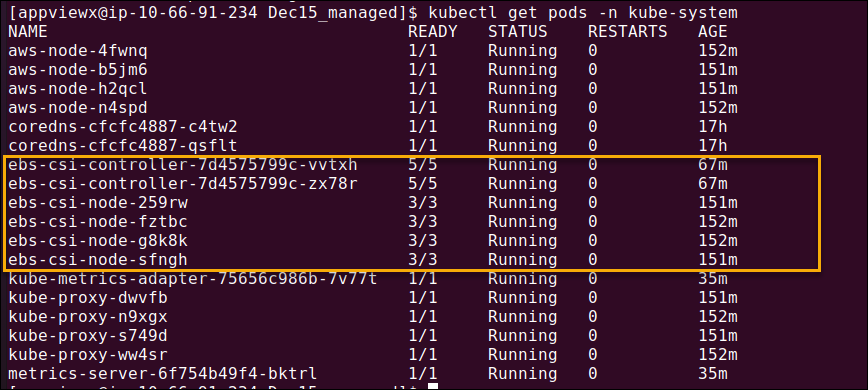
-
The creation of Amazon EBS CSI plugin IAM role with the AWS CLI is handled in
the script contained in the Approach 2 (Recommended) section of the topic
AWS S3 Bucket. If you consider
Approach 1 in the previous section, refer the following guide Amazon EKS User Guide - Create CSI IAM
Role to perform the role creations.
Attention: Ignore Step 4 from the content in the AWS CLI tab if you are not using encrypted volume.
