
AppViewX Deployment Architecture
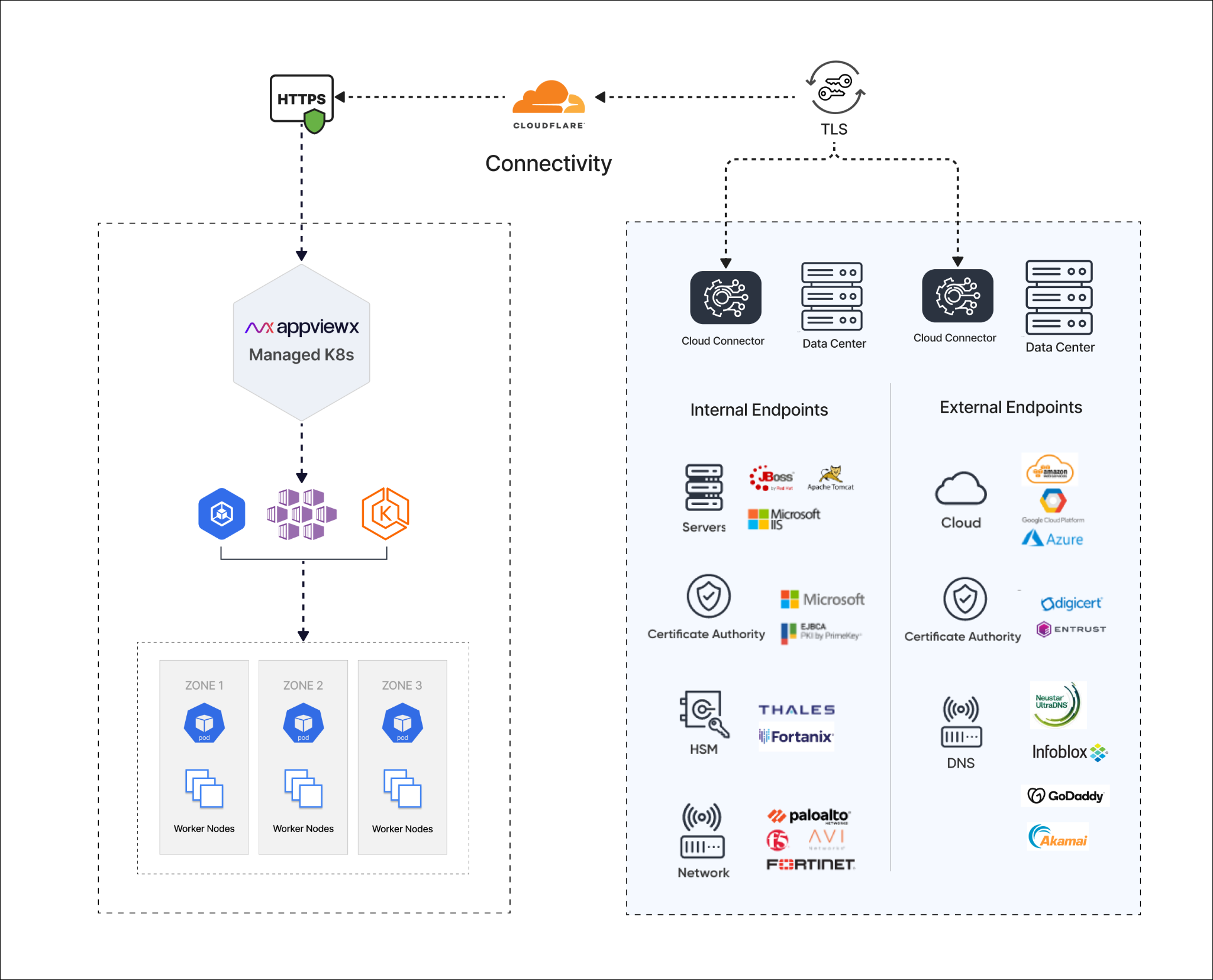
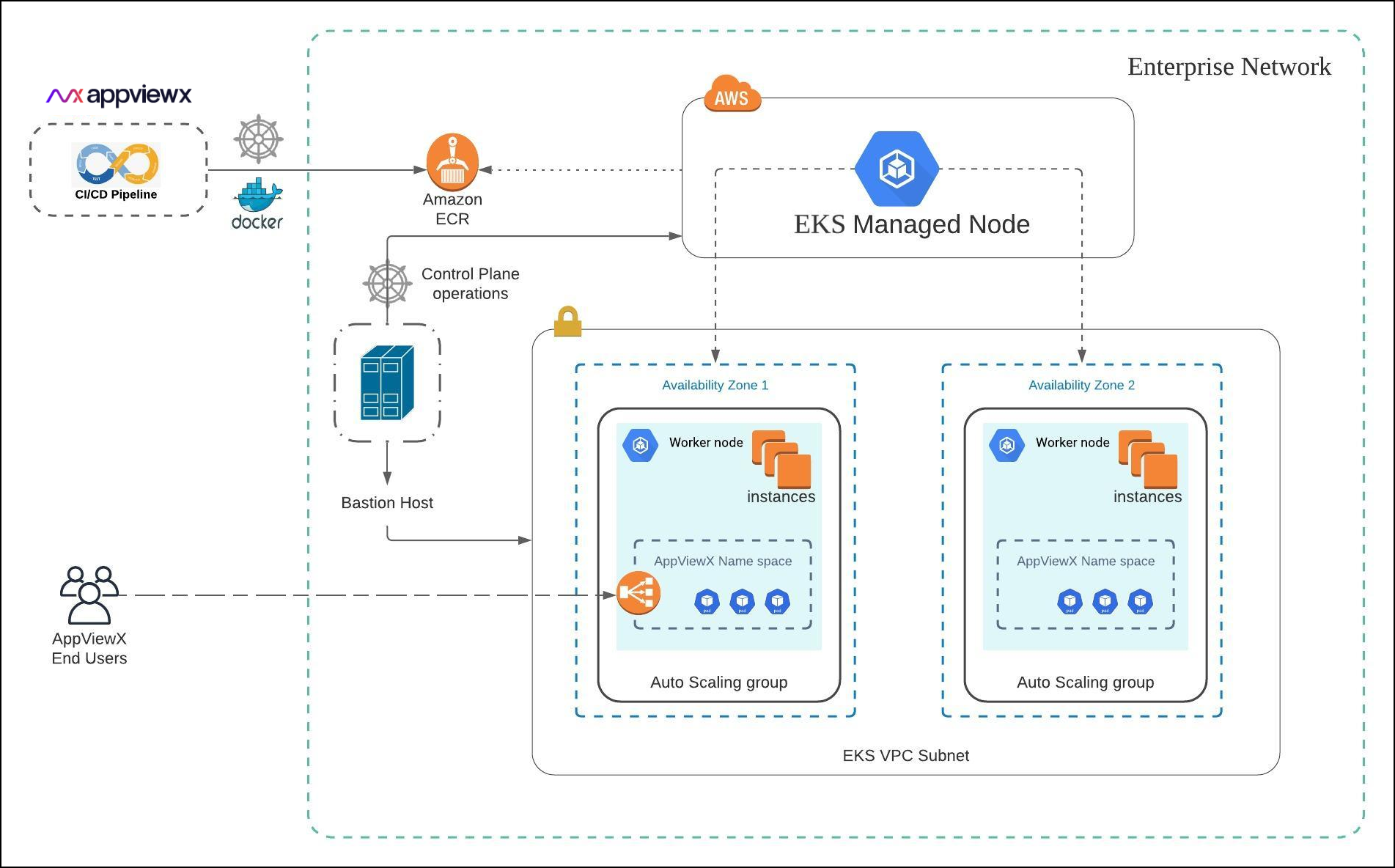
The figure below shows a standard AppViewX deployment architecture model via managed Kubernetes service for AKS.
EKS Deployment Model
Cloud Connector
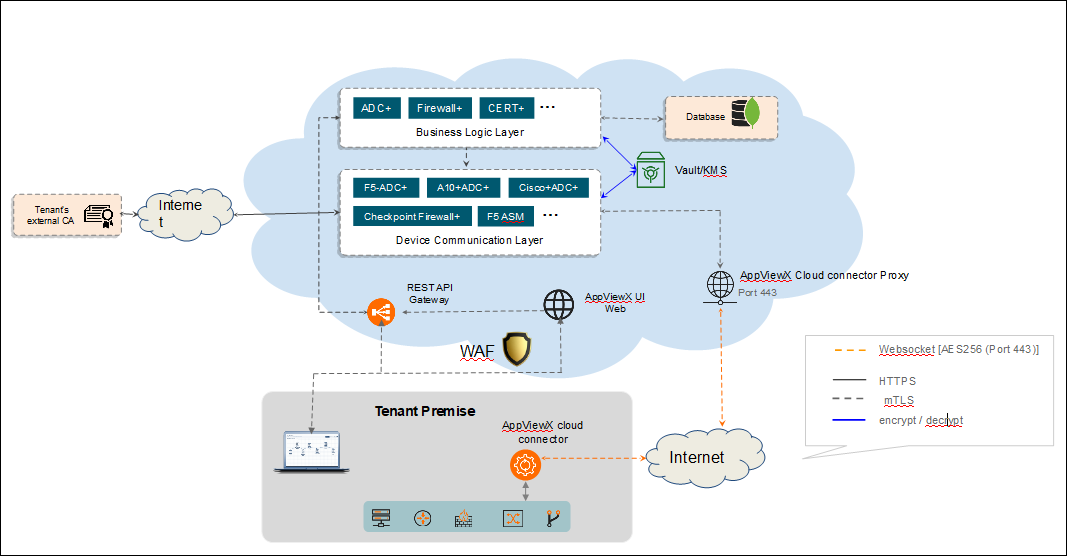
AppViewX Cloud Connector is a lightweight plug-in that establishes connectivity between AppViewX Cloud and the Enterprise Network. The cloud connector serves as a secure channel for communication between AppViewX and your enterprise network without requiring any complex network or infrastructure configuration
Key features of the AppViewX Cloud Connector:
-
A self-serviceable, Linux-based lightweight setup
-
Secure communication between the AppViewX and the AppViewX Cloud Connector using TLS and AES encryption
-
Connectivity from the AppViewX to the enterprises’ network endpoints
-
No complex network setup (Inbound Firewall Whitelisting, VPN setup, and so on)
- Navigate to the installation path in the cloud connector host machine.
- Execute the following
command:
./deps/tools/k3s kubectl get deploy avx-mid-server-starter -n cc -o yaml > starter.yaml && sed -i "s/-Xmx2560m/-Xmx4g/g" starter.yaml && ./deps/tools/k3s kubectl replace -f starter.yaml
