
CERT+ Requirement and Access
Supported Web Browsers
| Web Browser | Version |
|---|---|
| Firefox | 128 (64-bit) or later |
| Google Chrome | 127 (64-bit) or later |
Accessing the CERT+
-
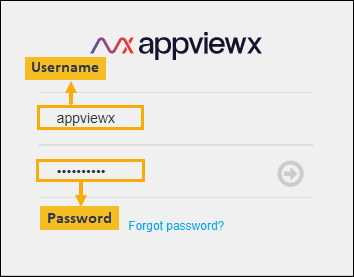
Log in to AppViewX with a valid credential.
The AppViewX Landing page appears.
-
Click
 (Menu) button located in
the upper left corner of the screen.
Note: The product URL will be shared by AppViewX in the onboarding emails.
(Menu) button located in
the upper left corner of the screen.
Note: The product URL will be shared by AppViewX in the onboarding emails. -
Click CERT+ on the left navigation bar.
The CERT+ home page is displayed, and the menu will be updated to the CERT+ menu.
Licensing Models
- Certificate Instance Based Model
- Certificate Count Based Model (introduced in v2023.1.0 FP3)
Certificate Instance Based Model
Certificate count is derived using the following
logic:
- If a certificate has one non-sync and two certificate connectors, certificate count = two.
- If a certificate has one Kube and two certificate connectors, certificate count = two.
- If, for a certificate, only the Kube service exists and there are no cert connectors, the certificate will not be counted under the CERT+ license.
- Expired and revoked certificates are included in the certificate count.
- Certificates for which EKU = Server
Authentication/Server and Client Authentication are
categorized and counted under server certificates.
Certificates for which EKU = any value other than the above two are categorized and counted under device certificates.
- Trial licenses use the certificate instance based model.
The following is a screenshot of an existing CERT+ license page
where: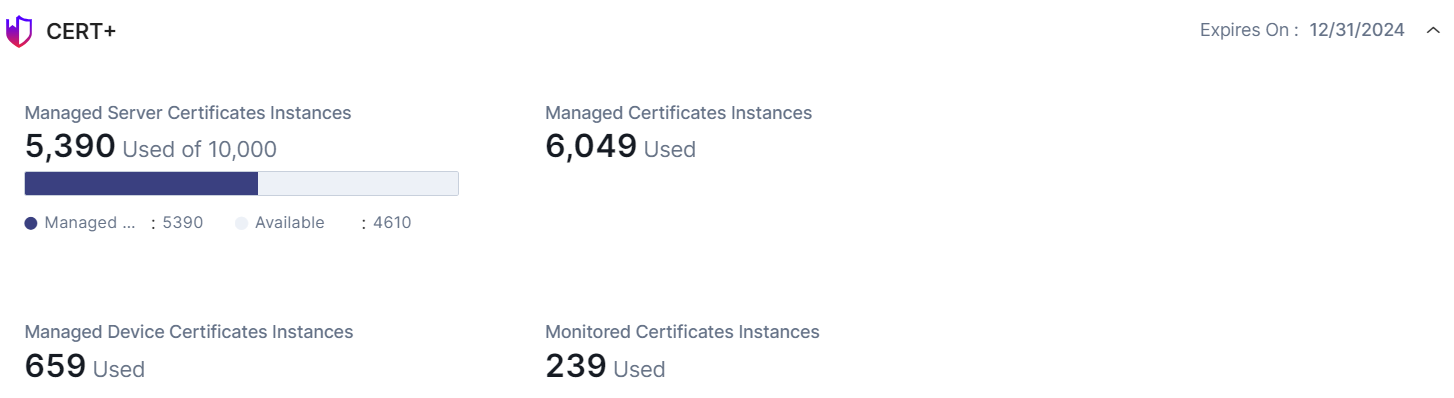
- Managed Certificate includes all Managed certificates (Server, Client, Code Signing and OTHERS)
- Monitored Certificates include all Monitored certificates (Server, Client, Code Signing and OTHERS)
- Managed Server Certificates Instances includes ONLY Managed Server Certificates
Certificate Count Based Model
In this model, certificate count is the
actual number of certificates in the inventory. Each certificate will be
counted as one irrespective of any number of connectors associated with it.
Additionally, in comparison with the certificate instance based model, the
following changes have also been made:
- Expired and revoked certificates can be moved from Managed to Monitored.
- Once a certificate has been renewed, it can be moved from Managed to Monitored.
- Certificates issues via auto-enrollment will be added in the inventory as Monitored.
- Certificates issued via PKIaaS will be added in the inventory as Monitored, by default.
The following is a screenshot of an existing CERT+ license page,
based on the new model, where: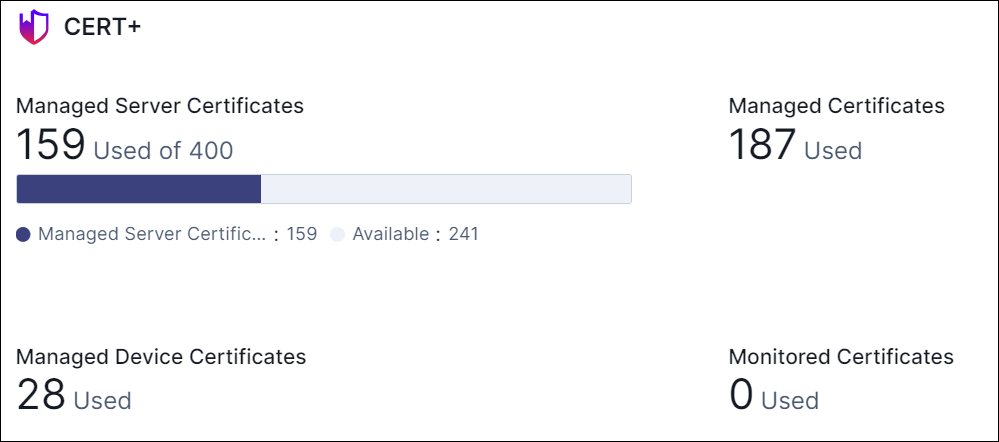
- Managed Certificate includes all Managed certificates (Server, Client, Code Signing and OTHERS)
- Monitored Certificates include all Monitored certificates (Server, Client, Code Signing and OTHERS)
- Managed Server Certificates Instances includes ONLY Managed Server Certificates
