
Viewing the Workflow Version List
- Go to the Workflow page.
- Open the workflow for which you want to check versions.
-
From the master dropdown menu, select Version List.
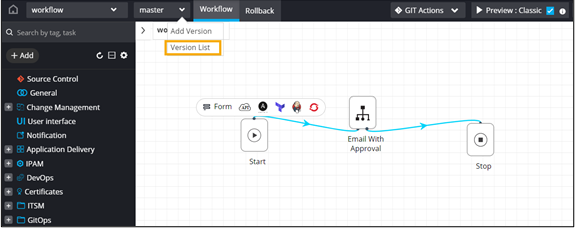 The Version List window displays the list of all versions existing for the workflow. Each version retains its own workflow integrity hash, and a new
SHA-256hash is generated whenever a workflow version is created or imported with changed content.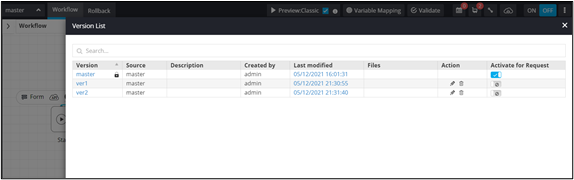
-
To enable a particular workflow version, turn on the toggle.
Note: Only one version can be enabled at a time.The enabled version is added to the Workflow page.
