
Troubleshooting
Connection timeout, Error 404 Gateway Unreachable
| Troubleshooting using "nc" command | |
|---|---|
| Troubleshooting Steps |
|
| Expected Output: |
|
| Troubleshooting using "curl" command | |
|---|---|
| Troubleshooting Steps |
|
| Expected Output: |
|
Access to local host was denied
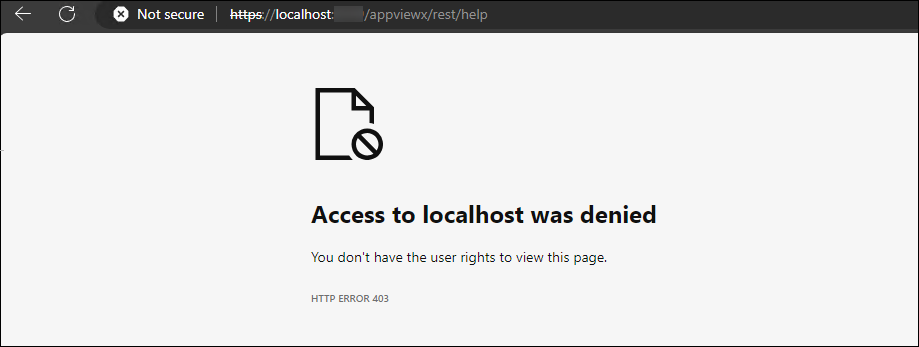
- When choosing the client certificate for authentication, and attempting to reach the https://localhost:8999/appviewx/rest/help URL in the browser, import the client certificate in the browser's personal store and then try again.
Empty response received from windows gateway
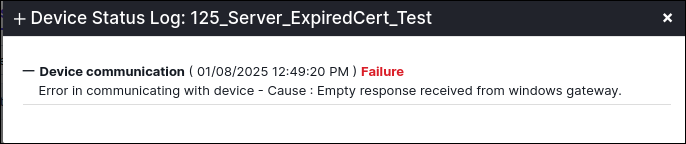
| Potential Causes | The above error messages can occur when the certificate uploaded while adding the Windows Gateway is different from the Client Certificate in the Windows Gateway Installation Package or if the certificate has expired. |
| Fix | Ensure the following:
|
| Steps | To update certificate in AVX UI:
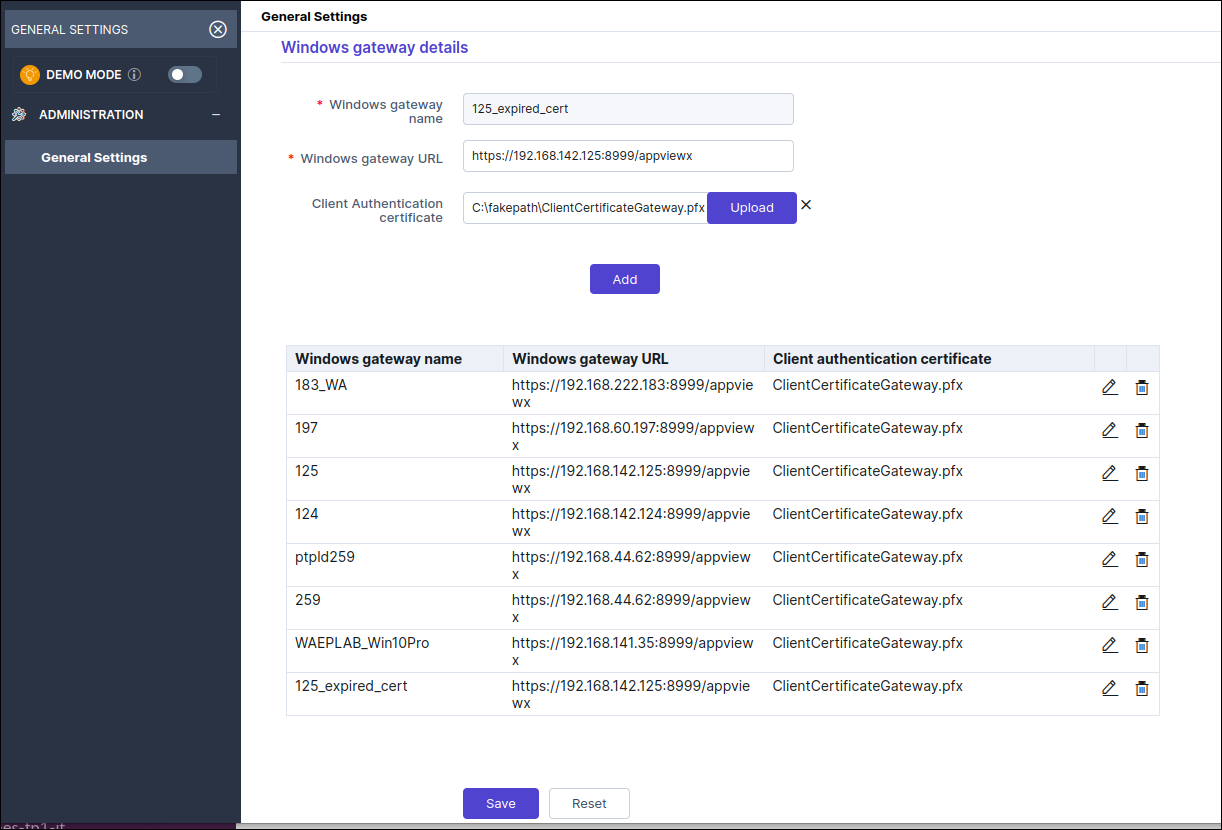 |
Server returned HTTP response code:403

| Potential Causes | The above error messages can occur when the certificate uploaded while adding the Windows Gateway is different from the Client Certificate in the Windows Gateway Installation Package or if the certificate has expired. |
| Fix | Ensure the following:
|
| Steps | To update certificate in AVX UI:
|
Network Path not Found” during Certificate Push/Bind
| Potential Causes | This error can occur while attempting to perform a Push or
Bind operation to a target server. Port 445 Blocked: One of the most common scenarios under which this scenario occurs is when the port 445 is blocked in the target machine. This port is used for transferring any file from the Windows Gateway machine to the target server using SMB Protocol. |
| Troubleshooting Steps | To update certificate in AVX UI:
|
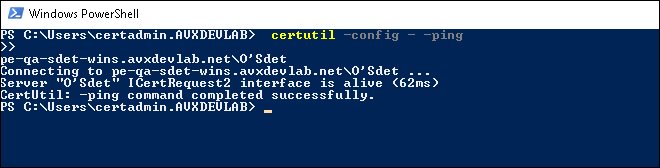
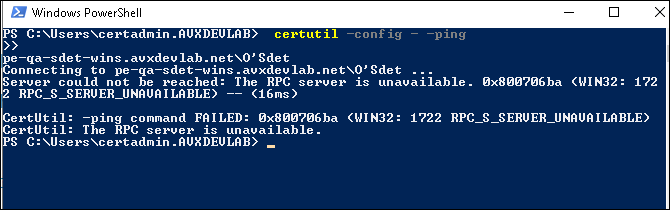
RPC Server is unavailable
| Potential Causes | This error can occur while attempting to onboard a CA or
initiate a CA Discovery. Some of the most common cases under
which this error can occur are as follows: CA Unreachable from Windows Gateway Machine: If Certificate Authority (CA) discovery fails, it typically indicates that the agent or system cannot locate or communicate with the CA. |
| Verification | To verify if the CA is reachable:
|
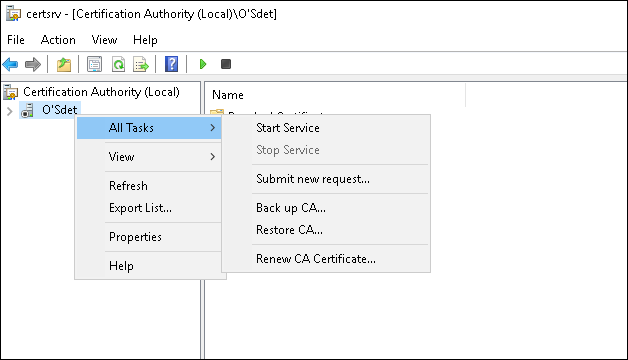
| Troubleshooting Steps | Checking the Certificate Authority Service: If the RPC
Server Unavailable error persists, try the steps below.
|
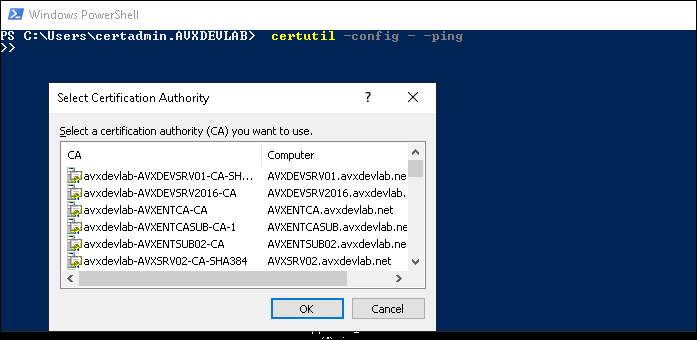
Denied by policy module
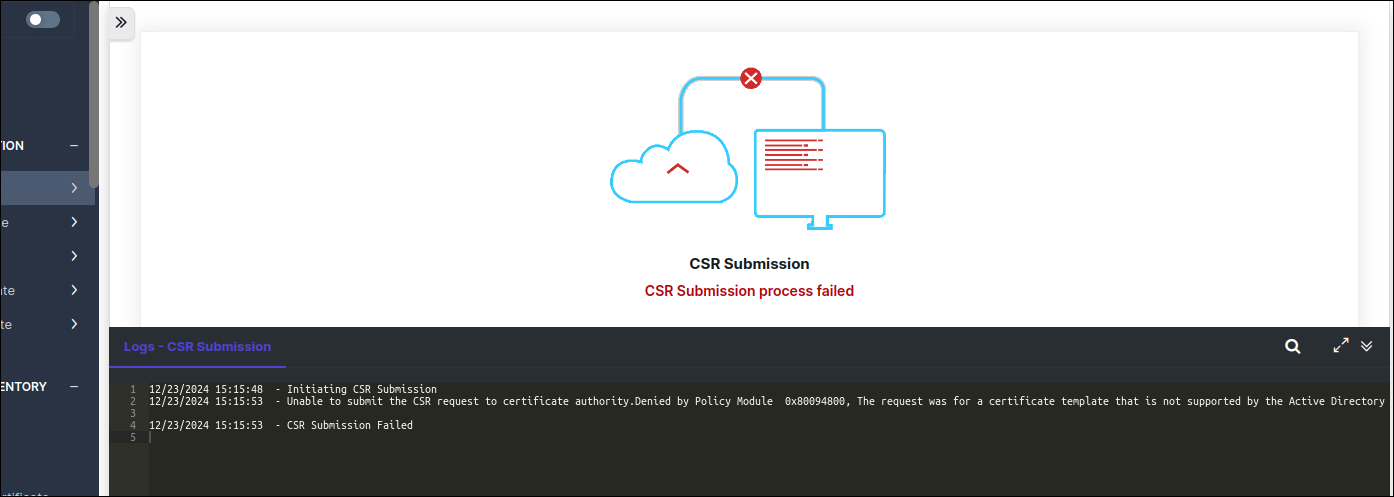
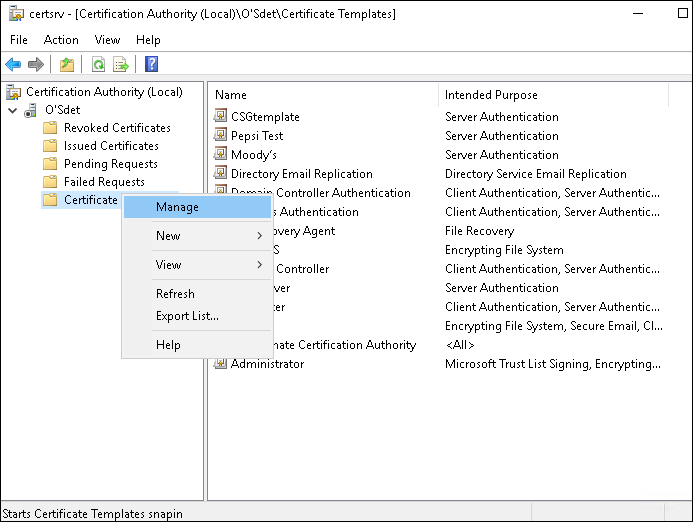
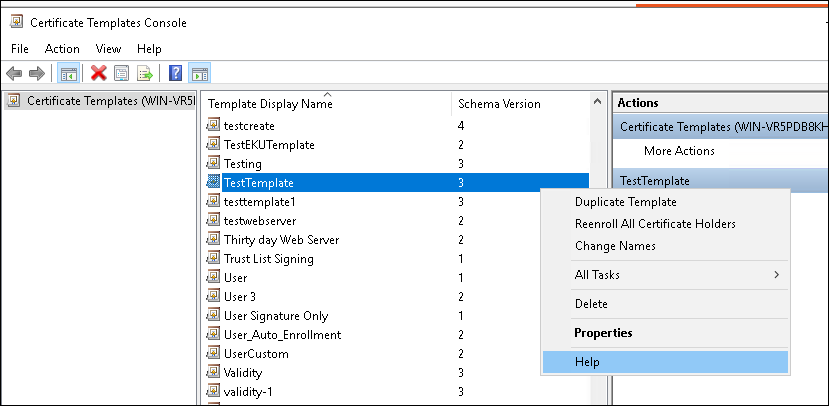
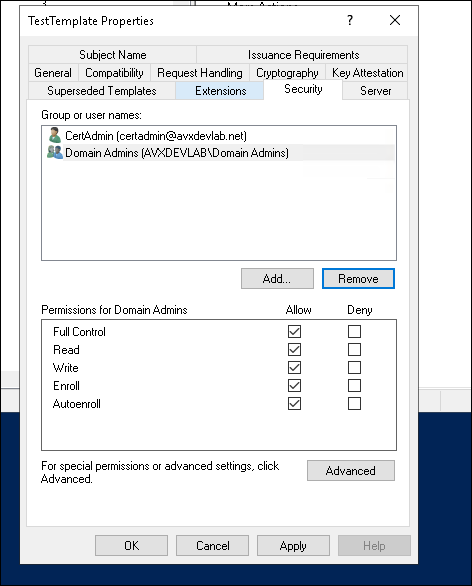
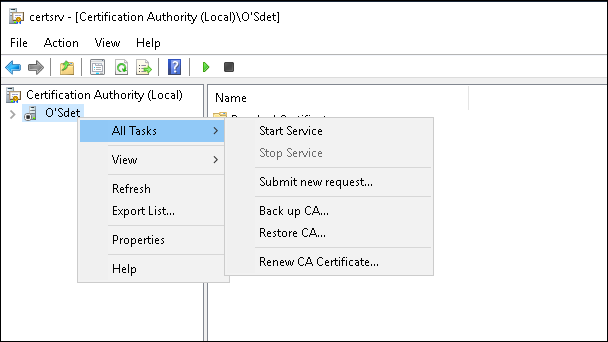
| Potential Causes | This error can occur during Certificate Enrollment, if the template used during enrolment is not provided the required permissions for the requesting user or service account. |
| Troubleshooting Steps |
|
Curl test from port 8999 Fails
| Description | The installation completed successfully, and the service is running; however, the cURL test on port 8999 is still failing, and the AppViewX Help site remains unreachable. |
| Potential Causes | This problem occurs when certificate binding fails during installation. |
| Troubleshooting Steps | To verify if the certificate installation was successful, please review the installation log file located in the directory where the installer executable file was extracted. |
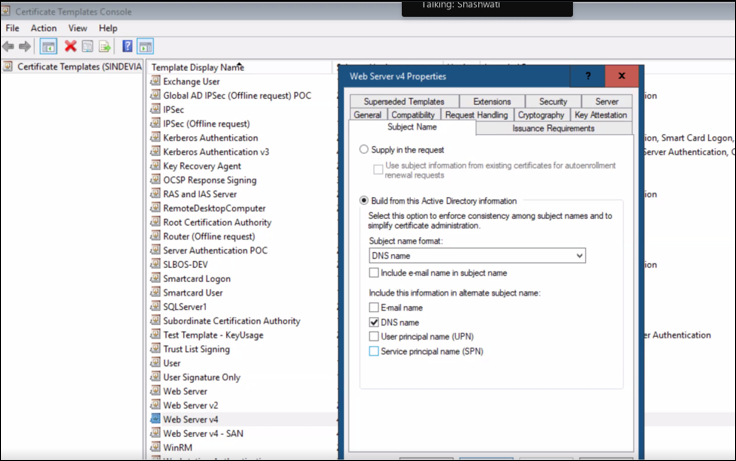
Denied by Policy Module error during Certificate Enroll
| Description | When enrolling a certificate, the Denied By Policy Module error occurs if the Certificate Authority (CA) rejects the request due to policy validation failures. |
| Potential Causes | If the Build from Active Directory option is selected in the template, the CA attempts to verify the request's source. When using a service account, Active Directory (AD) tries to validate the associated properties, but certain required attributes may be missing. As a result, MSCA denies the request. |
| Troubleshooting Steps | To resolve this issue:
|
Network Name Not Found error during certificate push/bind
| Description | This error typically occurs while attempting to perform a push or bind operation to a target server when the Windows Gateway machine is unable to access the specified network path. |
| Potential Causes |
|
| Troubleshooting Steps |
|
Error 0x80090322 when using the PowerShell mode
| Potential Causes | This error typically occurs due to a Kerberos authentication failure, most commonly caused by an SPN (Service Principal Name) conflict where the default HTTP/<FQDN> SPN is registered to an incorrect account. |
| Troubleshooting Steps |
|
| Reference |
Authentication failure during PowerShell remoting (WinRM)
| Description | This issue can occur during PowerShell-based push or bind operations when the target system is unable to correctly resolve or authenticate the provided user credentials. |
| Potential Causes |
|
| Troubleshooting Steps |
|
Authentication failure while using custom certificates
| Description | This issue can occur when using custom certificates for authentication, typically due to problems in certificate validation or chain building. |
| Potential Causes |
|
| Troubleshooting Steps |
|
0x8009030e – Kerberos double-hop authentication failure during PowerShell remoting in Exchange Server
| Description | This issue occurs when performing PowerShell remoting operations that involve multiple authentication hops using Kerberos. |
| Potential Causes |
|
| Troubleshooting Steps |
|
