
Cluster Policy
Cluster Policy enforces security prerequisites, standardizes certificate issuance, and ensures compliance, all while promoting secure certificate management practices throughout your clusters.
-
refresh the list, click the
 (refresh) icon.
 -
go to the pages, click the
 (navigation) icon.
 -
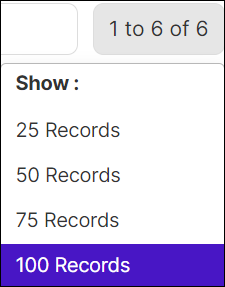
hover the mouse over the number of row displayed on the page, the Show popup opens and choose the no. of rows to be displayed on the page.
-
CA Setting [Namespace Specific Policy Enforcement] - A Setting policy types are used to configure a dedicated CA and manage how certificates are issued within a namespace. This gives application teams working in a specific namespace access to their dedicated CA to request certificates for their unique domains.
- CA Setting Cluster [Cluster wide Policy Enforcement] - The CA Setting Cluster policy type is applied when application teams deploy workloads across the entire cluster. This policy type, regardless of where the applications are located, manages certificate issuance and CA configuration. It ensures seamless issuance of certificates from the enforced Certificate Authority and defined Policy, maintaining cluster-wide security and consistency.
-
Cluster Policy also helps define in which namespace certificate discovery needs to be disabled. For example, users can define a regex like `kube-*` to prevent certificate discovery from any namespaces starting with `kube`, like `kube-system`.
| Column Name | Description |
|---|---|
| Name | Unique policy name to be associated with one or more clusters. The special characters (-) and (_) are allowed. Maximum 255 characters are allowed. |
| Type | Type of cluster policy. |
| Created By | User ID of the policy creator. |
| Manage and Deploy | Operational details, such as
the details of the associated cluster and/or namespace, CA setting,
policy type, and so on, for the cluster policy To view these
details, click the For detailed description of the fields displayed on this page, see Understanding the Manage and Deploy Details for a Cluster Policy. |
| No. of Clusters | Count of clusters associated with the policy. |
| No. of Namespace | Count of namespaces associated. |
| Last Updated At | Last updated Timestamp. |
| Edit | Allows to modify the clusters and namespaces associated with the policy. |
 icon corresponding to the required cluster policy.
Understanding the Manage and Deploy Details for a Cluster Policy
| Column Name | Description |
|---|---|
| Policy Name | Name of the cluster policy for which the details have been displayed |
| CA Setting Name | CA configuration mapped to the cluster policy |
| Policy Type | Type of the policy (legacy policy, new policy) to understand how the policy is created |
| Policy Scope | Coverage of the policy (cluster wide or namespace specific) |
| Cluster Name | Name of the Kubernetes cluster to which this policy has been mapped (if the policy scope is cluster wide) |
| Namespaces | Names of the namespaces to which this policy has been mapped (if the policy scope is namespace specific) |
| Created By | Details of the user who created the policy |
| State | Current state of the policy
(Deployed,
Error) For policies in the Error state, a cron job that runs every hour checks the status of the associated cluster/namespace. If they are in the healthy state, the job attempts an auto-push for the cluster policy. |
| Status | Deployment status of the cluster policy |
| Created Date | Date on which the policy was created |
| Last Updated | Date on which the policy was last modified |
