
Accessing SSH Features
Note: The SSH features accessible to you is based on the ACF
permissions enabled by the administrator.
You have to access the SSH node to access the various functions provided by it.
To access SSH:
- Log into AppViewX with valid credentials.
-
Hover the mouse pointer over
 (Menu) icon on the top-left corner of the
screen.
(Menu) icon on the top-left corner of the
screen.
-
From the left pane, click SSH. You can now see the different menus of
SSH on the left hand side of the page.
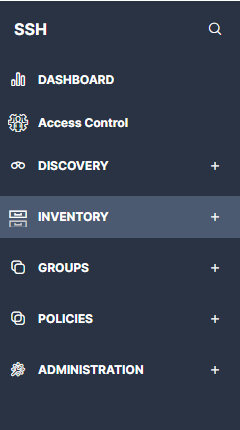
- From the left pane, expand any of the nodes to see that page.
