
Configurable Comment Capture for Email Approvals
Configure the Email task to capture comments during approval and rejection actions so approvers can provide optional or mandatory justification when responding to workflow approval emails.
Use this configuration when you want approvers to provide justification while responding to workflow approval emails. Comment capture can be used to support governance requirements for approval and rejection actions while preserving a simpler approval experience for workflows that do not require justification.
When comment capture is enabled, AppViewX prompts the approver to enter a comment during the approval response flow. Depending on the configuration, comments can be optional or mandatory for the selected action.
Ensure that SMTP settings are configured and that the Email task is already added to the workflow.
- Open the workflow in Workflow Studio.
- Double-click the Email task.
-
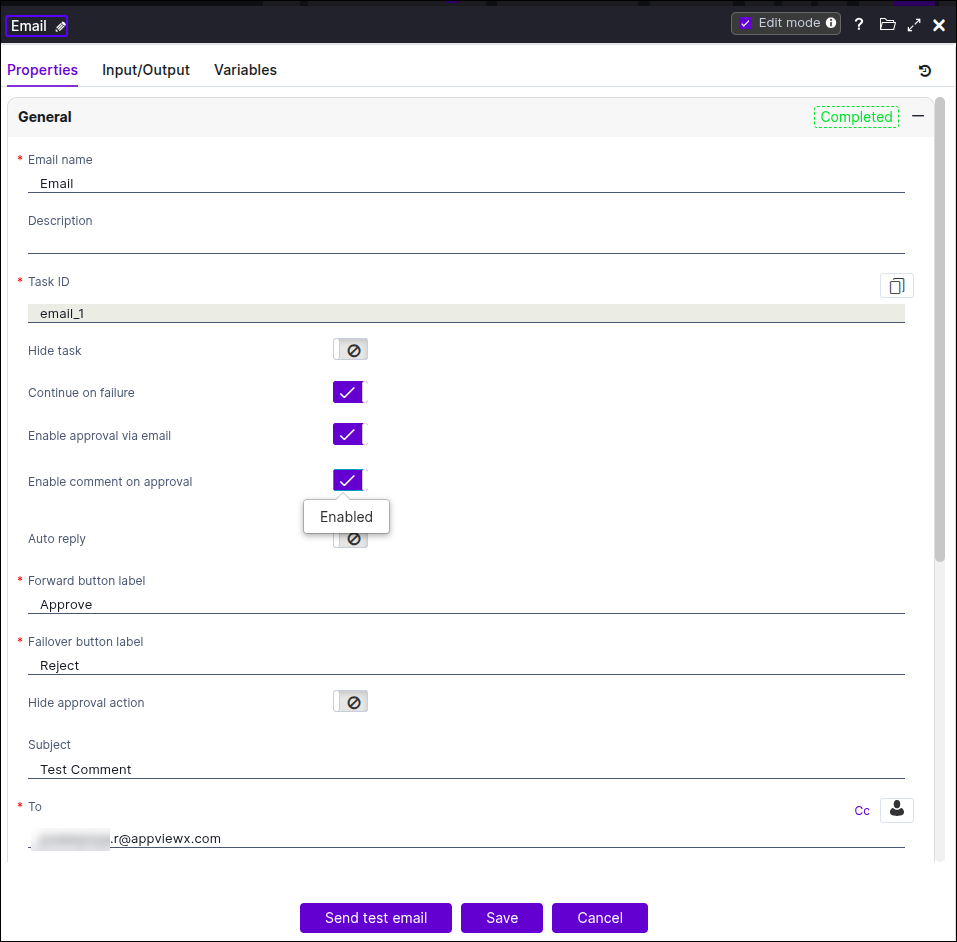
In the General section, turn on the Enable
approval via email, Continue on failure,
and Enable comment on approval toggle options.
-
Configure the comment capture setting for approval responses.
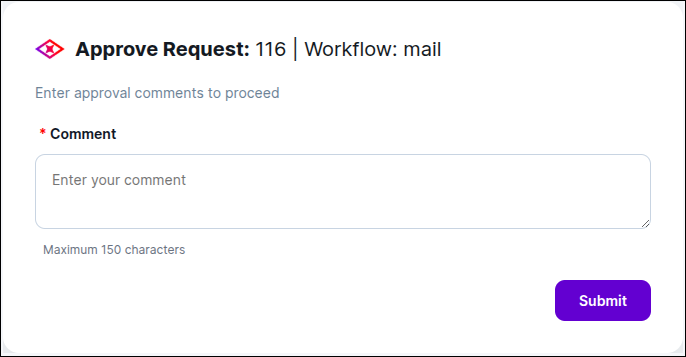
You can configure comment capture based on your workflow requirement:
- Disable comment capture if no justification is required.
- Enable optional comment capture if approvers may provide remarks when needed.
- Enable mandatory comment capture if a justification must be provided
before the approval orrejection action is accepted.

- Specify whether comment capture applies to approve actions, reject actions, or both.
- Save the Email task.
-
Trigger the workflow and verify the approval email behavior.
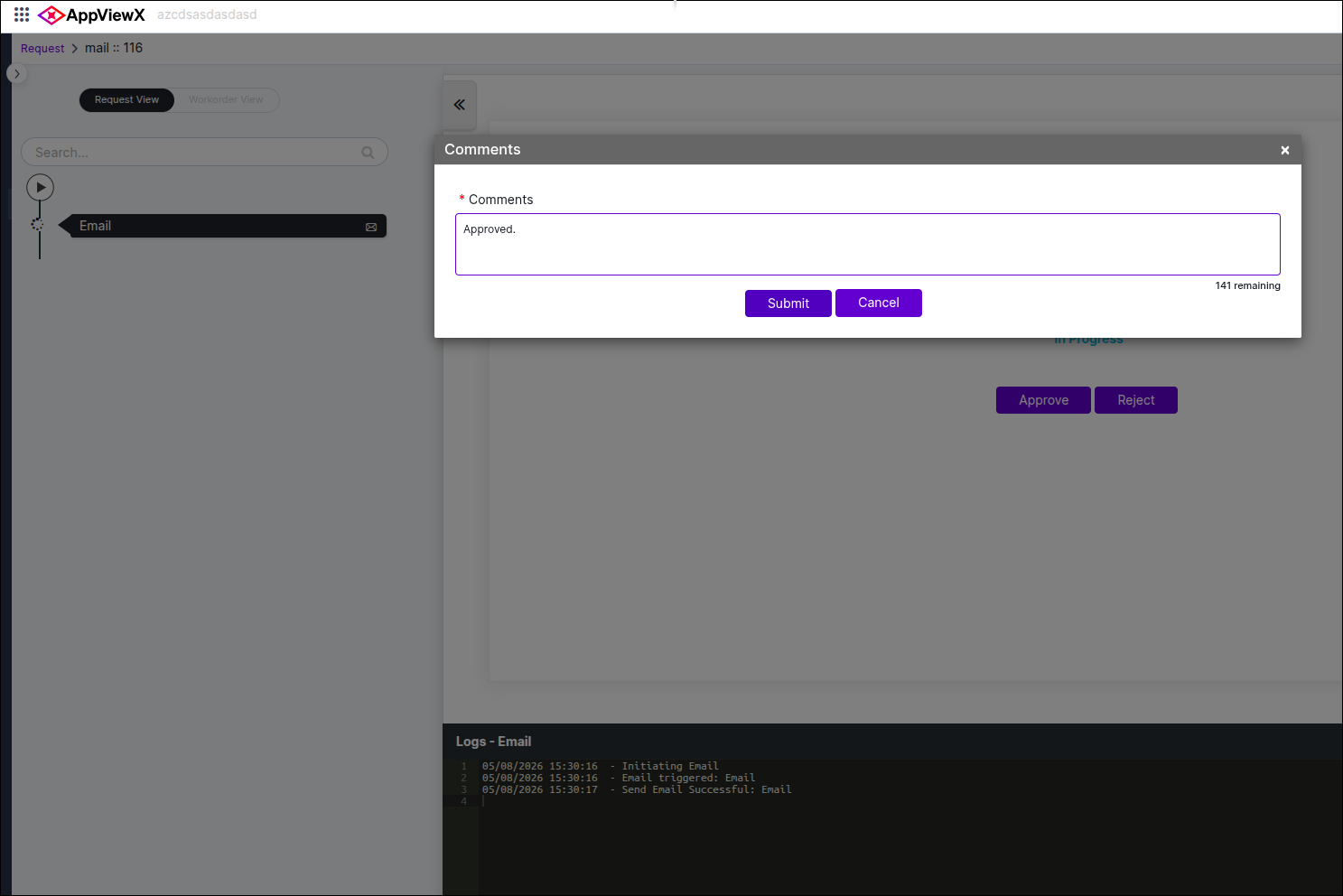
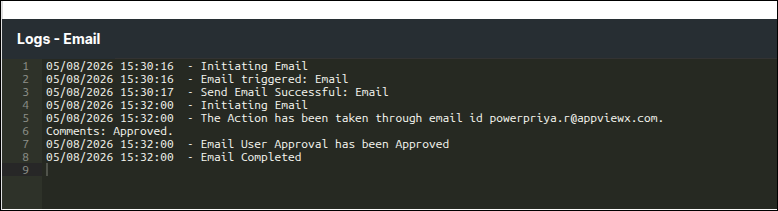
The approval email response flow captures approver comments based on the configured behavior for approve and reject actions.
The following examples describe the expected behavior:
- If comment capture is disabled, approvers can approve or reject directly without entering a comment.
- If comment capture is optional, approvers can submit a response with or without remarks.
- If comment capture is mandatory for rejection, AppViewX requires a justification before the rejection is processed.
- If comment capture is mandatory for approval, AppViewX requires an approval comment before the approval is processed.
