
Unassign a Device from Group(s)
-
Go to Menu > ADC+
> ASSET MANAGEMENT > Device
Group.
The Group screen opens.
- Search for the device to be removed from device group(s) and select the respective device and navigate to the Device group page.
-
Unselect the device group(s).
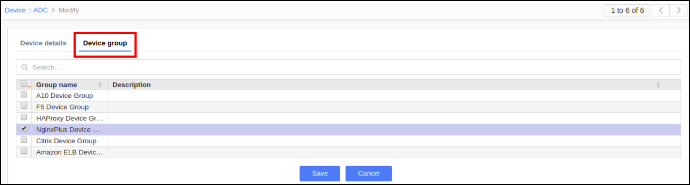
- Click Save.
