
Key Age Report
Displays the following reports in a bar chart: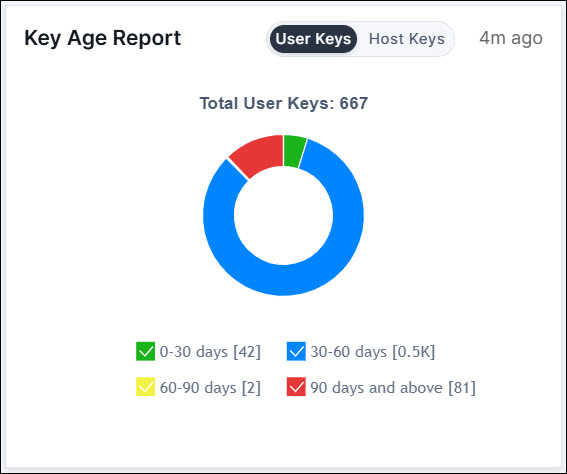
- User Key Age Report: A bar chart displaying the groupwise number of keys
(Y-axis) based on the following user key age (X-axis):
- 0 to 30 days
- 30 to 60 days
- 60 to 90 days
- 90 days and above
- Host Key Age Report: A bar chart displaying the groupwise number of keys
(Y-axis) based on the following host key age (X-axis):
- 0 to 30 days
- 30 to 60 days
- 60 to 90 days
- 90 days and above
Click the graph on the widget to fetch details of the client endpoints, host endpoints, associated users, key name, and the group.
You can also rotate and delete keys from hosts with multiple keys through the user and host key age report thus mitigating service disruptions. On selecting keys for rotation or deletion from an endpoint, a confirmation message appears. On confirming, the operation is triggered via workflow. To check the status and reports, go to Automation > Service Request and select your request from All requests.
Note: The age data is only fetched for private and public keys that
are available in the host as a file. Age data is not fetched for keys that are part of
grouped data like authorized_key files or known_host files.
