
Configuring Provision Settings
You can gain comprehensive control over key and certificate provisioning with the options
available under Advanced Settings >
Provisioning section. The options are:
- Provision to Enable Global Known hosts
- Provision to Enable Global Auth keys
- Provision to Enable User CA Trust and Host Certificate
Procedure
- Go to
 (Menu) icon > SSH+ >
Administration > Provisioning.The Provisioning page is displayed.
(Menu) icon > SSH+ >
Administration > Provisioning.The Provisioning page is displayed.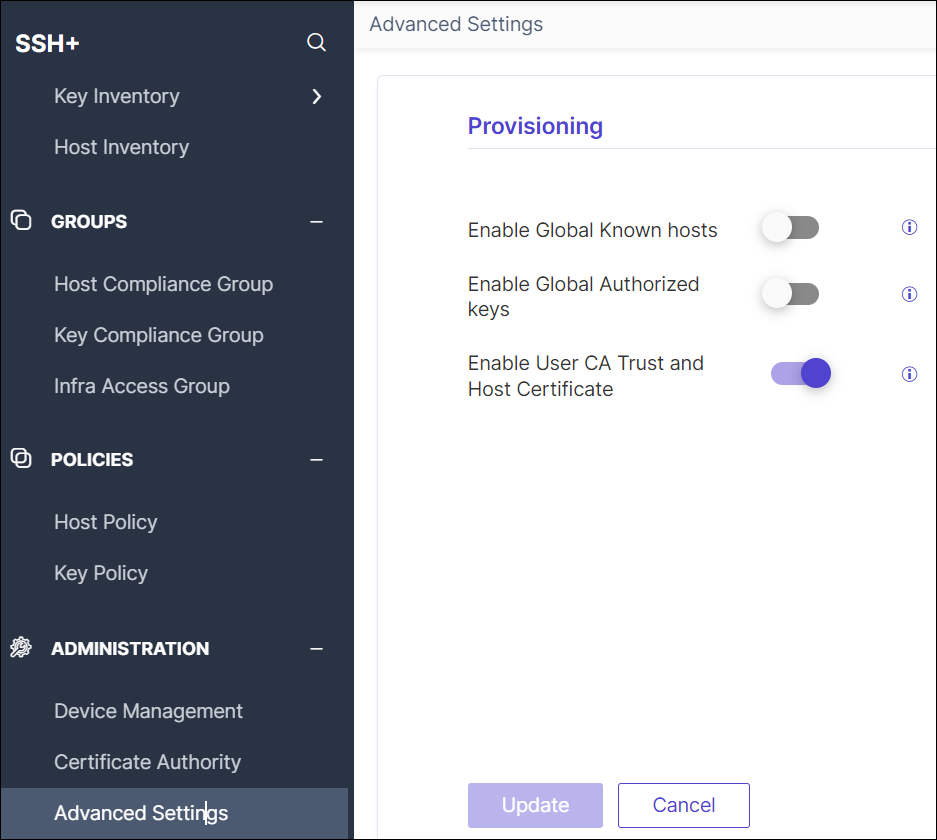
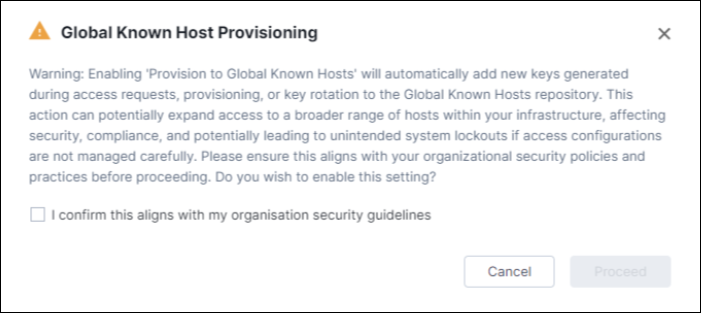
- Enable Global Known hosts: By default, this option is disabled. Enabling
this option allows to generate a Global Known Hosts configuration, ensuring that
all new keys/certificates generated during access requests, provisioning, or
remediation activities (such as key rotation) are added to the Global Known
Hosts repositories. Enabling this option may have implications for your
network.
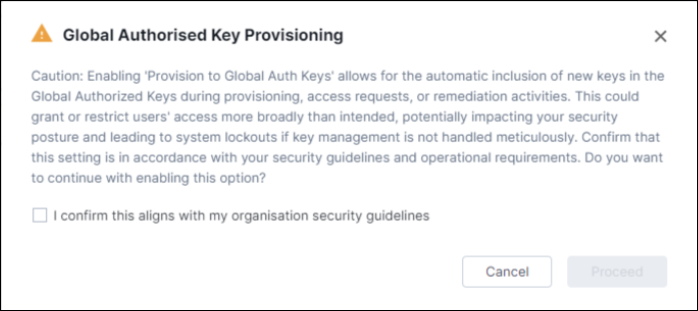
- Enable Global Authorized keys: By default, this option is disabled.
Enabling this option allows to establish a Global Auth Keys configuration,
ensuring that all new keys/certificates generated during access requests,
provisioning, or remediation activities (such as key rotation) are added to the
Global Authorised Keys repositories. Enabling this option may have implications
for their network.
- Enable User CA Trust and Host Certificate: By default, this option is
enabled. This option allows certificate based authentication for the devices. If
you disable this option, the following User CA Trust and Host
Certificate warning window opens. Select the checkboxes in the
warning window, and then click Proceed.
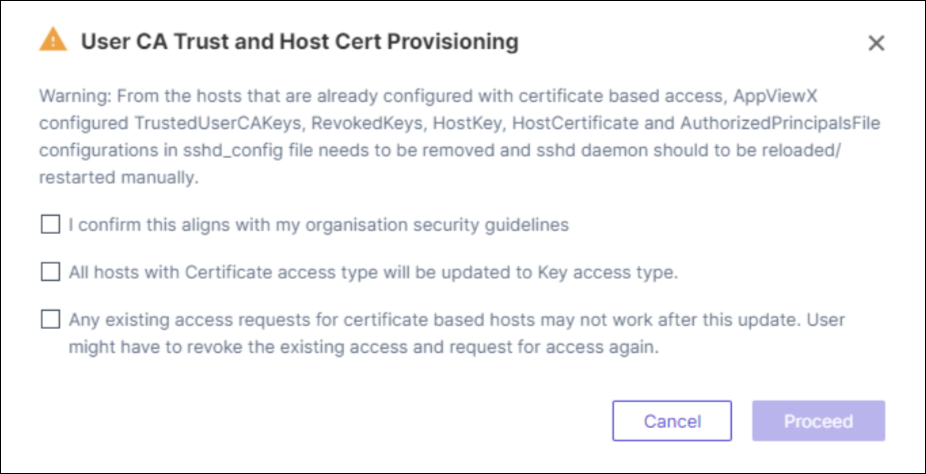 If you enable this option again, you get the
following User CA Trust and Host Certificate warning
window opens. Confirm the checkbox, and then click
Proceed.
If you enable this option again, you get the
following User CA Trust and Host Certificate warning
window opens. Confirm the checkbox, and then click
Proceed.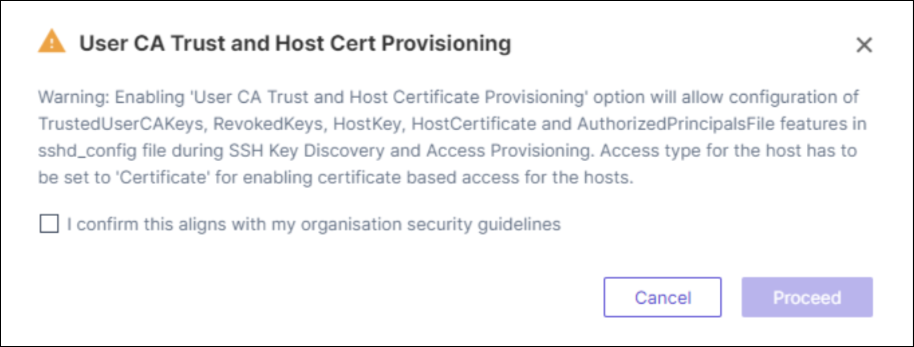
- Click Update. A message, Provisioning settings saved successfully, appears.
