
Setting ACF Permissions for Roles
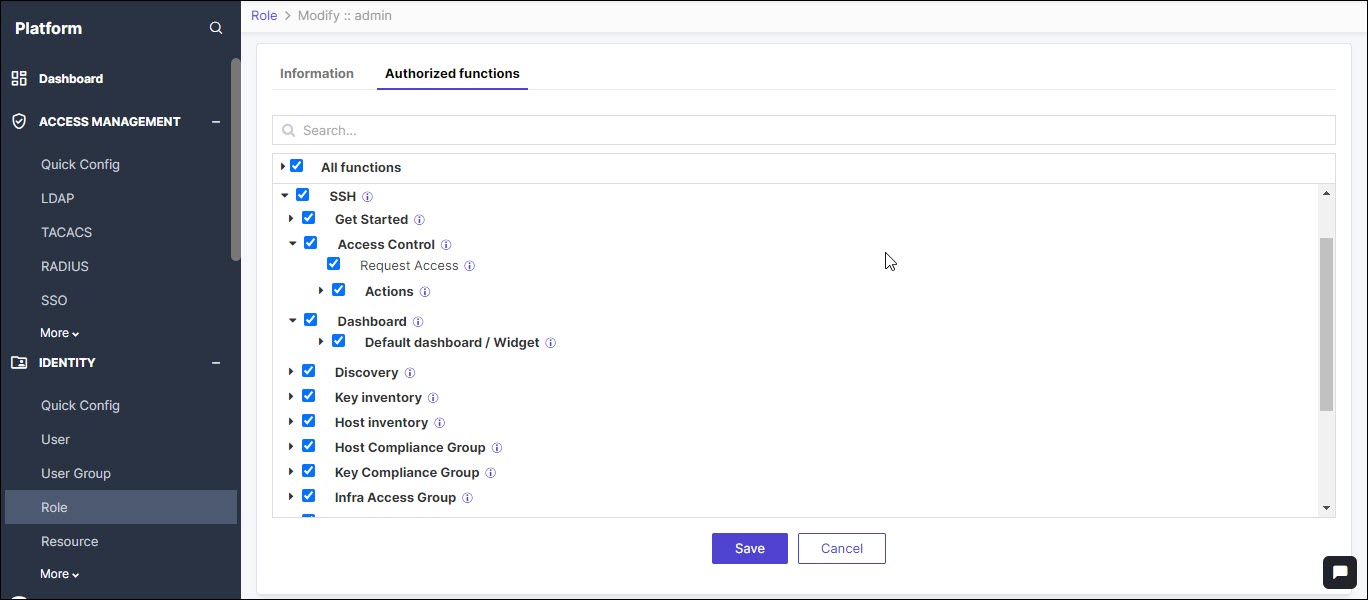
As administrators, you can set authorized functions (ACF) permissions for users based on their roles. Depending on the role and the ACF permissions set, the user can access some or all of the SSH+ functionalities.
To set ACF permissions for a role:
-
Go to
 (Menu) icon > Platform > Identity > Role.
- Click the role for which you want to set ACF permission.
- Select Authorized functions.
-
Select and expand SSH to select and unselect the functions.
-
Click Save.
While most of the changes are implemented instantaneously, it takes approximately 3 minutes for changes in Access Control function to take effect.
