
AppViewX KUBE+ for Workload Certificate Management: An AWS EKS Add-On
For more information, read the official AWS documentation at Amazon EKS add-ons.
Benefits
- Provides simplified installation, configuration and management of x509 certificates on the Amazon EKS clusters.
- Includes the latest security patches, bug fixes, and are validated by AWS to work with Amazon EKS.
Installing the EKS Add-on
Step 1: Subscribe to the EKS Add-on in the AWS Marketplace
- You have sufficient permissions in your AWS account to enable this Add-on.
- Complete the subscription process in the AWS console. Go to the AWS Marketplace Page to add the AppViewX KUBE+ - EKS Add-on to your AWS account.
-
Accessing the EKS console - In your AWS account navigate to the
EKS Console > Clusters
and select the cluster where the AppViewX add-on is to be
deployed.
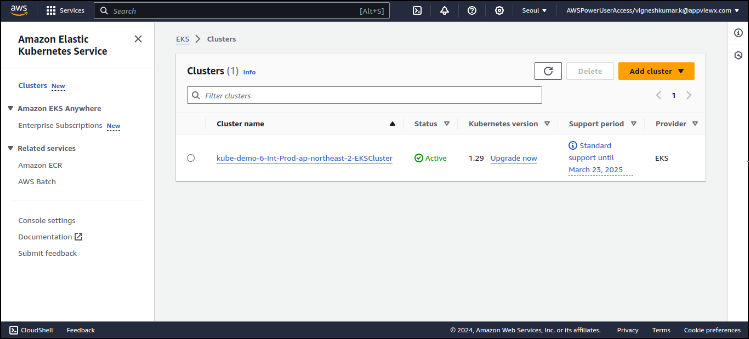
-
Subscribing for Marketplace Add-on - In the Cluster
info section, navigate to the
Add-ons tab and click the Get more
add-ons button.
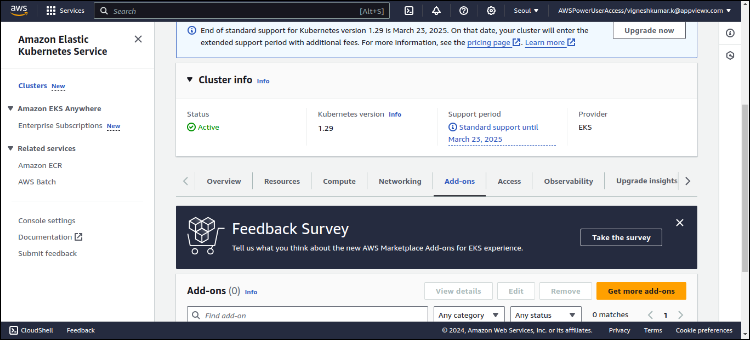
-
In the add-ons section, under the AWS Marketplace
add-ons, do the following steps:
- Search for AppViewX.
- Select the AppViewX EKS Addon - Certificate Lifecycle Management for containers checkbox.
-
Click Next.
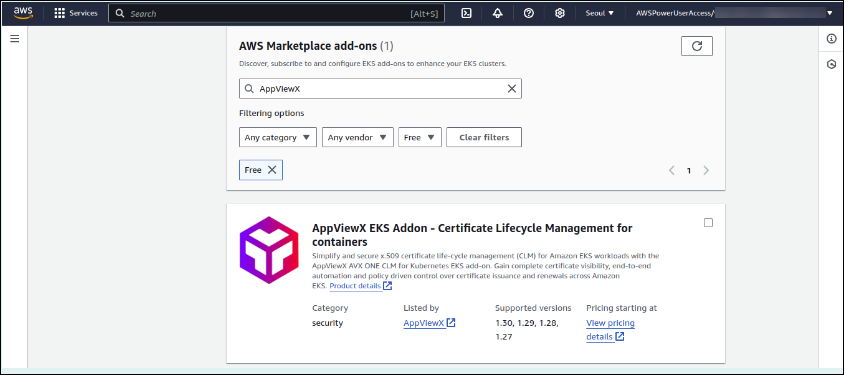
-
Choosing the Add-on and making the marketplace subscription:
-
Select the add-on version click on View
Subscription.
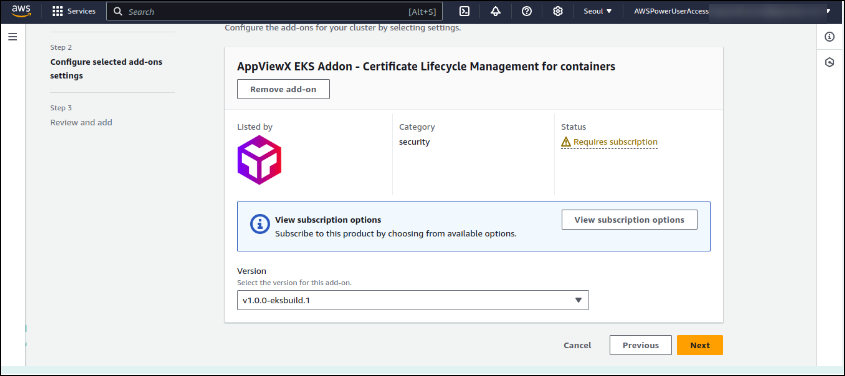
-
Verify the subscription options, and then click
Subscribe.
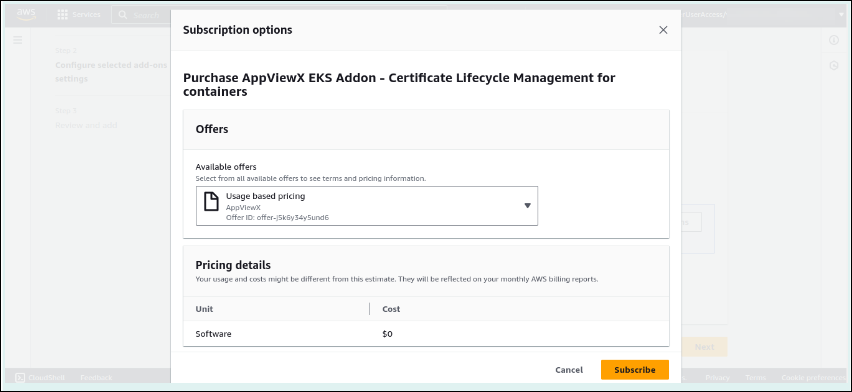
-
Select the add-on version click on View
Subscription.
-
Continuing with add-on configuration & installation
-
Once the subscription status is Ready to
Install continue select the version and click
Next.
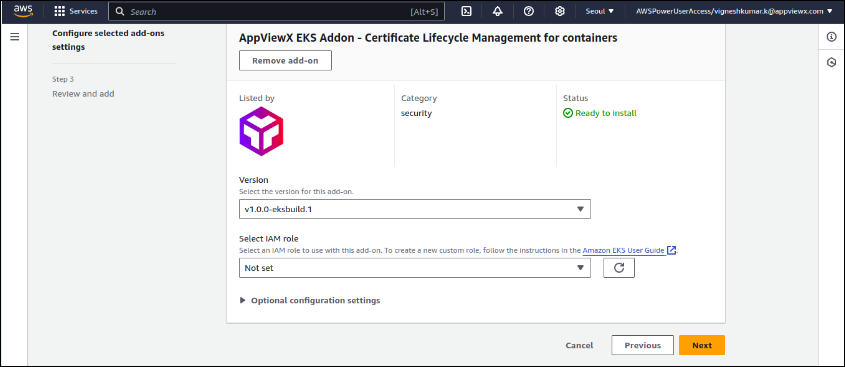
-
In the next page, review the subscription and the add-on
configuration, and then click Create.
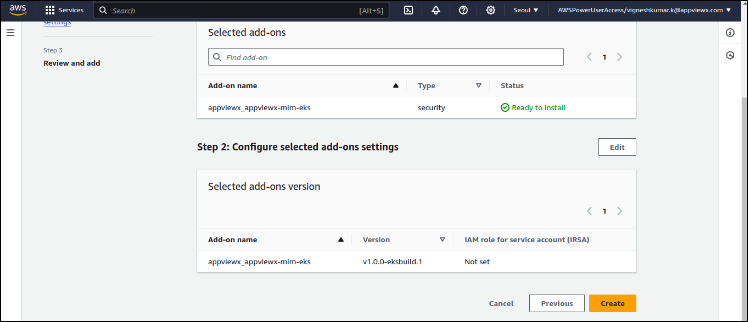
-
Once the subscription status is Ready to
Install continue select the version and click
Next.
-
Verifying the add-on installation at the cluster end - After selecting
the Create action, the KUBE+ add-on is
automatically deployed to the clusters, and the status on the cluster
add-on page updates to Creating.
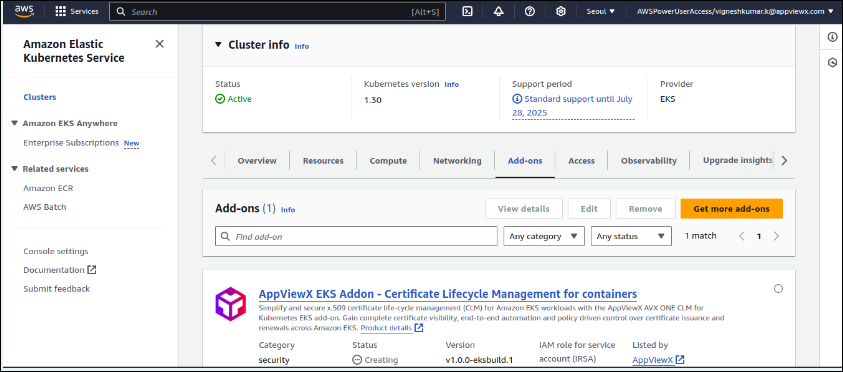
-
To verify the add-on pod running status, log in to the cluster and
verify the install.
-
To verify if the pod is running, execute the command
kubectl get pods -n crypto-mesh.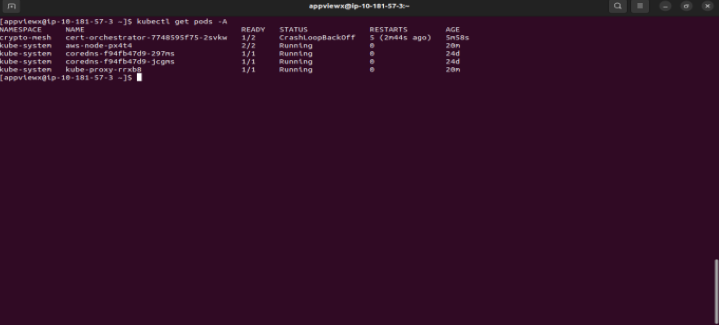 Note: The result of the command provided above is expected to have a CrashLoopBackoff status.The administrator/user should download the credentials from a valid AppViewX Subscription to connect the add-on to an AppViewX KUBE+ environment.
-
To verify if the pod is running, execute the command
Step 2: Ensure access to a valid AppViewX KUBE+ Subscription
- via the AWS Marketplace
- via request to AppViewX
- Alternatively existing AppViewX customers ensure to have KUBE+ license subscription
Via the AWS Marketplace
-
Navigate to the Marketplace.
The AppViewX KUBE+ page is displayed.

- Sign into your account or create your account if you are new to AWS Marketplace.
-
Click Continue to Subscribe.
Note: The marketplace subscription steps for KUBE+ product of AppViewX are provided here.
Via a Request to AppViewX
Step 3: Connecting your EKS Cluster to AppViewX
- You have access to the AppViewX (available as) SaaS, Onprem or Managed K8s based deployments.
- You have sufficient Permission to access the KUBE+ feature sets.
-
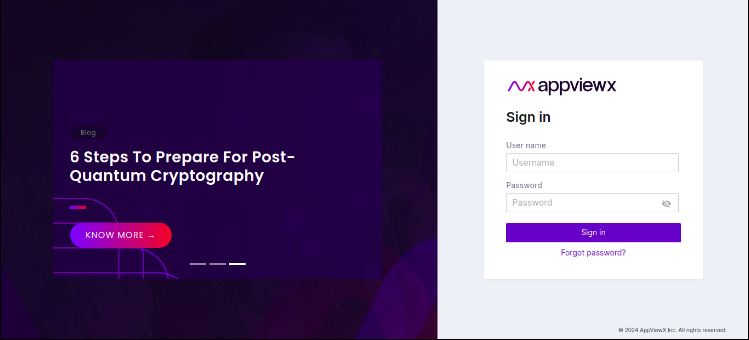
Accessing the AppViewX console - Access your AppViewX tenant/deployment
with the login credentials. Go to Menu >
KUBE+.
-
Generate Credentials or Access Token for connectivity:
-
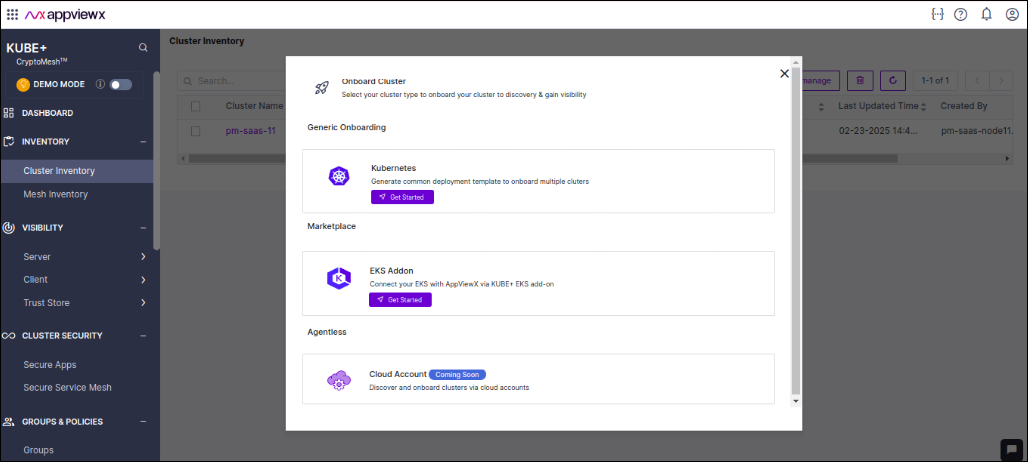
Generate authentication credentials for connecting the EKS
add-on to AppViewX. Go to Menu >
KUBE+ > Cluster
Inventory > Connect
Cluster > EKS Addon >
Get started.
-
Provide the cluster name and select the vendor and click
Generate Install Command.
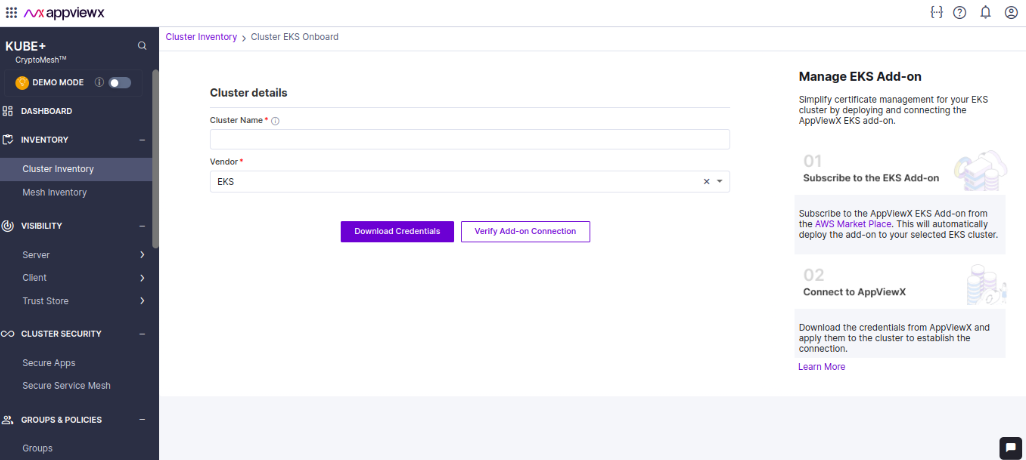
- Download the authentication credentials as YAML by clicking the Download Credentials and exit back to the inventory.
-
Generate authentication credentials for connecting the EKS
add-on to AppViewX. Go to Menu >
KUBE+ > Cluster
Inventory > Connect
Cluster > EKS Addon >
Get started.
- Deploy credentials in the EKS cluster: Copy the YAML to the Bastion host or to the cluster for deploying the credentials in the cluster.
Step 4: Deploy credentials and manage EKS cluster in AppViewX
Deploy the above saved YAML to the cluster with the command
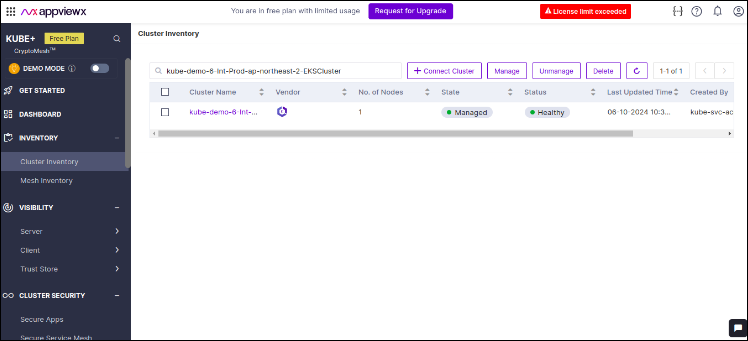
kubectl apply -f secret.yaml and once the
connection is established the cluster is automatically managed in
AppViewX KUBE+ Cluster Inventory.
Managing the SSL/TLS certificates in your EKS
Once the cluster is managed, you can refer to the AppViewX KUBE+ documentation on how to use KUBE+ for certificate management operations (discover, monitor and enroll certificates ) for your EKS cluster.
